Mindomo Requires javascript and the latest version of the Adobe Flash Player Plugin.


Get Adobe Flash player

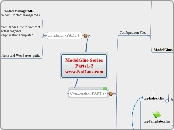
ModelGlue Series Parts1-2 www.NoDans.com Configuration(PART 2) Installation (PART 1) Configuration Files Views/Files grtfercho: Create a new Map Explaining ModelGlue at a Basic Level Application Name: ContactManagerMG Location: http://localhost/ContactManagerMG if not using CFECLIPSE Copy/paste the Template from ModelGlue to webroot rename the folder to ContactManagerMG Search/replace ModelGlueApplicationTemplate If Using CFECLIPSE. * Use the Ant build * Change application Name and WebServer paths ColdSpring.xml ModelGlue.xml dspIndex.cfm dspTemplate.cfm ModelGlue.xml Apache * C:\Apache2\httpd\htdocs IIS * C:\inetpub\wwwroot Important Tags * Reload * Debug * DefaultEvent grtfercho: Play with some of the values in the file and see the app on the webserver Default Event page.index Defines the Default page of the application body =dspIndex.cfm under Views Folder Defines the look and feel of the application. * Navigation Bars * Links to JS and CSS * Content Area view.template event shows dspTemplate.cfm Create two more Event-Handlers * View.Contact * View.List Under the tag insert a tag The Value passes a value to dspIndex.cfm. We can then get the value on dspIndex.cfm ----------------------------------------------------------------- Broadcasts Once you land on the Event_handler, what do you want me to do? Results Once I do what you want, how should I handle the results of the process? Views Once all the thinking is done, what should I display to the user? Message 1....N Result 1..M if no Name defined he result will be executed Include 1..X All views are stacked and then rendered on the last view included.