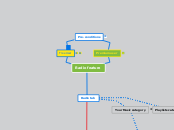
Radio feature
Free User
Check dependencies based on what type of user is logged in and is it relevant to test specific flows for one or another user.
Premium user
Pre-conditions
Location: Investigate what kind of users and from what location will see the feature first. (negotiate with developers availability of sequential release)Use test data for relevant location.
Radio tab
Your Music category
How radio feature influences existing categories and tabs?Your music will contain savings from playing radios.
Stations tab
Playlists category
Main functionalities and areas
Radio tab opens.- Contains name "Radio" in upper left corner with specific font and size- There is "create new station" button in upperright corner (specific font, size and colour in specified form)- Has categories with names on specific positions divided by thin line and arrow buttons (Recently Played, Recommended Stations)- There are clickable categories under "Genre Stations" with animation on hover1. New station creation: - opens search field - latin letters can be typed in - special characters can be typed in - spaces can be typed in (no search results) - numbers can be typed in - Cyrillic / Japanese / Arabic symbols can be typed in (need to be discussed beforehand) - results have categorisation (most relevant match, songs, albums, playlists) - results have images (in relevant match, artists, albums, playlists) - Images circled for relevant match and artists - Images squared for albums and playlists - Playlists image consists of 4 small album covers - there are no images in songs category - there are artist and song titles for each 3 songs in songs category - search results with most relevant match - search results with 3 songs - search results with 3 artists - search results with 3 albums - search results with 3 playlists - opens up radio page from each of above - results 2. Recently played: - Played station appeared in top section - Play over 20 stations and check - 3,4 or more in a row depending on screen resolution - Switching by buttons "next 3"/ "previous 3" - Can be played (button in place) - Showing dynamic when playing - Can be paused (Showing pause button on hover) - Can be followed / unfollowed (symbol + hanged state on V and back) - Each station has album cover - Has relevant name - Has explanation (for each station type - Song, Album, Artist, Playlist radio) - Can be opened by link / cover 3. Recommended stations: - 3,4 or more in a row depending on screen resolution - Switching by buttons "next 3"/ "previous 3" - Can be played (button in place) - Showing dynamic when playing - Can be paused (Showing pause button on hover) - Can be followed / unfollowed (symbol + hanged state on V and back) - Each station has album cover - Has relevant name - Has explanation (for each station type - Song, Album, Artist, Playlist radio) - Can be opened by link / cover4. Default Genre stations - most common genres in place - from 50s to 00s - Christmas themed stations in place5. Station page - Station image (circled, specific size, rounded with custom image) - Identification in header (artist/album/song/playlist radio) - Name (specific size and specific font) - "Featuring" text (with clickable links of artists) - Play button (color, size, form) - Follow button (color, size, form) - "..." button opens drop down menu that contains"Go to ...", "Add to playlist->New Playlist/existing","Follow" - Table with columns (song, artist, album) 20 songs in rows and info message ("more songs load as you listen") in the bottom- Artist and Album names are clickable- Symbol + in the beginning of row allows to save/delete song to your music- Specific symbol shows and song title, artist name, album title are green coloured when song is playing- Shows thumb up/down clickable buttons for songs that is playing - Shows specific symbol in the end of row if song already has thumb up/down In table Song On hover: - Shows Play/Pause button that can be clicked - Show "..." button that opens drop down menu on click (with options: Add to Queue, Go To artist/album , Save to your music , Add to playlist->New/existing, Share...,Copy Song link/Spotify URL/Embed code) - Check options from drop down menu6. Playing station - start playing from song - start playing from album - start playing from artist - start playing from playlist7. Listener personalisation - Thumb up - Thumb down8. Playlist generation - Liked from a radioDependencies:-> Station tab will contain followed station- Check on followed- Check on unfollowed-> Playlists- Checkautomatically generated playlist - "liked from radio"