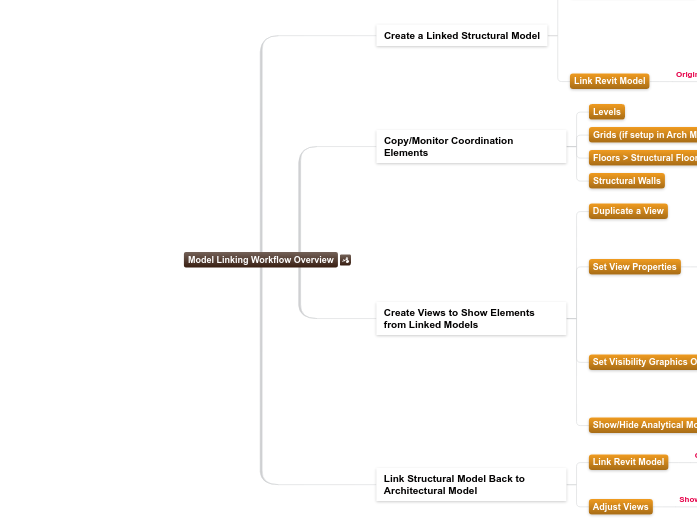
Model Linking Workflow Overview
Create a Linked Structural Model
Use the Imperial Multi-discipline Template
Pre-Loaded Families in Template
Boundary Conditions
Associate in Boundary Condition Settings
Structural Framing
Structural Columns
Structural Foundations
Can Copy Features to Another Project
Transfer Project Standards
Analytical Link Types
Analytical Model Object Styles
Structural Settings
Save as a Revit Could Model
Link Revit Model
From Forma Project
Auto- - Project Base Point to Project Base Point
Copy/Monitor Coordination Elements
Levels
Grids (if setup in Arch Model)
Floors > Structural Floors
Structural Walls
Create Views to Show Elements from Linked Models
Imperial Multi-discipline model includes pre-define views for each discipline
Create additional views as needed
Duplicate a View
Set View Properties
Discipline
Structural
Architectural
Coordination
Set Visibility Graphics Overrides
Show Categories
Curtain Walls
Curtain Panels
Curtain Mullions
Walls
Doors
Link Structural Model Back to Architectural Model
Link Revit Model
Auto- - Project Base Point to Project Base Point
Adjust Views
Show Structural Elements
Structural Columns
Structural Framing