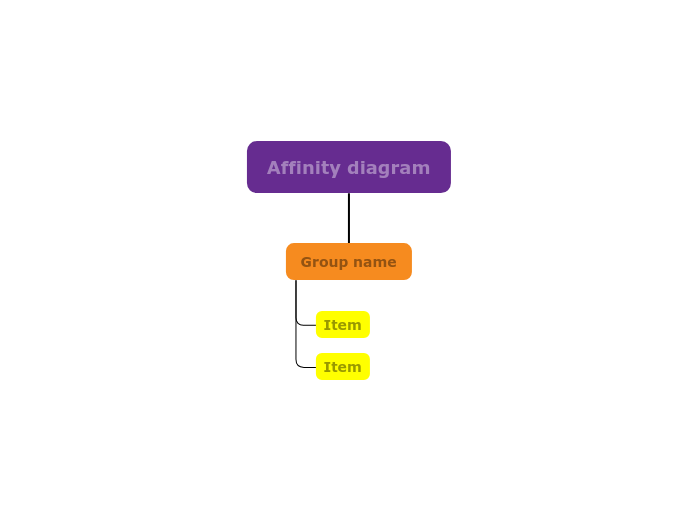
Begin by listing all relevant concepts or data points, then categorize them into clusters based on their natural relationships and similarities. This approach helps you identify common themes, patterns, and underlying issues. Ideal for brainstorming sessions, problem-solving, and project planning, the Affinity Diagram template enables you to visualize connections and gain insights into complex information, facilitating more informed decisions and strategies. Type the subject for your Affinity diagram and press Enter. A group collects together items that have something in common. Add items by pressing Enter. 思维导图可以帮助你集思广益,建立概念之间的关系,组织和产生想法。 然而,思维导图模板提供了一种更容易上手的方法,因为它们是包含特定主题信息和指导说明的框架。从本质上讲,思维导图模板确保了将特定主题的所有元素结合在一起的结构,并可作为个人思维导图的起点。思维导图模板是一种资源,可为创建特定主题的思维导图提供实用的解决方案,无论是用于商业还是教育。 Mindomo 为你带来智能思维导图模板,让你毫不费力地运作和思考。 您可以从Mindomo的商业或教育账户中选择各种思维导图模板,也可以从头开始创建自己的思维导图模板。任何思维导图都可以转化为思维导图模板,只需在其中一个主题上添加进一步的指导说明即可。关于此模板
Affinity diagram template
Affinity diagram
Press Insert /TABto create groups.
Add ideas or things to each group, and move them to the group where they belong.Group name
Type the group name and press Enter.Item
为什么使用 Mindomo 思维导图模板?
模板具有各种功能: