Why most presentations fail (and how to fix that)
Before we talk about how to make a presentation effective, let’s look at it the other way around: why do so many presentations fail?
Usually, it’s not the topic. It’s the structure. The problem is that the message isn’t structured clearly.
Common reasons include:
❗Too much text
❗No clear flow
❗Too many ideas at once
❗Slides used as a script
❗No strong takeaway
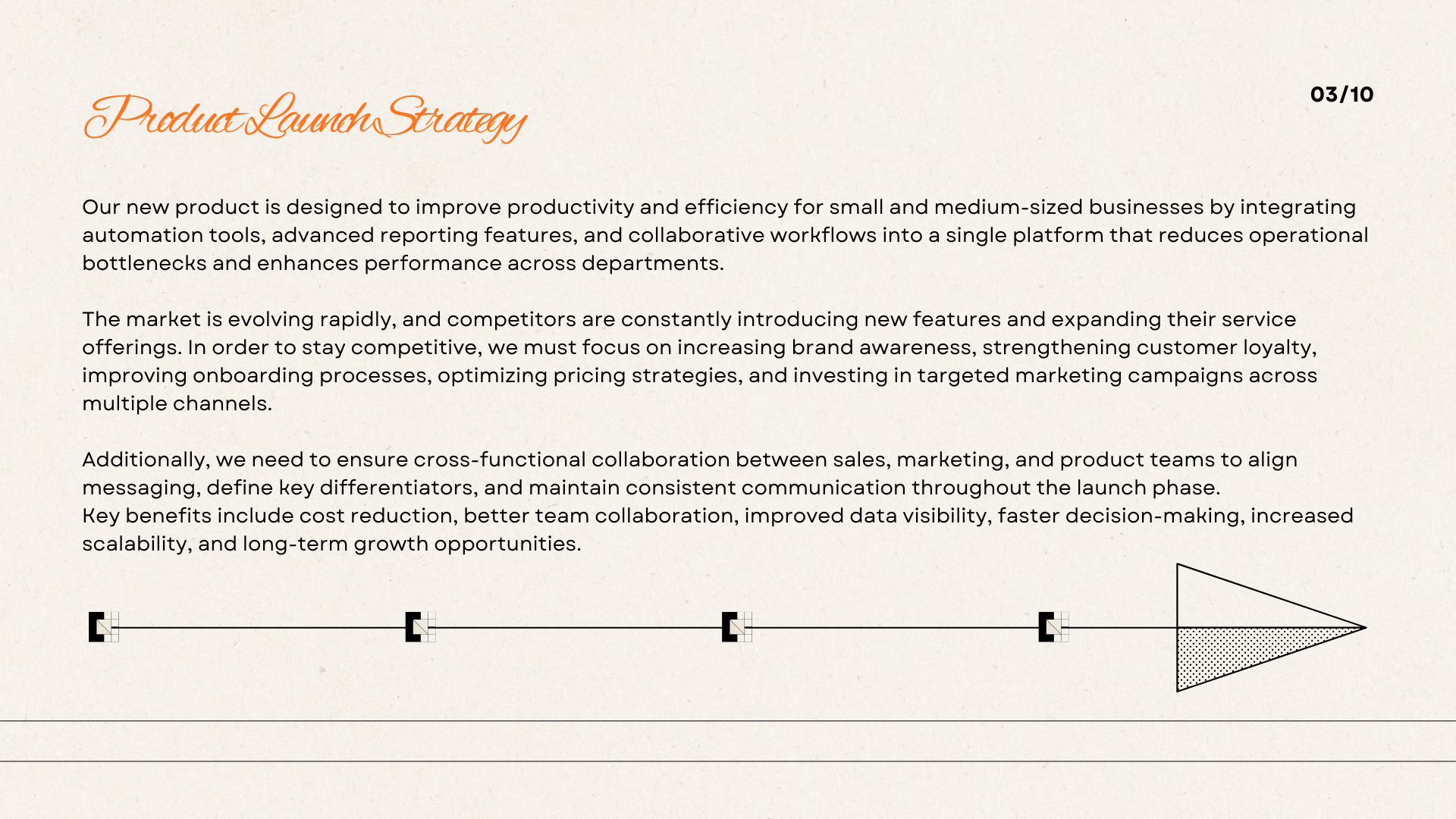
Most people start building the slides before organizing their thoughts. But slides are linear. And thinking isn’t.
Without a clear structure, your presentation becomes confusing, overwhelming, or forgettable.
The fix?
➡️ Structure first. Slides second.
What makes a presentation effective?
An effective presentation isn’t about more slides.
It’s about clarity.
So what actually makes a presentation effective?
➕ A clear objective: one main message your audience can easily understand.
➕ Logical structure: ideas that flow naturally from beginning to end.
➕ Visual clarity: clean slides that support your explanation, not replace it.
➕ Audience relevance: content that answers ‘Why does this matter?’
➕ A strong conclusion: a clear takeaway or call to action.
When these elements are present, your presentation becomes easier to follow, more engaging, and more memorable.
The real challenge isn’t knowing these principles. It’s organizing your ideas so they work together.

Why mind maps are perfect for presentations
Let me ask you something.
What’s the clearest way to explain how to get from point A to point B?
OR
How would you explain how plants grow to a child?
You’d probably be making a visual sketch.
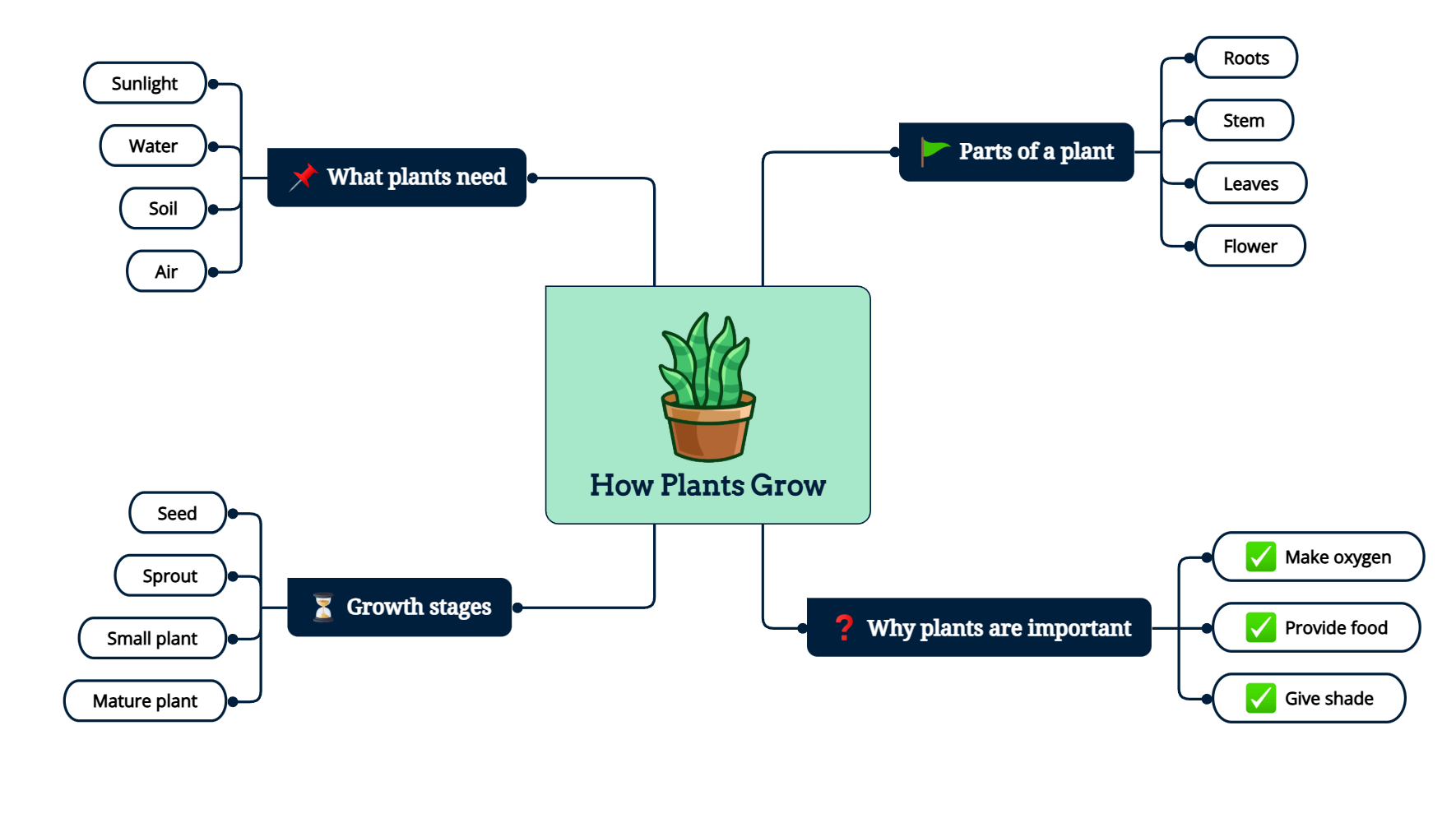
Because when information is visual, it’s easier to understand.
That’s exactly what a mind map does.
A mind map is a hierarchical visual structure. It begins with a central idea and branches out into main points and supporting details. This format mirrors how information naturally organizes itself: from big concepts to smaller elements.
Instead of writing paragraphs ➡️ you focus on keywords.
Instead of guessing the flow ➡️ you see it clearly.
Instead of adding more slides ➡️ you simplify.
💡 If you’re new to mind maps, you can read our guide on what a mind map is before continuing.
What are the 5 P's of an effective presentation?
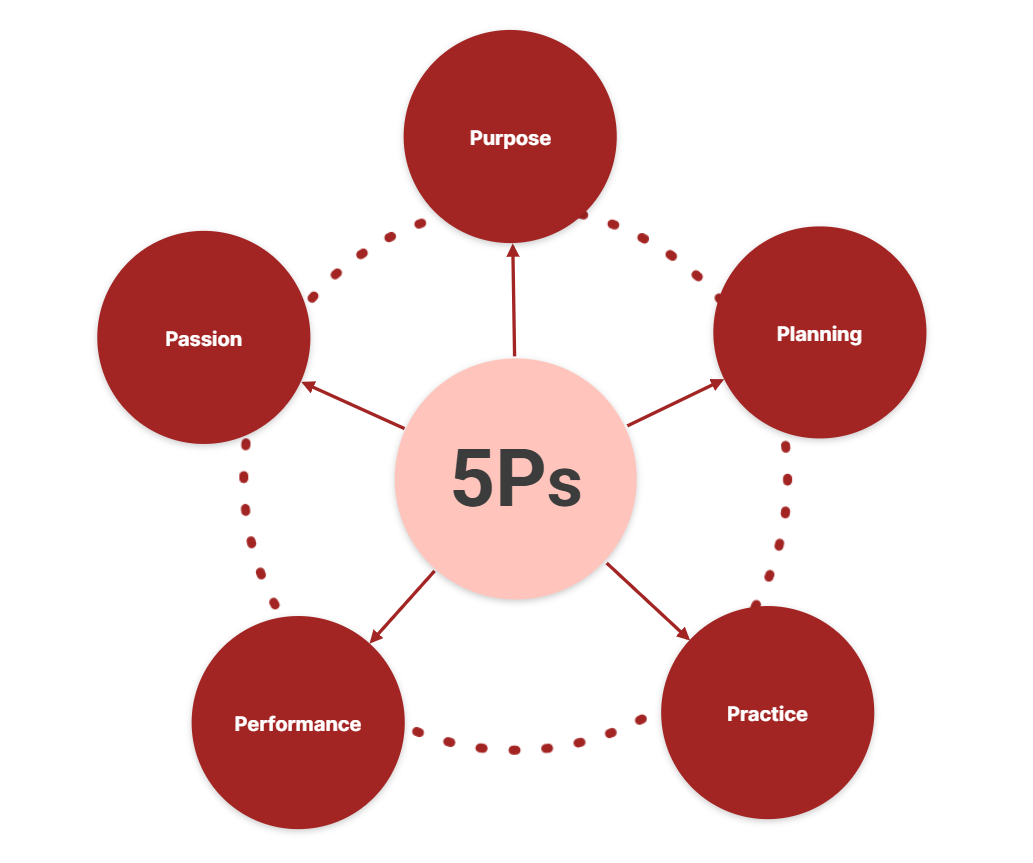
Have you heard of the 5 P’s of an effective presentation? It’s a simple framework:
-
Purpose: define your main objective. What is the one message your audience should remember?
-
Planning: organize your ideas clearly before designing slides.
-
Practice: rehearse your presentation to ensure a smooth flow and confident delivery.
-
Performance: communicate clearly, use body language, and maintain their attention.
-
Passion: enthusiasm makes your message more memorable.
When these five elements are in place, a presentation becomes structured, focused, and impactful.
How to create an effective presentation (step by step)
1. Preparation & structure
As mentioned above, there’s no way to deliver a strong presentation unless you have something clear and valuable to say. Preparation is all about framing and conceptualizing your message.
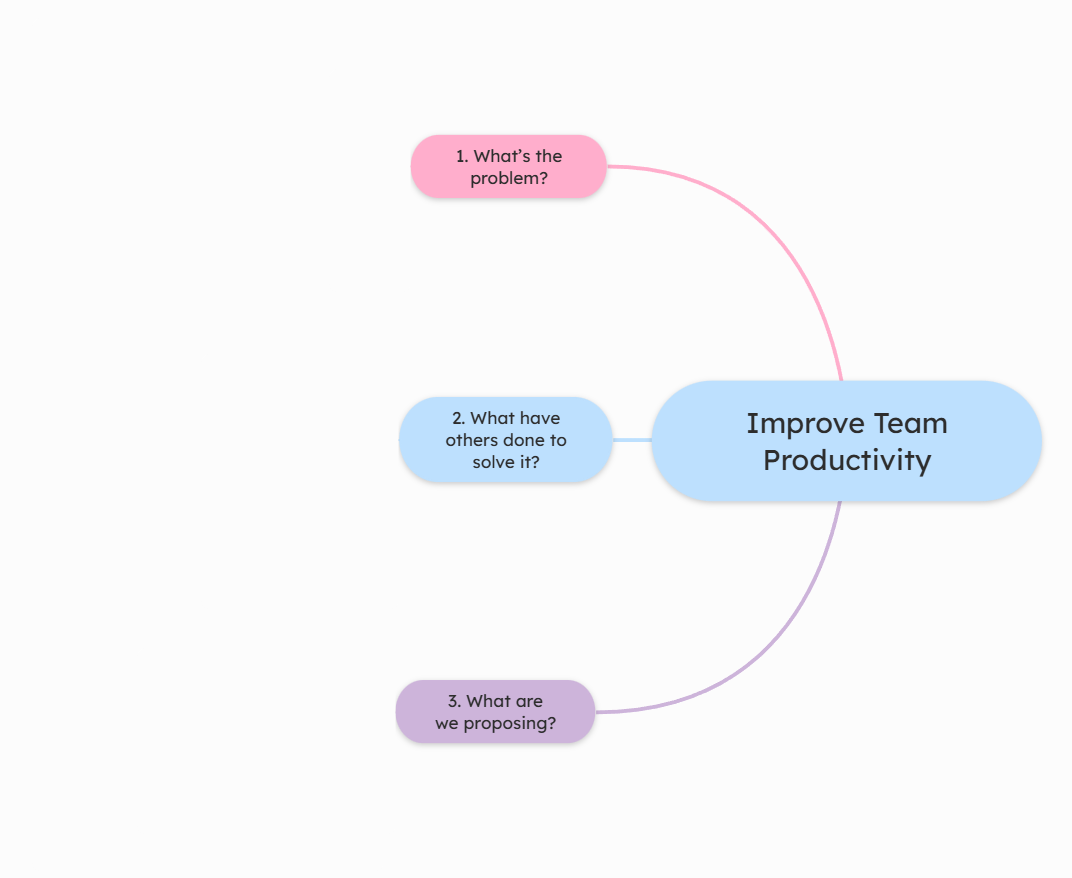
So start by defining your story. How? Ask yourself these questions that will help you:
- What’s the problem?
- What have others done to solve it?
- What are we proposing?
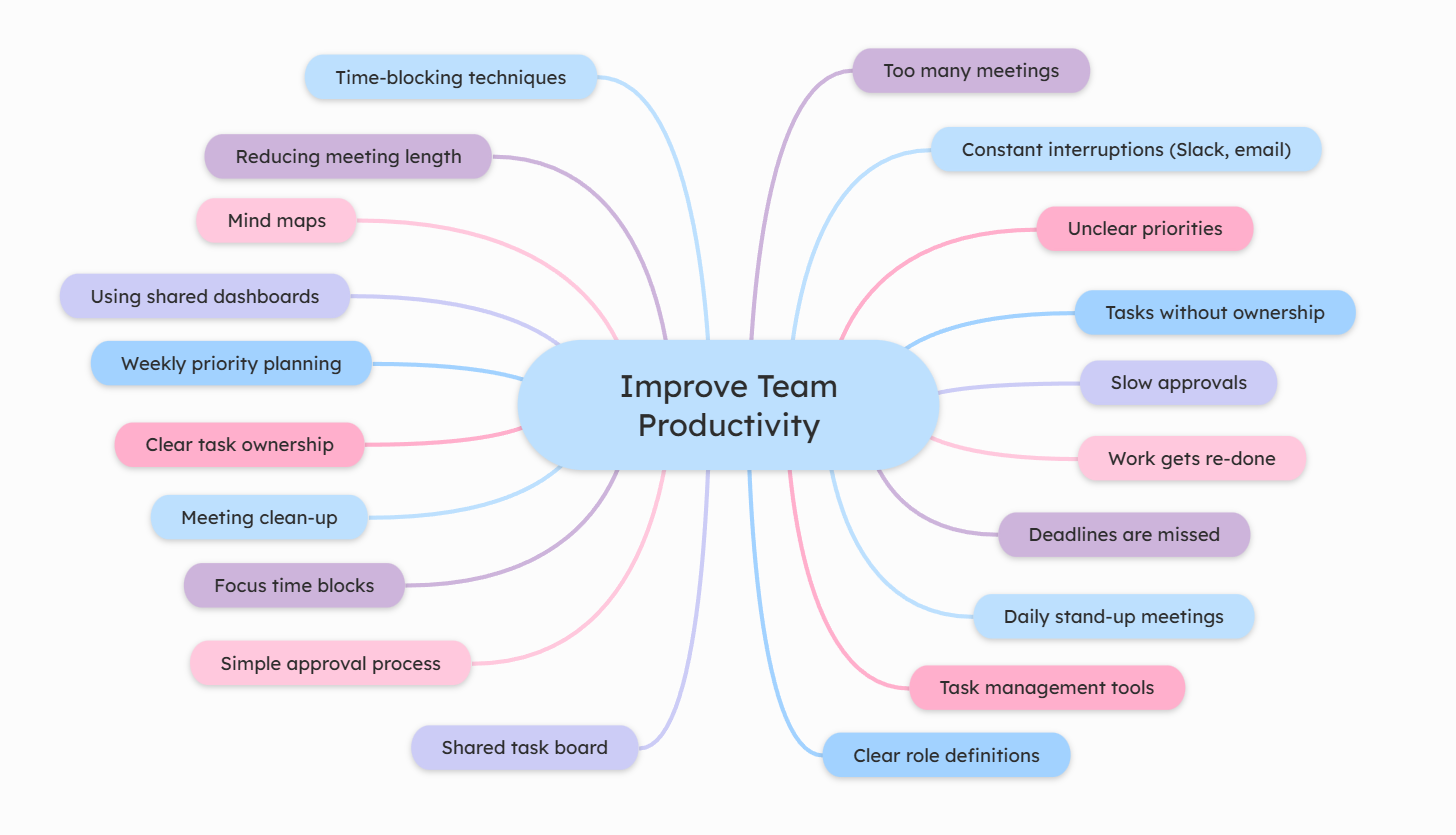
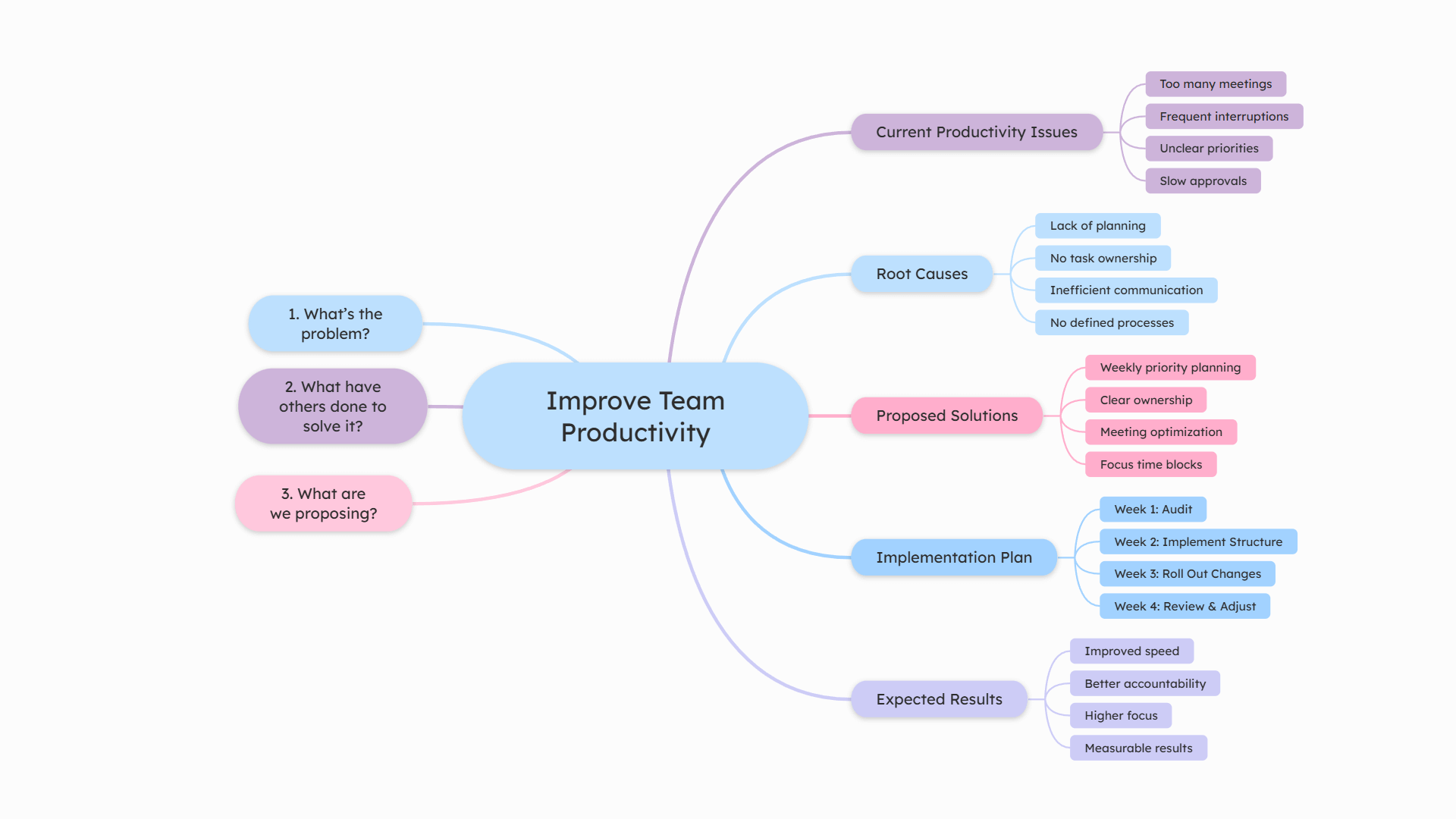
Now, let’s take a practical example and build a presentation together. Imagine you want to create a presentation about improving team productivity.
At this stage, nothing needs to be organized perfectly. The goal is to generate ideas freely, while keeping the three guiding questions in mind.
Just add random ideas that cross your mind to the central topic.
2. Share and collaborate
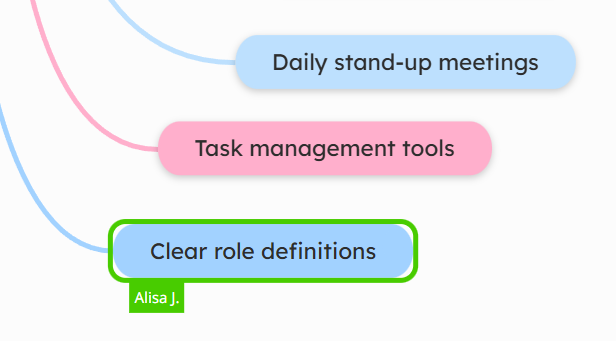
Once your initial ideas are on the map, don’t keep them to yourself.
A presentation becomes stronger when multiple perspectives are involved. Share your mind map with colleagues and invite them to contribute ideas or refine your proposal.
In Mindomo, you can:
➡️ Share the map with a specific person;
➡️ Share it with a group or the whole team;
➡️ Make it public and control permissions (view, comment, or edit).
Collaborators can add new topics, attach resources, leave comments, vote on ideas, or reorganize the structure together in real time.
More minds often lead to better structure, clearer arguments, and stronger solutions.
3. Add the main topics
After brainstorming and gathering feedback, it’s time to bring order to your ideas.
Review all the topics on your map and start grouping them into the main aspects you want to discuss. These will become the core sections of your presentation.
Drag and drop related ideas under each main branch. Remove duplicates, merge similar topics, and simplify where needed.
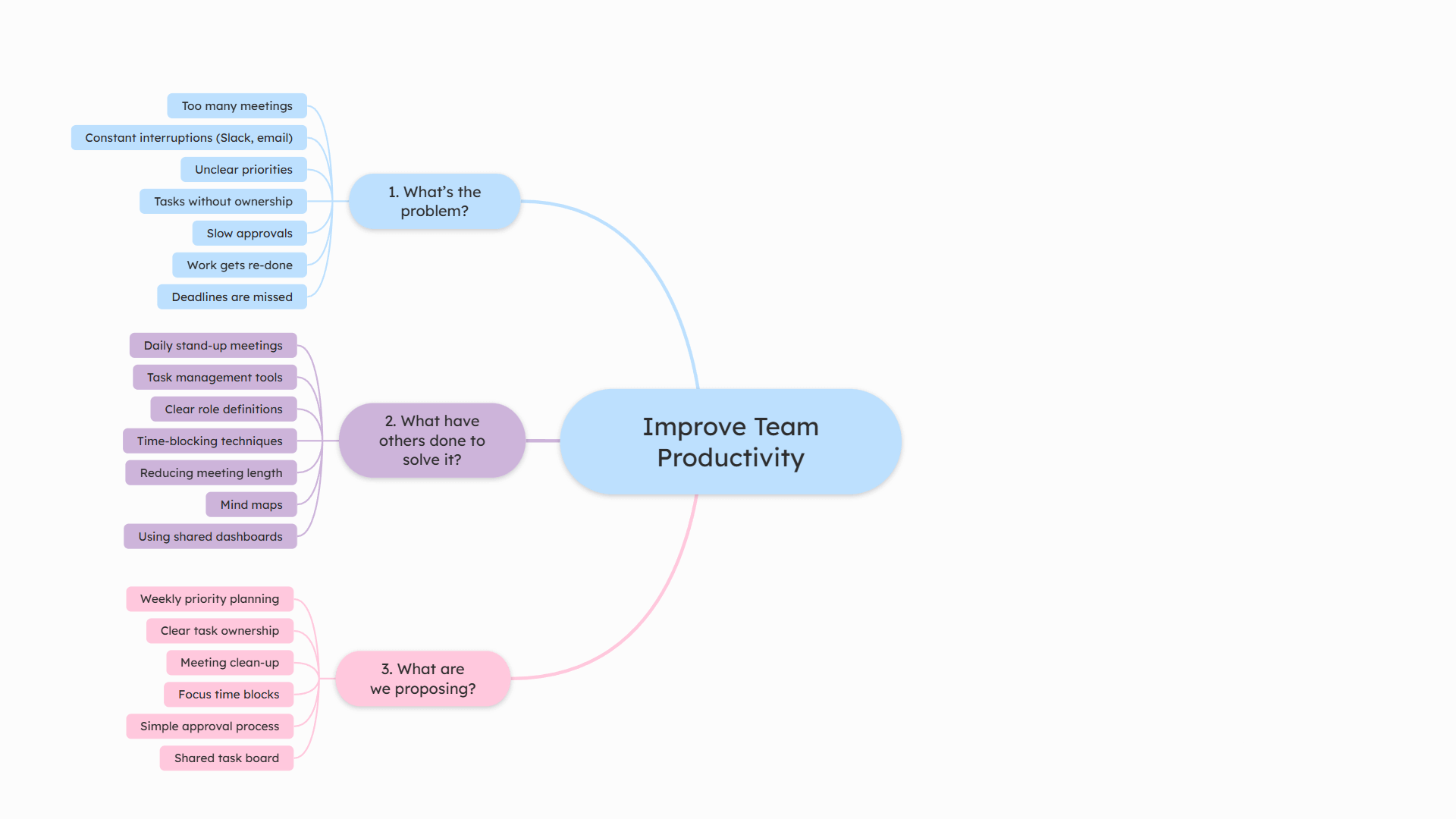
At this stage, your goal is clarity. Now you can delete the 3 questions you added at the beginning and rearrange the main categories you created.
Limit yourself to 3–5 main sections, and ensure the flow feels logical from beginning to end.
4. Add the details
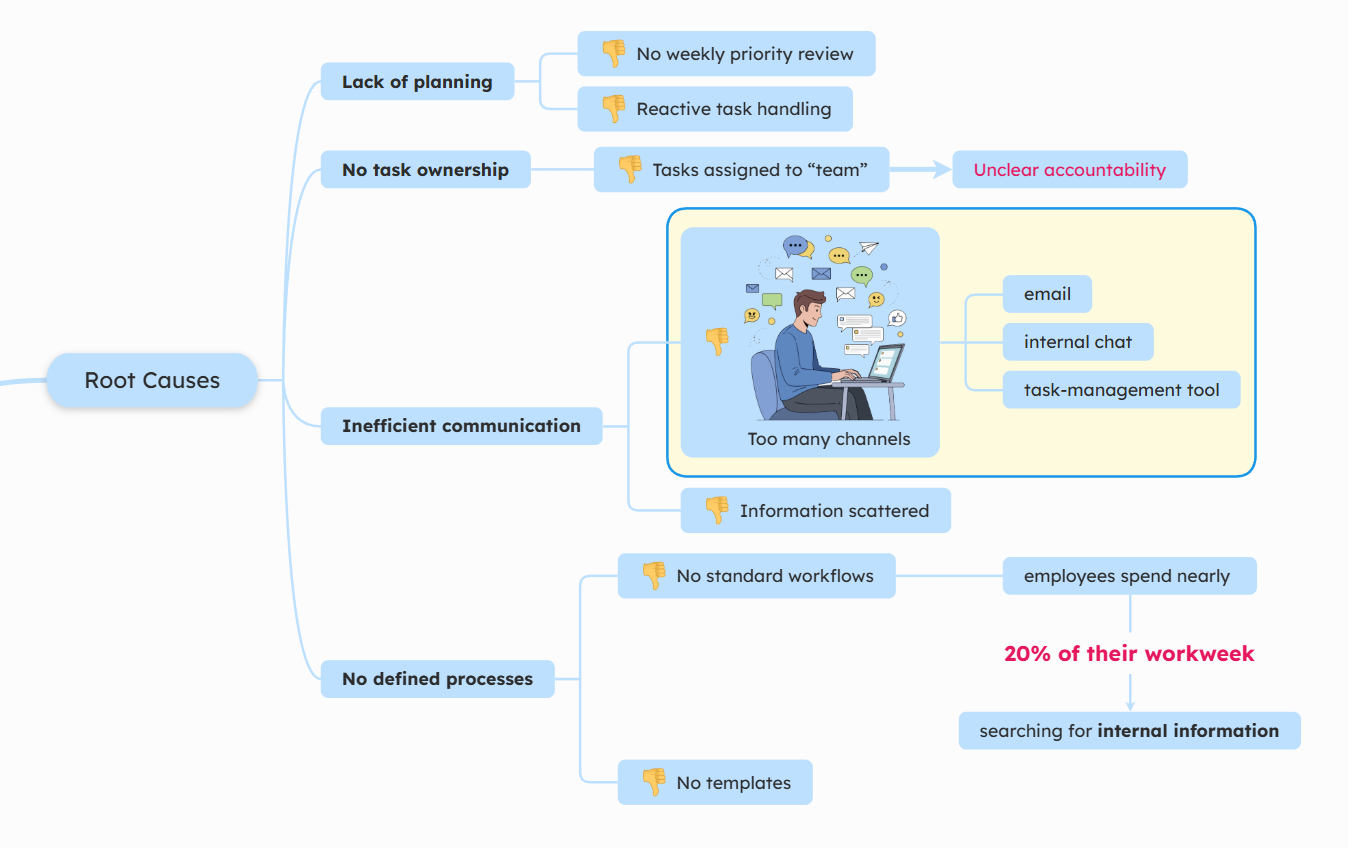
Now that your presentation has a clear structure, it’s time to strengthen each main section.
Go through every primary branch and add supporting details. Expand key points with short subtopics and clarify important ideas.
You can also remove ideas at any time. That’s the beauty of diagrams: they’re flexible and easy to adapt.
This is also the stage where you enrich your presentation with valuable resources:
💡 add images, videos, icons.
💡 attach documents or reports
💡 insert links to research or articles
💡 add notes (talking points for yourself)
Keep your mind map visually clean, but use notes and attachments to store deeper information without overcrowding the structure.
5. Select slides
One of the main advantages of using Mindomo is its built-in Presenter Mode.
You can turn your mind map into a slideshow presentation directly, without copying and pasting content into separate slides. You don’t need to switch to another app like PowerPoint or Google Slides and rebuild everything from scratch.
From your existing map, you can:
➡️ Select which topics become slides
➡️ Create and customize each slide
➡️ Reorganize slide order
➡️ Move, edit, or delete slides
➡️ Control what content appears on each slide
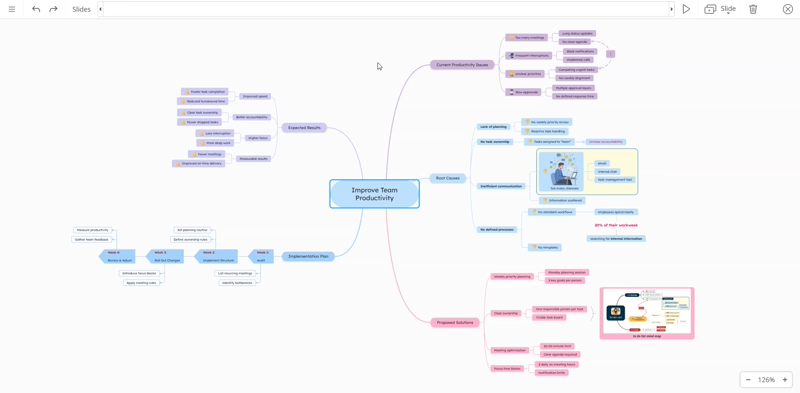
If you prefer a faster option, you can also generate slides automatically based on your existing branches and then adjust them as needed.
Slides are automatically linked to your mind map, so any edits you make remain synchronized. You can update your structure at any time without losing your presentation.
6. Present or export your presentation
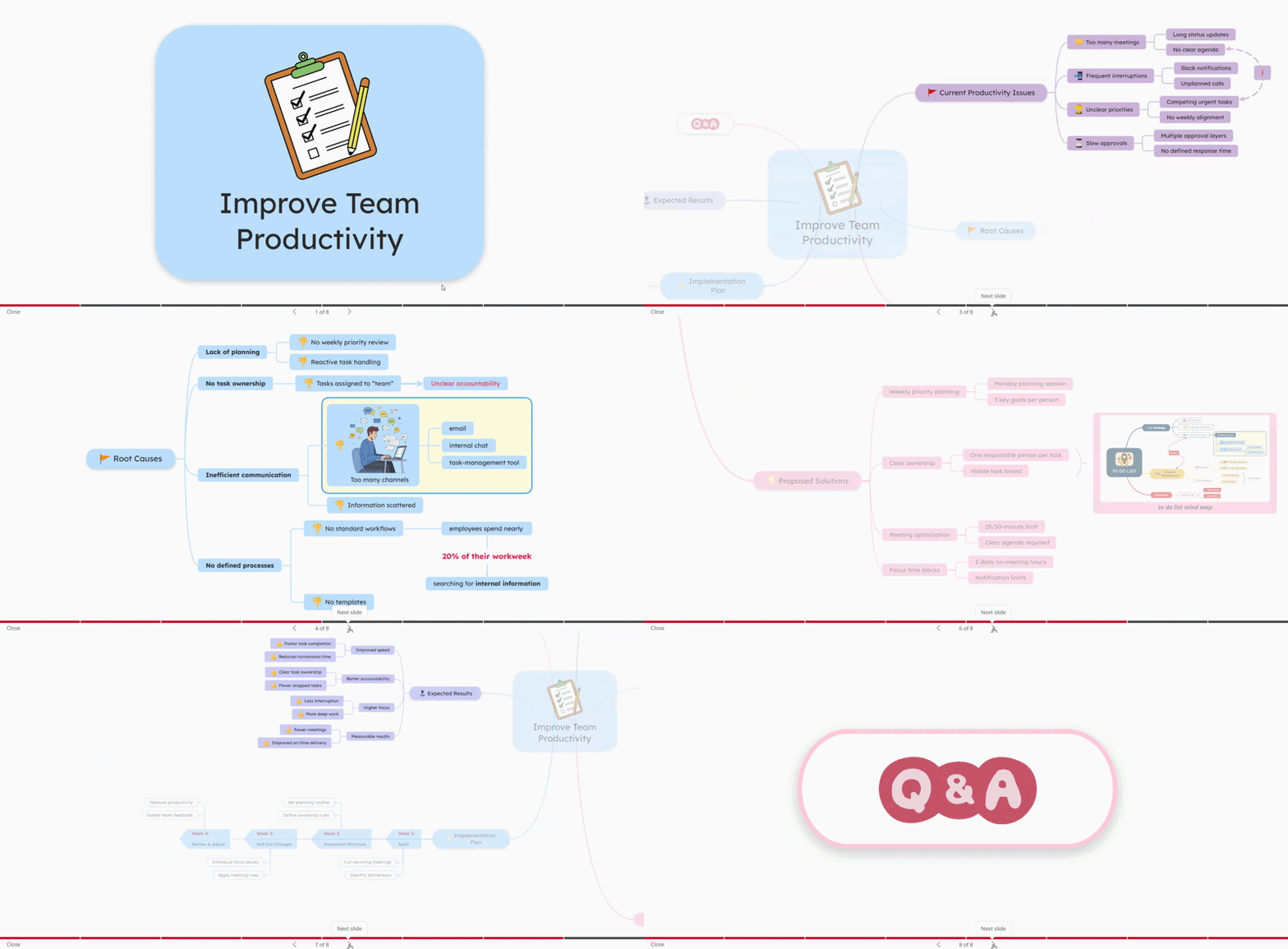
You can present directly in the mind map software (Mindomo) using Presenter Mode, navigating through your slides with a clear visual structure.
If you need to share it externally, you can also export your slideshow presentation in multiple formats:
- PowerPoint
- Slides as images.
This gives you the flexibility to present live, send the presentation to others, or use it in different contexts.
Rules for effective presentations
1. Core Rules for Mind Map Presentations
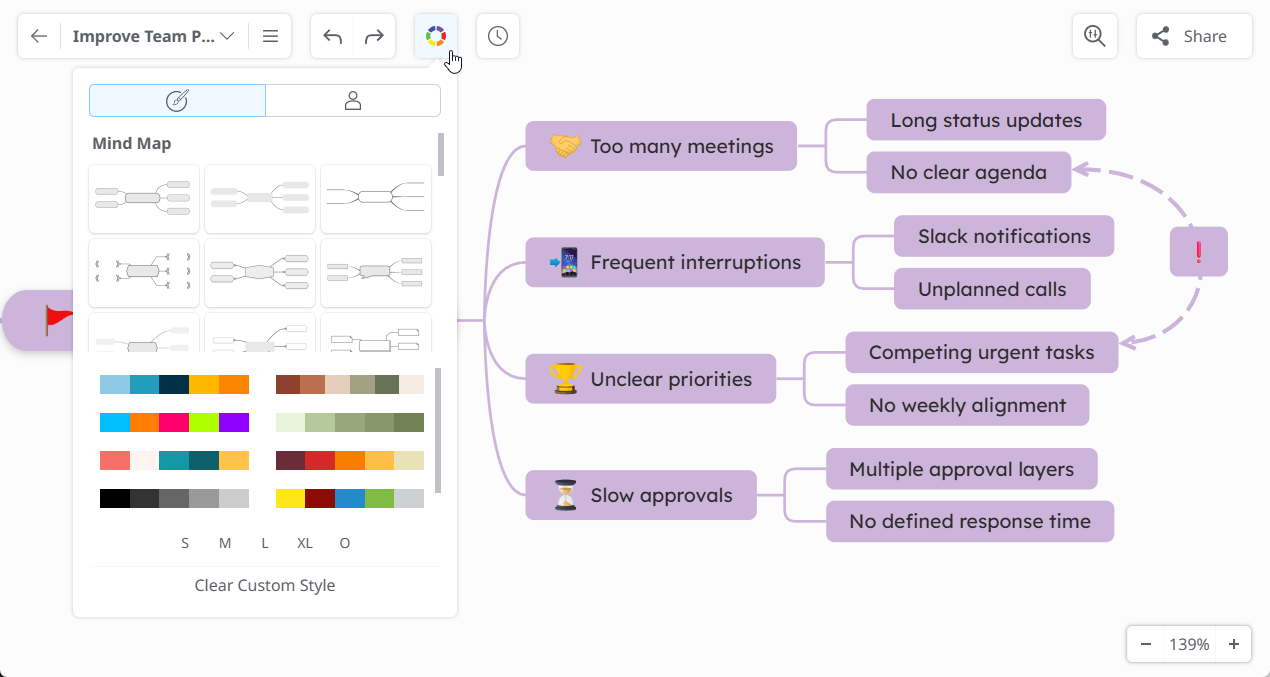
1️⃣ Use legible fonts and sizes

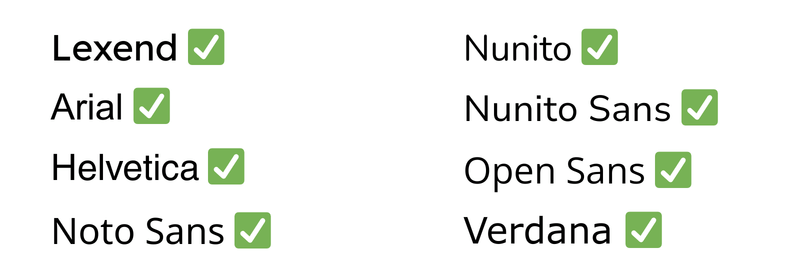
Choose a font style and size that your audience can easily read from a distance.
Great fonts for presentations are:

2️⃣ Use high contrast
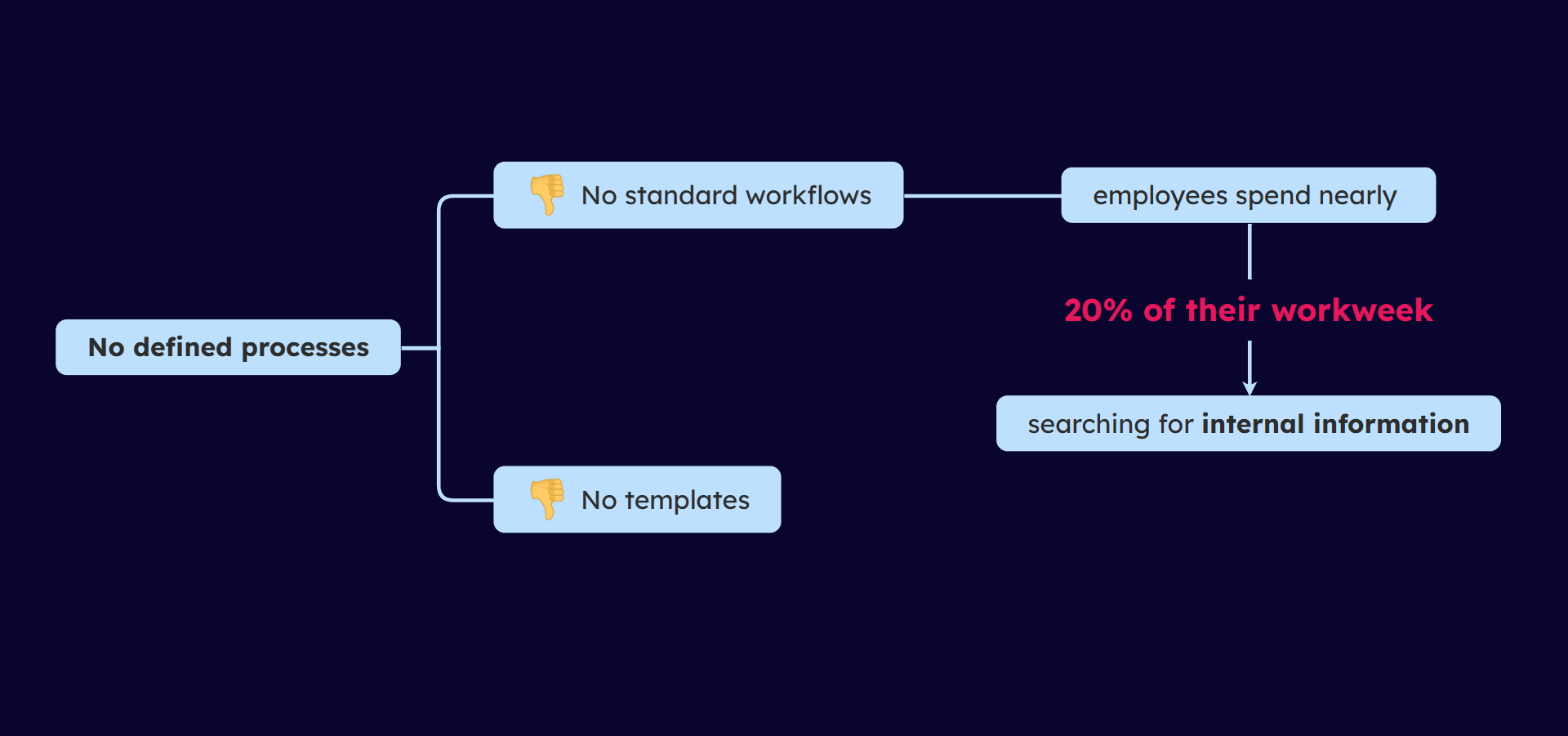
3️⃣ Use keywords & keep topics short
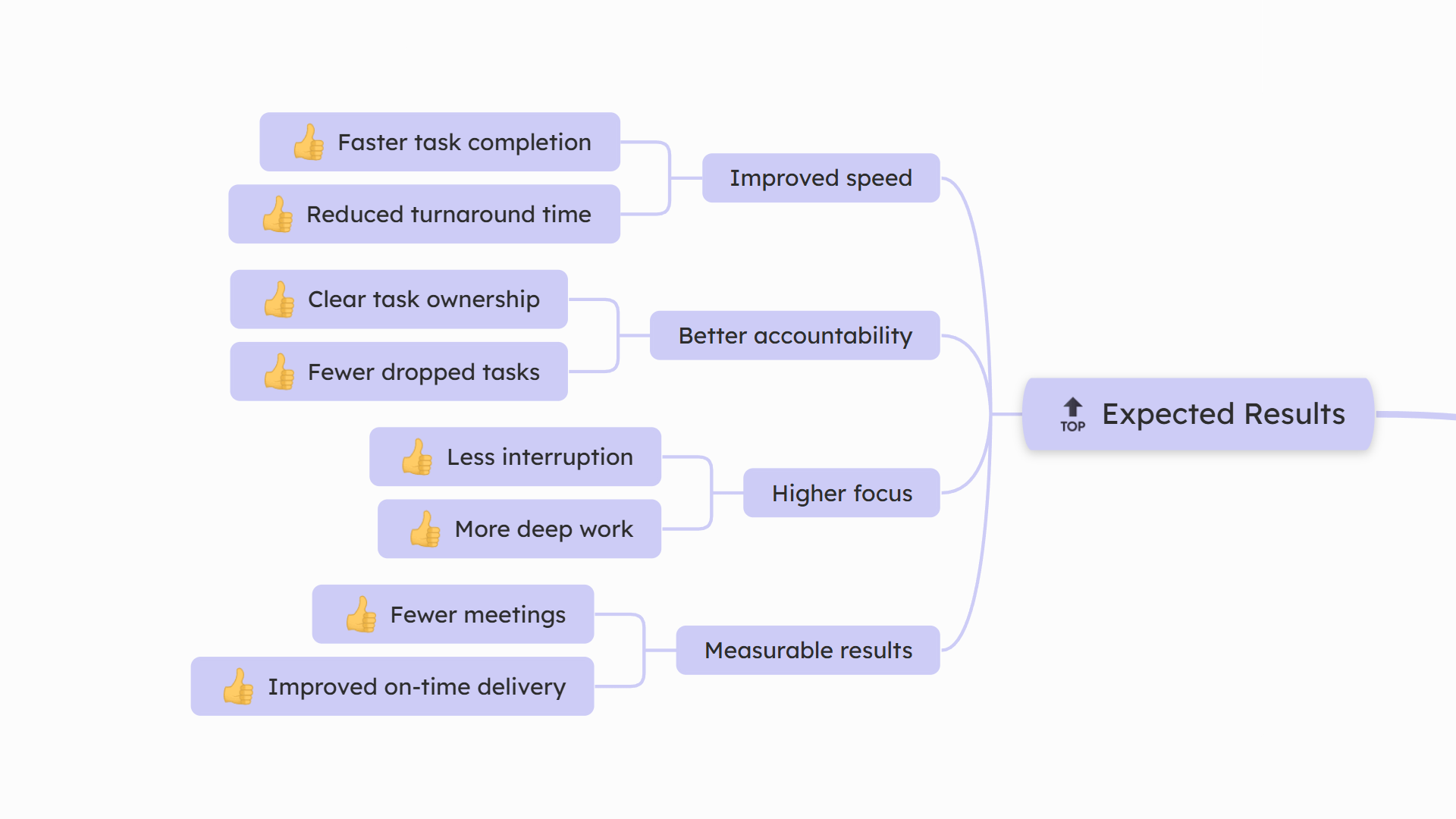
Mind maps work best when topics contain short phrases, ideally 3–5 words. Avoid full sentences on slides.
Your presentation should support your speech, not replace it.
4️⃣ Use visuals intentionally
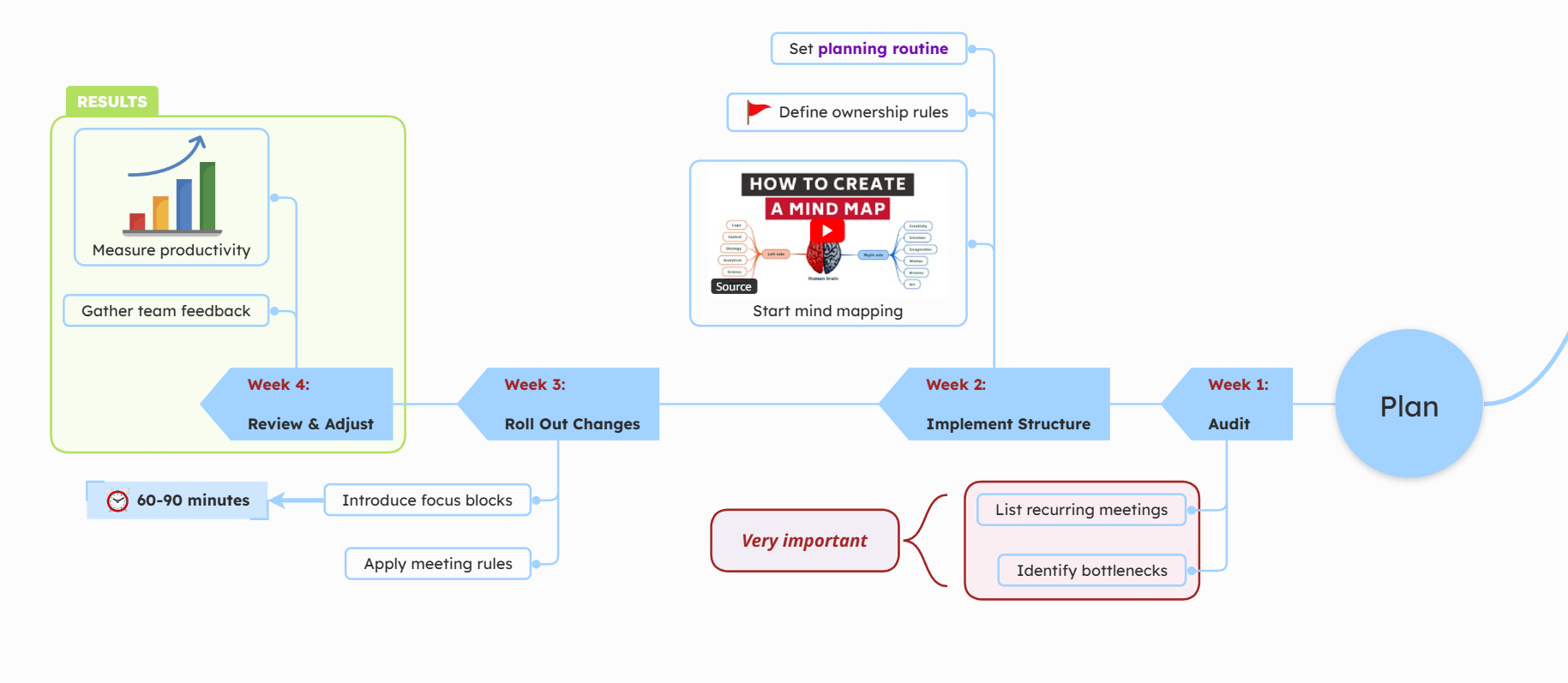
Visual elements help explain ideas more quickly than text alone. You can:
➡️ Apply color coding to separate sections.
➡️ Use arrows and labels to clarify relationships.
➡️ Add images, videos, or links to reinforce key points.
➡️ Add icons to mark categories or importance levels or to filter topics by icon.
However, avoid clutter. Every visual element should have a purpose.
2. Popular Presentation Rules Explained
1️⃣ What is the golden rule of presentation?
The golden rule of presentation is simple: KISS, which means keep it simple and stupid.
Basically, it suggests keeping information clear and concise and using a language that is easy to understand.
Avoid overloading slides with text and focus on one idea at a time.
2️⃣ What is the 5 5 5 rule for presentations?
The 5-5-5 rule is extremely simple and useful. It suggests:
📌No more than 5 words per line (or 5 keywords per topic/line)
📌No more than 5 lines per slide (or 5 subtopics per slide)
📌No more than 5 text-heavy slides in a row (or 5 slides with only text and no images, videos, etc.)
The goal is to prevent information overload.
3️⃣ What is the 7 7 7 rule?
The 7-7-7 rule is actually a variation of the 5-5-5 rule, but for PowerPoint presentations. It suggests the same limits, but with different numbers:
📌No more than 7 words per line (or 7 keywords per topic/line)
📌No more than 7 lines per slide (or 7 subtopics per slide)
📌No more than 7 consecutive text slides (or 7 slides with only text and no images, videos, etc.)
If your keywords are slightly longer or require more explanation, you can adapt the 5-5-5 rule into the 7-7-7 rule while still keeping your slides clean and readable.
4️⃣ What is the 10/20/30 rule?
Guy Kawasaki popularized the 10/20/30 rule, which provides a structure for the entire presentation rather than just the slides.
📌10 slides
📌20 minutes
📌30-point minimum font
It emphasizes brevity and readability.
5️⃣ What are the 7 C’s of presentation?
The 7 C’s focus on communication quality. While variations exist, they typically include being:
⭐ Clear
⭐ Concise
⭐ Concrete
⭐ Correct
⭐ Coherent
⭐ Complete
⭐ Courteous
The core idea is clarity and audience-centered communication.
Best TIPS you can get
Now that you know the rules, here are a few extra tips to elevate your presentation to the next level:
Tip #: Don’t explain everything
Resist the urge to overload your audience with details. Leave room for curiosity. When people connect the dots themselves, the message becomes more powerful.
Tip #2: Beginning and ending are crucial
There are many studies (for example, the Primacy Effect study) that show that if you can capture your audience’s attention right away, you are more likely to keep it until the end.
The end must leave a lasting impression. Either include a Q&A session to engage your audience or finish with a clear call to action.
Tip #3: Create a small “aha” moment
Strong presentations often follow a simple pattern: introduce a problem, build tension, then reveal a clear solution. That shift in perspective is what makes ideas stick.
Tip #4: Guide attention intentionally
Pause before important points. Slow down when introducing key ideas. Speed and rhythm influence how your message is perceived.
Tip #5: Treat slides as visual anchors
Your mind map or slides should remind you what to say, not dictate it. Use the keywords as a guide, but speak naturally, expand with examples, and adapt to your audience’s reactions.
Tip #6: Practice transitions
Most presentations feel awkward, not because of the content, but because transitions between sections are unclear. Rehearse how you move from one idea to the next. An even better idea is to record yourself practicing. This will reveal pacing issues, filler words, or unclear explanations you wouldn’t otherwise notice.
FAQs about creating presentations
Yes. Mindomo includes a feature that lets you automatically generate slides from your mind map with a single click.
Instead of manually selecting each topic, you can use the Create Slides Automatically option, and Mindomo will turn your branches into a structured slideshow. You can then edit, reorder, or customize the slides as needed.
You can use Mindomo AI to generate a mind map in seconds and turn it into a structured presentation.
With the AI Mind Map Generator, you can create a brainstorming map from a simple topic, build structured analyses such as pros and cons or SWOT, or even transform plain text into a fully organized mind map instantly. Once your ideas are structured visually, you can use the automated slide creation feature to convert the mind map into a slideshow presentation with just one click and then customize it as needed.
There’s no fixed number of slides that works for every presentation. The right amount depends on your topic, audience, and time limit. A simple guideline is to have one slide per main idea and keep your presentation aligned with your speaking time. For example, in a 10–15 minute presentation, 8–12 slides are usually enough.
Instead of focusing on the number of slides, focus on clarity. If each slide supports one clear point and keeps your audience engaged, you’re on the right track.
Yes. Since slides are linked to your mind map, you can edit your structure, add or remove topics, and update content at any time. The presentation stays synchronized with your map, so you don’t have to rebuild slides from scratch.
Yes. You can share your mind map, collaborate in real time with colleagues, collect feedback, allow editing, and refine the structure together before turning it into slides.
💡 Read more about it here.
Absolutely. Mind maps are ideal for business presentations.
You can also check existing templates and start your presentation with them. You can use them for strategy proposals, project plans, process improvements, product launches, and performance reviews because they help structure complex information clearly.
It’s not about “better”. It’s about purpose.
A mind map helps you structure and clarify ideas before creating slides. In Mindomo, you can do both: structure your thinking visually and turn it into a slideshow when needed.
Ready to build a presentation that’s clear, visual, and easy to follow?
Start with a mind map in Mindomo, turn it into slides in minutes, and present with confidence.