

Mind Maps for Education
Turn the lesson into a diagram, hand your class a QR code, and see their thought process, not just their final answer.

A mind map turns a topic into something a student can actually think through. They start with a question, a chapter or a set of lecture notes, then branch out into concepts and examples, labelling how each one connects.
Set up an assignment, students build their map against it, and turning it in is just clicking submit, no exporting, no uploading, nothing to check in a second tool. New to this format? See mind map ideas for students.
Mindomo's Efficiency in Education
62%
of students who built concept maps in Mindomo said it helped them see the bigger picture of their clinical case presentations.
- Gaps show up before the exam. Teachers can spot which concepts a student is still missing, while there's still time to clear them up before the final test.
- It sharpens reading comprehension. In a reading-skills study, every participating student said Mindomo helped them separate the main ideas in a text from the supporting details.
- It pushes past memorising. Concept mapping moves students from defining and listing to justifying, analysing and defending a connection.
- One structure, cross-course. About half of students say it helped them connect material to other courses in their curriculum.
- Lifts motivation, attention, comprehension and recall
- An enjoyable way to take in new material
- A strong tool for building vocabulary
- A creative way to take notes
ONE MAP
Many uses
in one
class
Learn with mind maps
Studying that shows what a student really understands.
See how ideas connect
Turn the topic into a structure instead of a list, so it's easy to spot the parts you can't place yet.
Revise from short prompts
Short labels, images and links recall the material faster than rereading a page of notes.
Plan the essay first
Build the argument as a map, switch to the outline, and write in the same file.
Attach the evidence
Sources, figures and clips sit on the claim they belong to, ready to cite.
Teach with mind maps
Prepare it, teach from it, keep it in one file.
Build the session as a map
Branch the topic once and teach from it, collapsing and expanding as the discussion goes.
Create an assignment
Students work alone or in groups, and every map is shared with you as soon as they start.
See the work develop
Each topic, connection and upload carries a name and a time, so nothing is a mystery at the deadline.
Present from the map
Walk the branches as slides without exporting anything, then leave the same file with the class.
Collaborate with mind maps
More minds on one diagram, not four documents.
One map, everyone at once
Students edit the same diagram and watch each other's changes appear.
Talk on the diagram
Groups working from different rooms argue it out in the map, not in a separate thread.
Give feedback early
Comment while the work is still open, so students can act on it.
Hand it out in one step
Set it as an assignment and the class has it instantly.
Review the mind maps
An essay shows the answer. A map shows the thinking.
Watch it get built
Play the map back change by change and see the order the ideas arrived in.
Know who contributed
In group work, each addition is attached to the student who made it.
Mark what you can see
Coverage, labelled connections, evidence and concision, all visible on the record.
Send it back to be improved
Point at the gap and let the student revise the same map.
These are the fastest ways to get a class in, though they're not the only ones.
- Project the QR code Phones on the desk, everyone in at once.
- Send the join link Paste it wherever the class already looks.
- Read out the access code Five characters, no accounts to hand out.
A minute to set up, seconds to join
Create assignments directly within Mindomo: name it, write the instructions, pick the class, done.
Once it's set, students don't need to install anything or hand over an email address. A name and a four-digit PIN are all it takes for them to get started.
You decide whether the class can use AI
Turn the AI tools on when you want students exploring a topic, off for a test. The setting belongs to the class, so it applies to every assignment in it straight away. Same subject, same week, different rules for different groups. Administrators can extend AI access to students, or keep it with the teaching staff.

Same information, multiple ways to see it
The same file is a mind map, an outline and a presentation. Switch view, do not rebuild.
Mind map
The radial canvas where the topic takes shape.
Branch out the module on the board while the room watches it take shape. Papers, datasets and links attach to the topics they belong to.
Presentation
The same branches, played back as slides.
Walk the branches as slides, straight from the map, in the order they were built. No export, no second file to keep in sync. See how to make effective presentations.
Outline
The same map, reflowed into a linear document.
Flip the map into a structured, indented outline that becomes the handout, or an essay plan a student writes into. Edits flow both ways.
One diagram, one lesson
- DURATION
- 50 minutes, five stages
- GROUPING
- Whole class, then groups of three
- YOU NEED
- One shared map and a projector
- ASSESSMENT
- Formative, from the map itself
Objective: students can explain how the lesson's concepts connect, and say which connection they are still unsure of.
Prior knowledge
Place the topic at the centre and ask what students already know. Add their answers, questions and doubts as branches, then revisit them later to clear up any misconceptions.
Teach from the map
Reveal one branch at a time as you explain the topic. The visible structure helps students link each new idea to the wider lesson and return to earlier points when needed.
Explore in groups
Share a partly completed map. In groups of three, students fill the gaps, connect related ideas and label each relationship, explaining their reasoning as they go.
Bring it together
Each group presents one branch and explains a key connection. Compare interpretations, clear up misconceptions and combine the best ideas into one shared class summary.
Check understanding
Ask each student to add one connection they can now explain and one question they still have. Their answers show what has landed and what still needs revisiting.
Six templates to try this term
Each one is a template you can attach to an assignment.
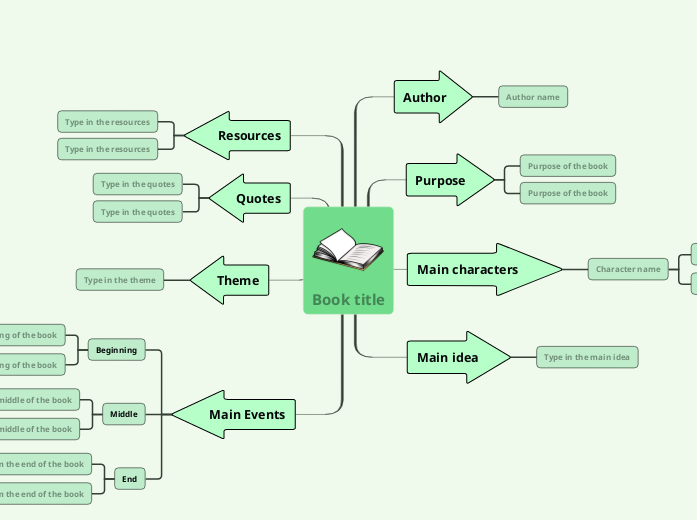
Book Summary
Author, characters, theme and key quotes as branches, plus a beginning-middle-end spine for the plot.
Open template →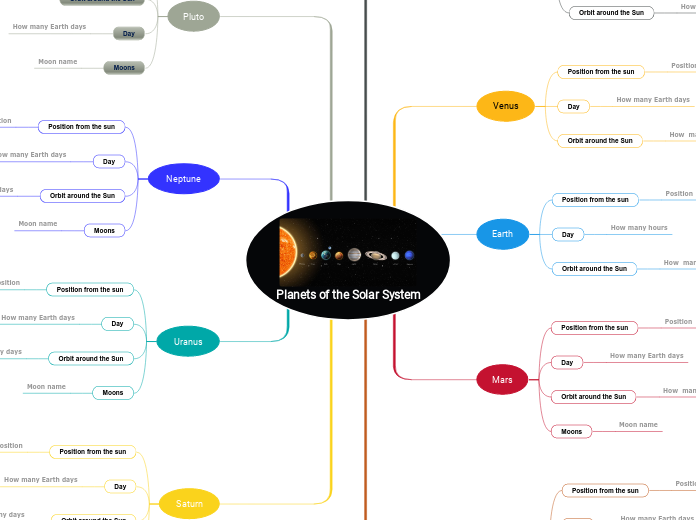
Planets of the Solar System
One branch per planet, prompting students to fill in its orbit, moons and the fact that makes it distinct from its neighbours.
Open template →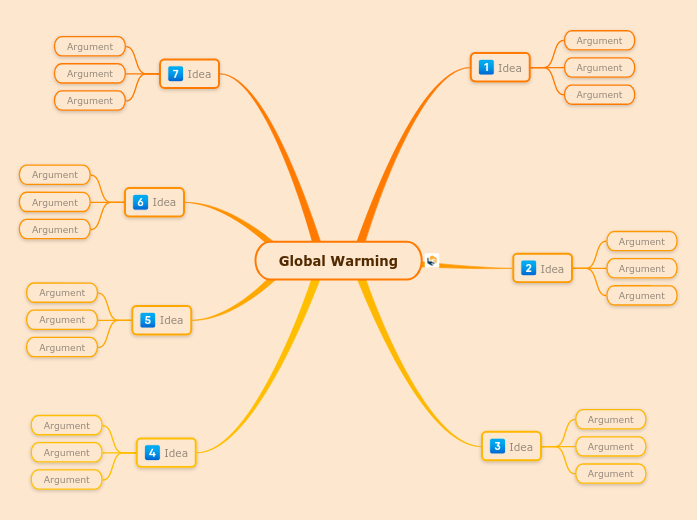
Global Warming
Works back from the desired outcome to the actions that produce it, turning the topic into ideas a class can argue for.
Open template →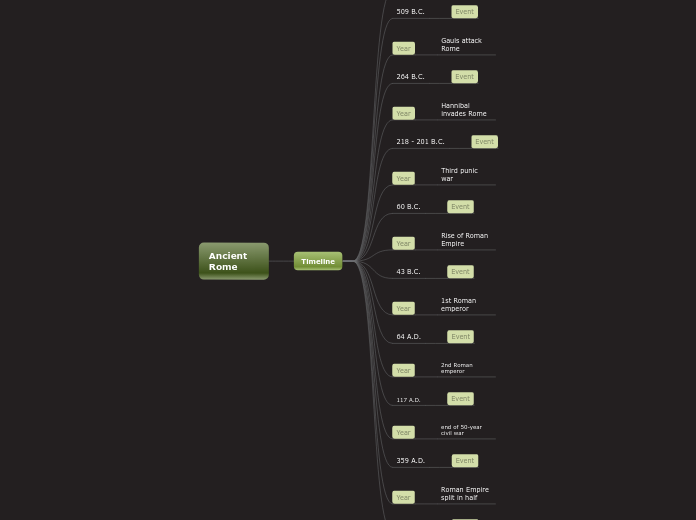
Ancient Rome
A timeline from Rome's founding to 476 A.D., with fill-in-the-blank questions on the events that mattered at each turn.
Open template →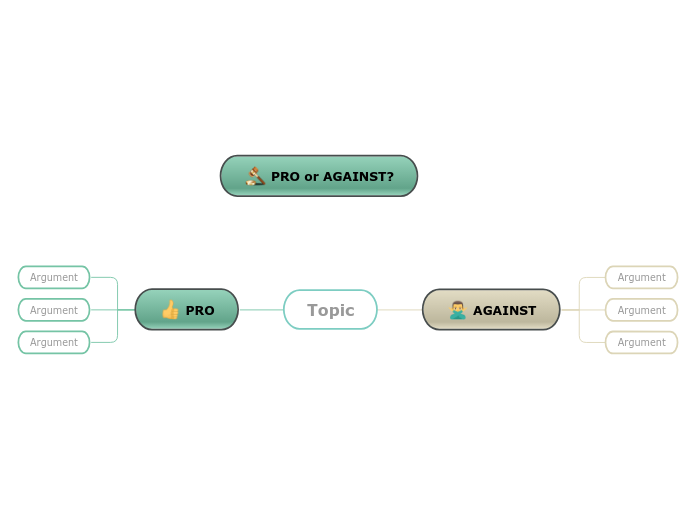
Group Debate
Ten minutes for groups split into for and against to brainstorm a topic, then present the strongest three points to the class.
Open template →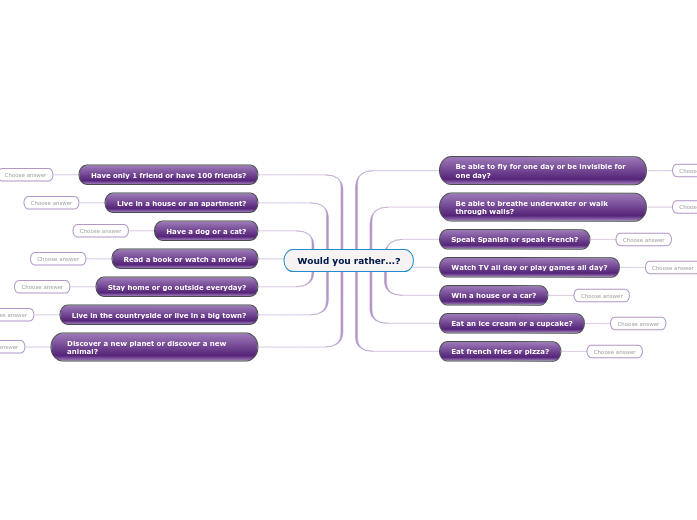
Would You Rather
A set of binary questions that turns a five-minute warm-up into a mind map students keep adding their own choices to.
Open template →School wide administration and LMS
One licence, with every teacher and student account managed from one place.
- Easy join, no manual entry Paste in emails separated by commas, upload a CSV of your whole roster, or just hand out the school access code or link and let staff and students join themselves.
- Automatic licence assignment Anyone who signs up with an email address on your school's domain is added to your licence automatically, with premium rights already on. Contact support@mindomo.com to set it up.
- Runs inside your LMS Mindomo installs as an LTI 1.1 tool in the platform you already run. Staff add a dashboard, a diagram or an assignment to any course, and accounts are created the first time a student clicks through, already on your licence.
- One administrator, or several Bring colleagues on as admins so the work isn't left to one person, track your teacher and student seats, and expand the licence anytime. Add or remove students whenever you need to, and control AI credits and collaboration chat across the licence.






Trusted by the world’s most innovative institutions










Mindomo helped me excel in my teaching because it helps while preparing the lecture and it helps while presenting the lecture.
Karim Youssef
Assistant Professor of Architecture
I enjoyed Mindomo in college and now that I'm taking a break from there I still enjoy using it. I have ADHD so it helps me organize my thoughts and focus on what I need to do. No panic attacks!

Understanding how concepts relate is an essential ability for all students.Mindomo is great because it lets students practice this ability while also collaborating.

From the moment I started working with Mindomo, I could see the bigger picture of my research.

Questions teachers ask
My students have never made a mind map. Where do I start?
Give them a map you have half-built and ask them to finish it. Building from a blank page is a skill, completing a structure is not, and most cohorts make the jump in one session.
Isn't this just a poster activity?
It is if the map is the end product. It is not if the map is the plan for an essay, the structure of a presentation, or the record of what the cohort understood in week one.
How do I grade a mind map fairly?
Use the same criteria you’d apply to an essay: coverage, labelled connections, evidence and concision. For group work, playback shows who contributed what, so you can credit the right student.
Can it replace their notebooks?
For notes, planning and revision, yes, and students reread maps in a way they do not reread notes. For extended writing, use the outline view and let them write prose in it.
Do I need to change my module?
No. The map replaces the handout and the slide deck, not the validated module descriptor.
Does it work with our LMS?
Mindomo runs as an LTI 1.1 tool in Blackboard, Canvas, Brightspace, itslearning, Moodle and Schoology. Your LMS administrator installs it once, then staff add it to any course. LTI integration is part of the School licence.
What your IT lead will want to know: School licences start at 2 teachers and 80 students, all part of one organisation with one or more administrators managing it.
Students do not need email addresses
A name and a PIN are all it takes for a student to complete an assignment.
Students pay nothing
They get full premium features on any assignment you share with them.
Accessibility and security, documented
Start with one session
Build the topic your cohort always finds hardest as a map. If it works, set up the class and hand out the code.