A support director tells L&D the team needs "customer service training" after response time slips 40% in a quarter. L&D runs the workshop, collects good feedback scores, and closes the ticket. Three months later, the same complaint resurfaces, because nobody checked whether it was ever a skill gap at all, as opposed to an unclear process, missing tool access, or reps who already know how to handle customers but have no reason to escalate faster.
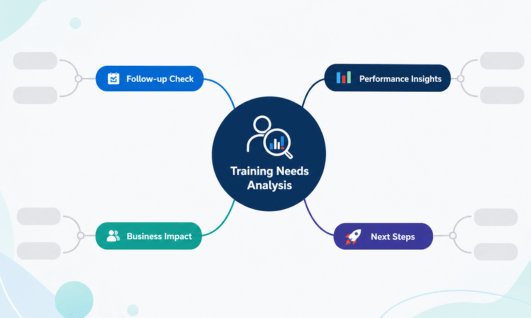
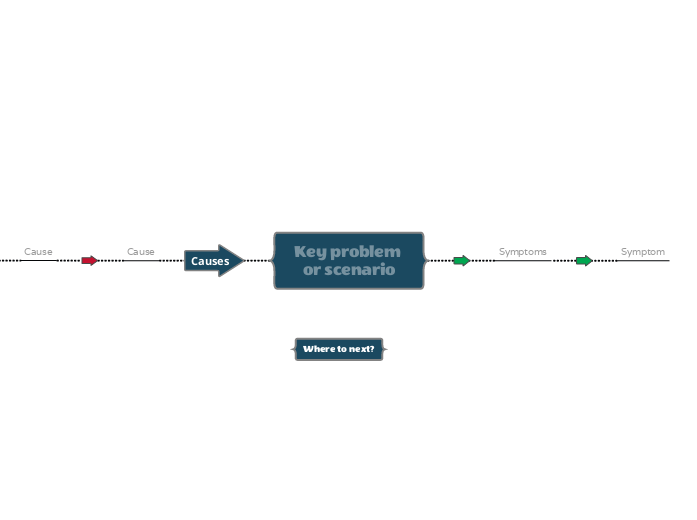
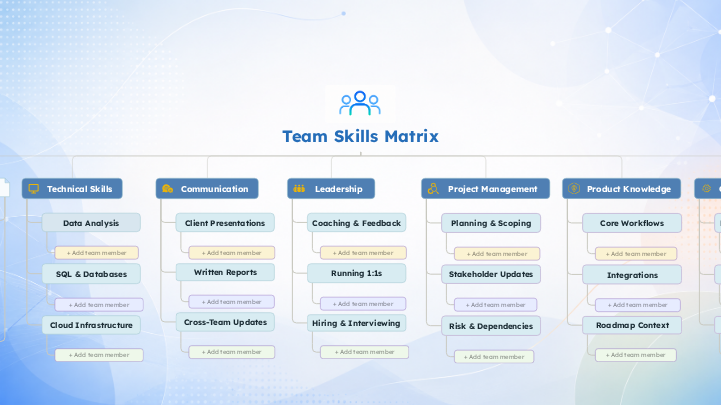
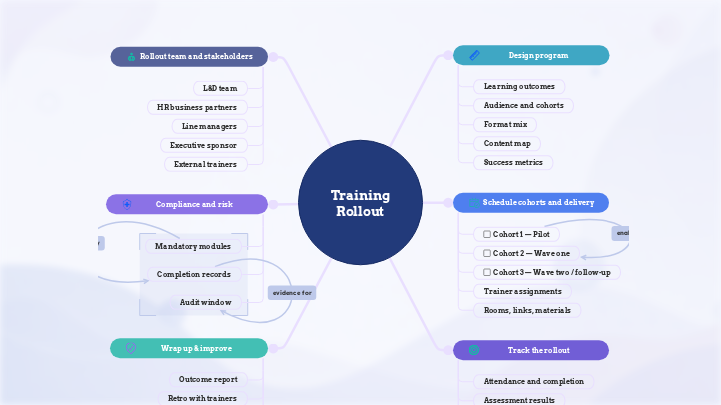
A training needs analysis works better as a visual root-cause exercise than as a form: the reported symptom branches into every plausible cause, and each one gets tested against real evidence, survey, interview, performance data, observation, or document review, before training is approved for whichever branch turns out to be a genuine skill or knowledge gap. Once confirmed, it moves to a skills matrix or a training rollout; branches that end up being a process or tooling problem go to whoever actually owns that fix, which is very often not L&D.
That's needs analysis done right: test the request before you trust it, so the budget lands on a gap training can actually close.
Three levels of analysis
What a TNA actually looks at
The same symptom reads differently depending on the scale you check it at. Most requests only need one of these three; a good analysis rules out the other two on purpose, not by accident.
1Organization
Same symptom: is response time slipping because we're hiring reps faster than we can train them?
2Job / task
Same symptom: was escalation judgment ever part of this role's spec, or has the job simply outgrown it?
3Individual
Same symptom: can this specific rep handle an escalation, or does the gap stop with just them?
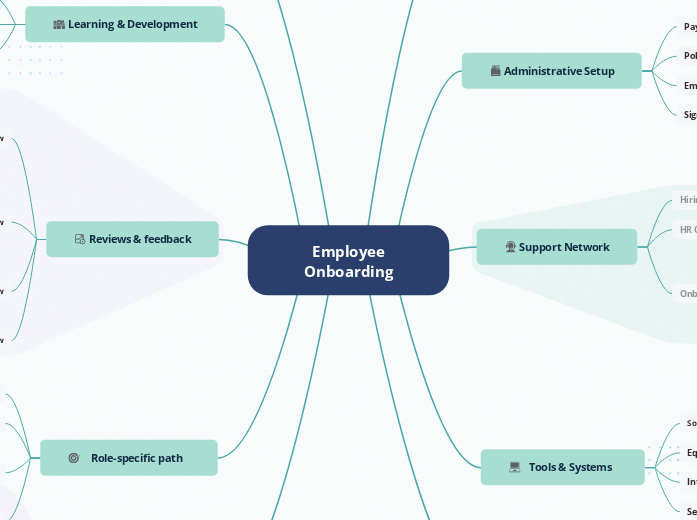
The walkthrough in the five moves below plays out at the job/individual level: one team, one shift, one confirmed gap. When the real cause sits at the organization level instead, it's often the onboarding pipeline that needs the fix, not another workshop.
Five moves through a training needs analysis
From reported symptom to a confirmed, verified fix
Name the problem, branch the causes, test the evidence, size what's left, then route it and confirm it worked, all on one canvas the requester can see too.
1
Name the performance problem, not the training request
Write down what's actually happening, not what someone thinks would fix it. "Customer response time is up 40%" is a symptom. "The team needs customer service training" is already a conclusion. Capture the symptom on its own node, with who flagged it, when, and how they know.
Replaces the ticket that arrives pre-labeled "needs training," which quietly skips the one question that decides whether training is the right fix at all.
2
Branch out every possible cause
From the symptom node, branch every plausible explanation: a skill or knowledge gap, an unclear process, missing tool access, an unrealistic workload, or low motivation because there's no consequence either way. If the branch feels thin, Mindomo AI can suggest a starter list of causes to check against.
This branches at the job/individual level, the day-to-day reality of the role; an organization-level version of the same question would ask whether the hiring or onboarding pipeline is producing reps who start out with this gap.
Most performance problems have several plausible causes. Training is usually only the right answer for one or two of them.
3
Test each branch against evidence
Go branch by branch and check, don't assume. A shadowed shift found 6 of 9 reps missed key de-escalation cues, confirming the skill gap branch. Checking whether the process was actually documented and followed settles that branch just as fast. Mark each one confirmed or ruled out directly on the node.
A branch marked "ruled out" with a reason is worth more to the next reader than five branches nobody checked.
4
Isolate the real gap and size it
Once a branch is confirmed as a genuine skill or knowledge gap, note who has it, how many people, and how urgent it is. Naming the scope this precisely keeps the fix from overreaching: a gap confirmed in 6 of 9 reps justifies a targeted session, not a department-wide rollout nobody asked for.
A training request with evidence attached gets approved faster and questioned less than one that arrives as a guess.
5
Route it, then check it actually worked
Send the confirmed gap to whoever owns the fix: the skills matrix for a training gap, the process owner for anything else. Get a real sign-off. Then set a re-check date, same metric, same source, 60-90 days out, before the window to verify closes.
If the number moves, log the business impact (response time back under target, fewer escalations) and fold the fix into that same record, so it doesn't quietly reopen. If it doesn't move, reopen the branches instead of writing a new ticket. Either way, the next step is already on the card: who owns it, and when it gets checked again.
Sign-off isn't the finish line. The re-check is. Escalation judgment confirmed, routed to skills matrix, approved by team lead Mar 15. Re-check: May 15, same response-time metric.
A question the form never asks
The form assumes the label is right. The diagram tests it first.
Side-by-side comparison
Training needs analysis template
Training request form
How the request arrives
The symptom becomes a node, with who flagged it and how they know.
One line: “the team needs X training.”
Testing the cause
Branches into every plausible cause, each tested against evidence.
Assumed. The requester's label becomes the scope.
Cost of getting it wrong
Ruled-out causes stay visible, so no budget gets spent on the wrong fix.
Discovered three months later, when the same complaint resurfaces.
What a director sees
Skill Gap: ConfirmedProcess: Ruled outTools: Still testing
Status: In Progress
How the request arrives
Training needs analysis template
The symptom becomes a node, with who flagged it and how they know.
Training request form
One line: “the team needs X training.”
Testing the cause
Training needs analysis template
Branches into every plausible cause, each tested against evidence.
Training request form
Assumed. The requester's label becomes the scope.
Cost of getting it wrong
Training needs analysis template
Ruled-out causes stay visible, so no budget gets spent on the wrong fix.
Training request form
Discovered three months later, when the same complaint resurfaces.
What a director sees
Training needs analysis template
Skill Gap: ConfirmedProcess: Ruled outTools: Still testing
Training request form
Status: In Progress
Why not just use the request form?
Most training requests aren't wrong on purpose; they just skip the one question that decides whether training is the right fix: is this actually a skill gap? The template doesn't skip it: causes stay visible on the canvas, evidence stays attached to the branch it settles, and the write-up for a director is one click away, with no separate document and no retyping.
The Mindomo advantage
One canvas, two ways to think
The same analysis opens in two views. A tree for reasoning through causes, and a list for writing up what you found. Switch between them below.
Click a tab to switch the view
Mind map view
The root-cause tree you reason through
Mind map view is where the branching actually happens: symptom, causes, sub-causes, evidence notes hanging off each one. Dragging a branch to a new parent, attaching a note to the one that needs it, or adding a fifth cause nobody thought of at first, all of it is a drag, not a rewrite.
Drag to reorganizeEvidence sub-notesChange layouts and themes
Outline view
The findings you hand to a director
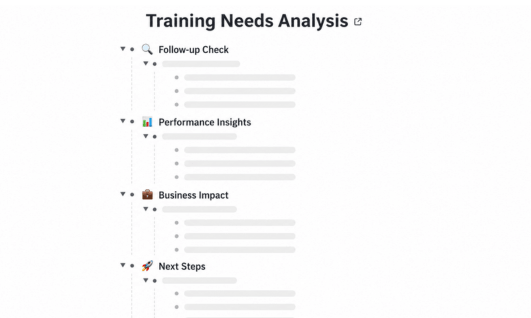
Once causes are tested, flip to outline view to produce a findings summary top to bottom: symptom, causes ruled out and why, the confirmed gap, and its scope. It's the same map, just readable by a director who wants the conclusion, not the branching.
Reads like a reportSame data, no retypingClean, no clutter
What makes it work
Everything the analysis runs on
Five features that turn a training request into a tested, evidenced decision.
Root-cause branching
Branch a symptom into every plausible cause on one canvas.
Status tags
Mark each branch confirmed, ruled out, or still testing.
Evidence notes
Attach the proof to the exact node it settles.
Guest editing
Pull in managers and owners, no account needed.
Mindomo AI
Get a starter list of likely causes in seconds.
Starting points
Templates to start from
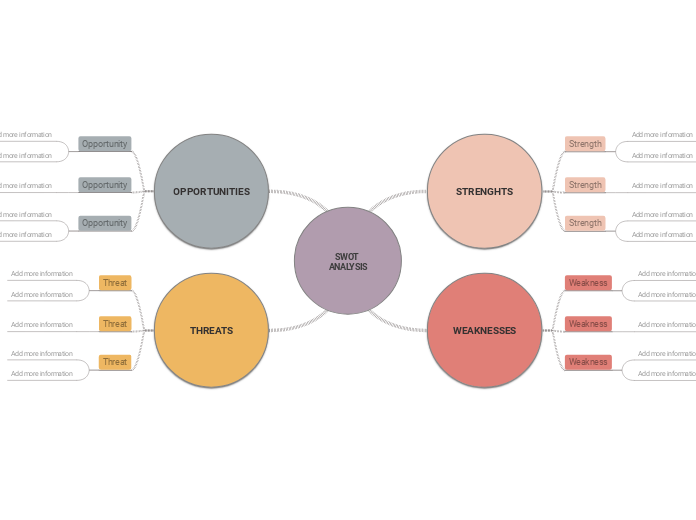
Start with this analysis template, then carry the confirmed gap into one of the other templates offered by Mindomo below.
A performance problem touches several teams before its cause is clear. Here's who ends up on the map.
L&D specialists
Own the analysis, symptom to confirmed gap, then hand off to a skills matrix or training rollout.
People managers
Raise the symptom, then confirm evidence as guest editors from what they see day to day.
Operations & process owners
Test process and tooling branches with issue trees, since those fixes are often theirs, not L&D's.
Finance & leadership approvers
Review the sized, evidenced gap before releasing budget, far easier to approve than a complaint.
Any training request with a real budget attached, or any performance complaint that's been "fixed" with training before and came back, benefits from a few hours of root-cause branching before another program gets built.
Common questions
FAQ
Practical answers about running a training needs analysis in Mindomo.
What is a training needs analysis?
A training needs analysis (TNA) is the process of tracing a performance problem back to its actual cause before deciding whether training is the right fix. It starts with the symptom, branches out every plausible explanation, tests each one against evidence, and only recommends training for the branches that turn out to be a genuine skill or knowledge gap.
How is this different from a skills matrix?
A training needs analysis asks whether a gap is real and what's actually causing it. A skills matrix assumes the gap is already confirmed and tracks who has it, at what level, across the team over time. Run the analysis first; feed the confirmed result into the matrix if it needs ongoing tracking, or straight into a training rollout if it just needs delivering.
How do I know if a performance problem is really a training issue?
A useful test: could the person do the task correctly if someone were watching and it genuinely mattered? If yes, it's rarely a skill gap; it's more likely a process, tool, workload, or motivation problem. If they can't do it even under those conditions, training is probably the right lever. That's not just a thought experiment, it's the same test a shadowed shift actually ran: 6 of 9 reps missed key de-escalation cues while being directly observed, which is what confirmed the skill gap in the first place. Branching out and testing each cause, rather than guessing, is what keeps this test honest.
Who should be involved in a training needs analysis?
L&D usually runs it, but the strongest analyses pull in the manager who raised the symptom, whoever owns the process or tool in question, and anyone with direct evidence, like someone who's shadowed the work. Guest editors can add evidence or react to a branch without needing a Mindomo account.
What if a manager or director still wants the training even after the analysis rules it out?
Bring them the map, not just the verdict. A branch marked "ruled out" with the evidence attached (documented process, confirmed tool access) is a stronger case than a verbal disagreement, and it shows the request was tested, not dismissed. Often the ruled-out branches point straight to who actually owns the fix, which is usually a faster win for the director than training that won't move the number anyway.
How long should a training needs analysis take?
For a single, well-defined symptom, a few hours of branching plus a handful of short interviews or a shadowed shift is usually enough to rule most causes in or out. Reserve a multi-week analysis for org-wide problems touching several teams at once. Most training requests fall into the first category and get over-analyzed far less often than they get under-analyzed.
Can Mindomo AI help identify likely root causes?
Yes. Mindomo AI can generate a first pass of plausible causes for a given symptom, which is useful for making sure an obvious branch, like tool access or workload, doesn't get skipped simply because nobody thought to add it. Still verify every branch against real evidence before ruling it in or out; the AI suggestion is a starting list, not a finding.
What happens after the analysis? How does it turn into a training rollout?
The confirmed, sized gap becomes the input for whichever stage comes next. If you need to track who has the gap and at what level over time, it feeds a skills matrix. If the format and timeline are already clear, it goes straight into an employee training rollout. Either way, the evidence travels with it, so the next stage isn't starting from a guess.
Start your team's needs analysis workspace
Test the request. Confirm the gap. Then build the training.
Every training budget deserves a gap that training can actually close.