

How to make a concept map in 6 steps, with examples and tips
To make a concept map, write a focus question, list the key concepts and rank them from the most general to the most specific. Then connect them with arrows, give every arrow a linking word, and add cross-links between different parts of the map.
Looking for one central topic with branches around it instead? That is a mind map: here is how to make a mind map.

On this page
How to make a concept map in 6 steps
There are three ways to start a concept map: from scratch, from a concept map template, or by generating it with AI. The steps below build one from scratch, one step at a time, because that is the only way to see what makes a concept map good: a template or AI lets you skip the first steps, not the last ones.
The steps follow the method Joseph Novak and Alberto Cañas describe in The Theory Underlying Concept Maps and How to Construct and Use Them (IHMC, 2008). The example is a map of how plants make their food. If concepts, linking words and propositions are new to you, read what a concept map is first.
1. Write a focus question
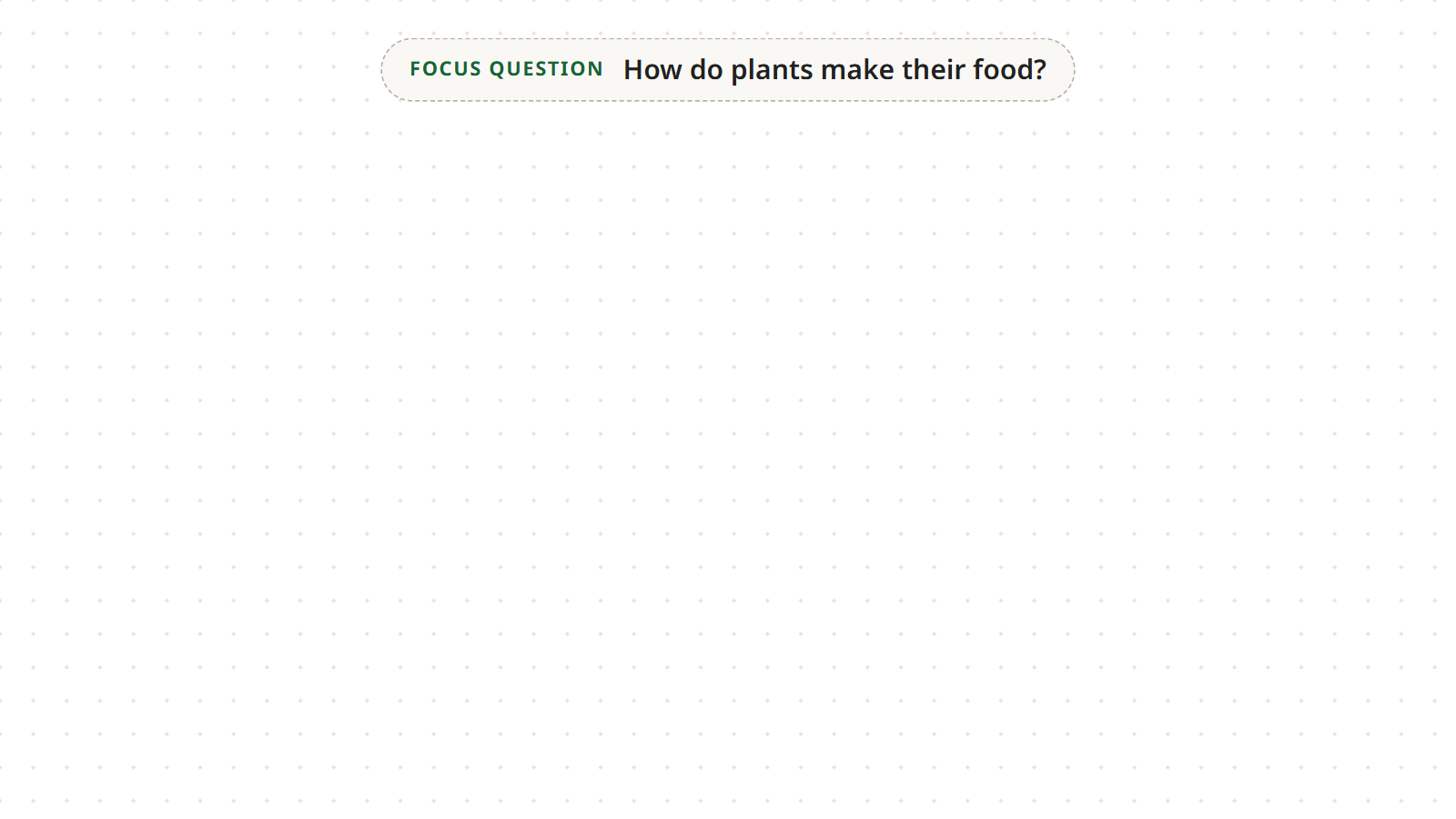
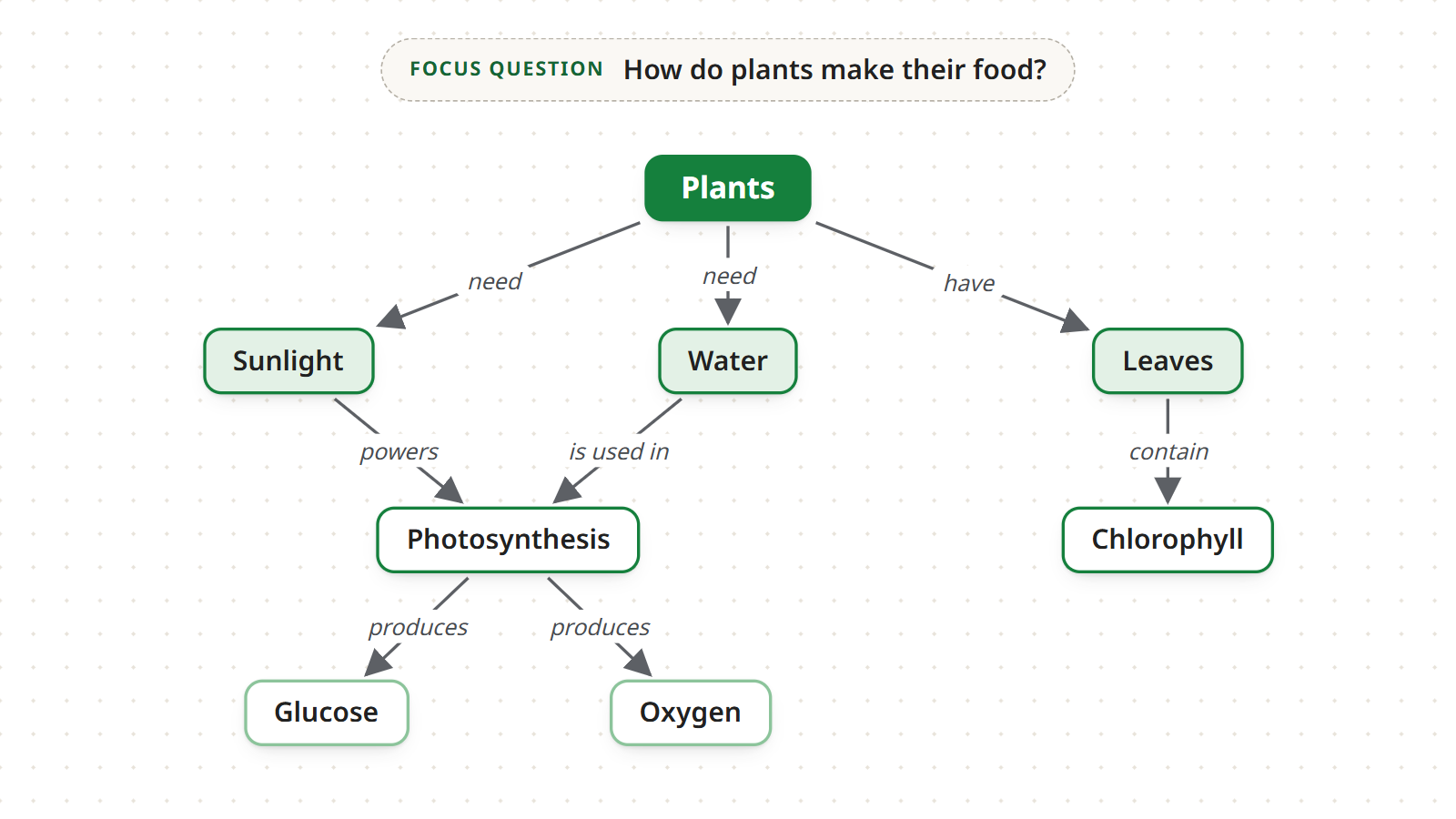
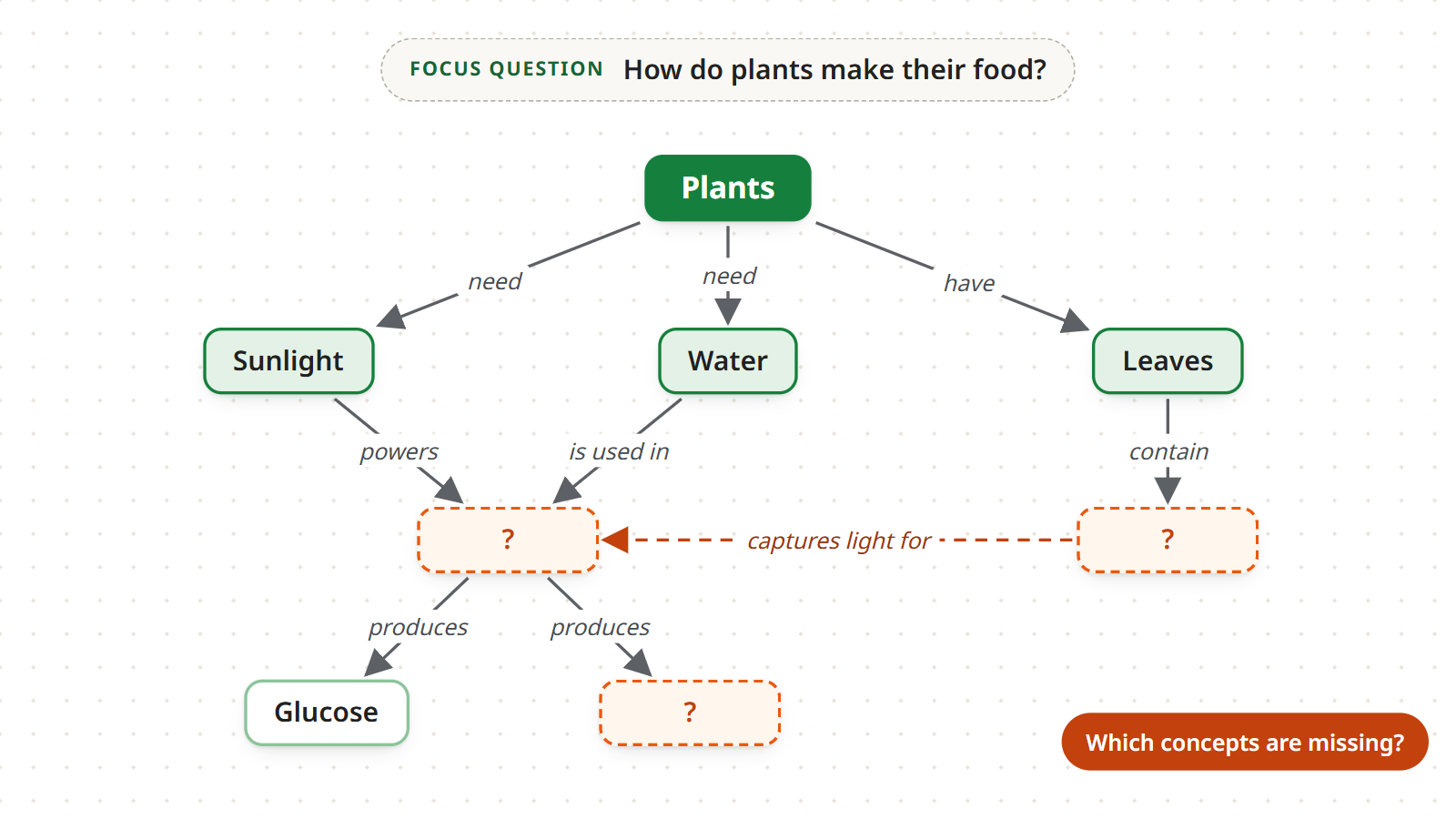
Before you write a single concept, decide which question the map should answer and write it at the top of the page. In the example, the focus question is “How do plants make their food?”. In Mindomo, type it into the central topic, the first box on the map: it stays at the top and reminds you what every concept is there to answer.
A question works better than a topic. “Plants” does not tell you what to include and what to leave out, so the map ends up collecting everything you know about plants. “How do plants make their food?” asks you to explain a process, and every concept you add has to help answer it.
2. List the key concepts
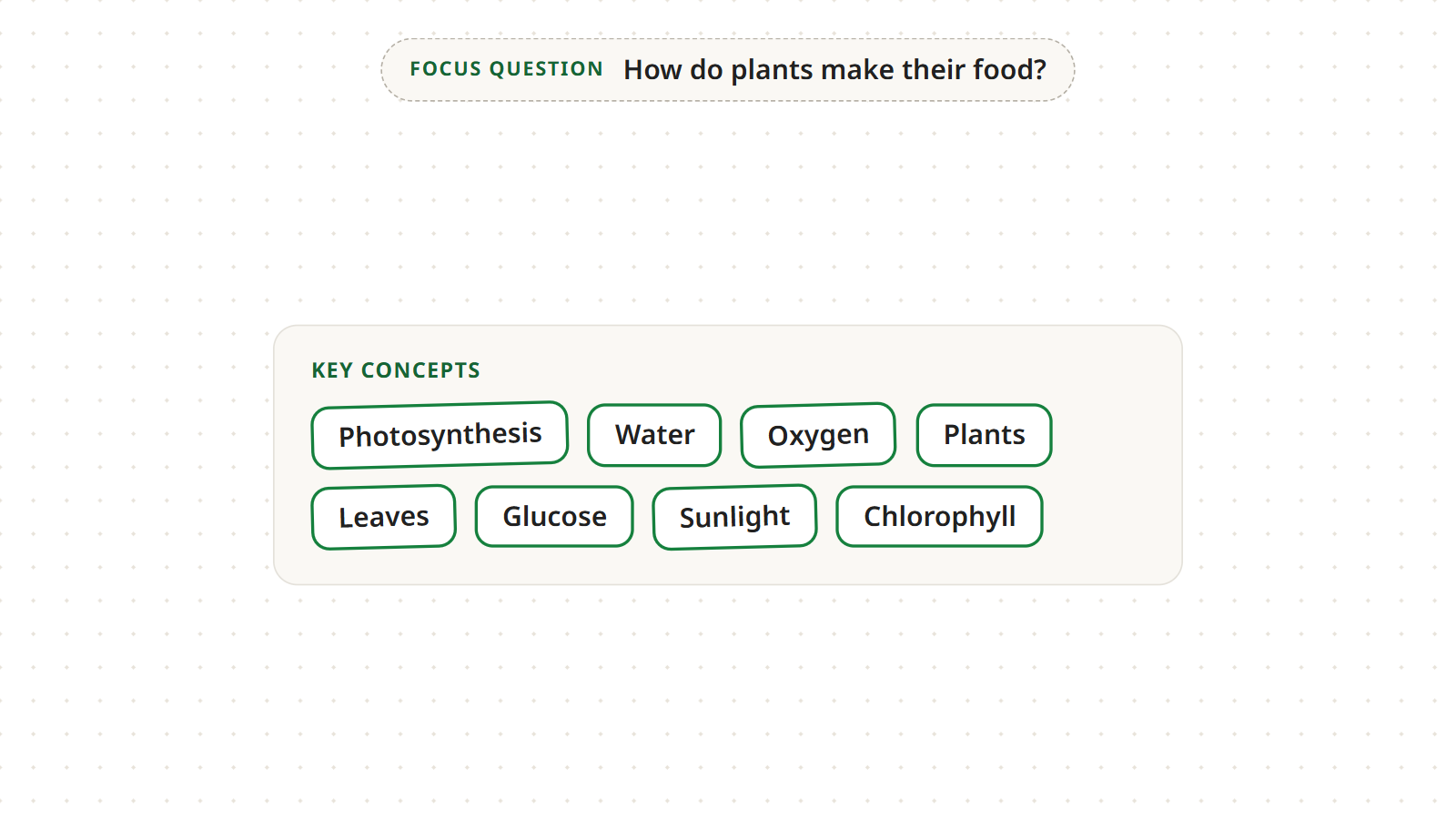
Now write down, in no particular order, the concepts you need to answer the question. The plants map needs eight:
- Plants
- Sunlight
- Water
- Leaves
- Photosynthesis
- Chlorophyll
- Glucose
- Oxygen
Novak and Cañas call this list the parking lot: the concepts wait there until you find their place on the map. Write each concept as a noun or a short phrase, one per box. A full study topic usually needs 15 to 25 concepts; the example uses fewer so it stays readable.
In Mindomo, add each concept as a floating topic: choose Floating topic from the Insert menu and click where you want it on the canvas, or CTRL+double-click the canvas. A floating topic is not connected to anything, just like the concepts in the parking lot: you will connect them in step 4.
3. Rank them from most general to most specific
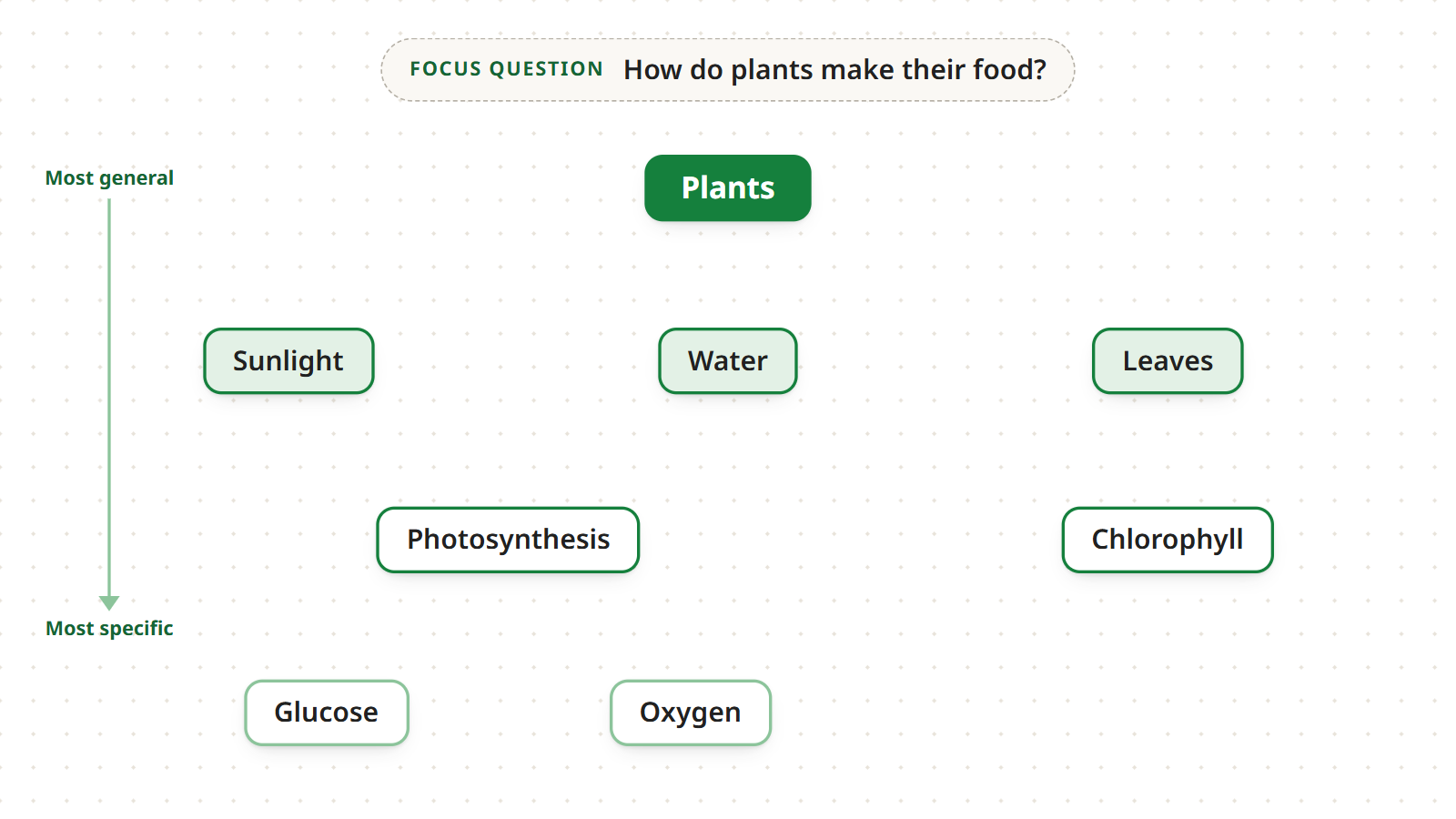
Arrange the concepts on the page from top to bottom, from the most general and inclusive to the most specific:
- Plants at the top, the concept that includes all the others;
- below it Sunlight, Water and Leaves, what plants need and what they have;
- lower down Photosynthesis and Chlorophyll, the process and the substance that makes it possible;
- at the bottom Glucose and Oxygen, the most specific products.
In Mindomo you arrange them by drag and drop: drag each concept to the spot on the canvas that matches its level. Treat this order as a first draft, not a final decision: the same gesture reorders the map whenever a level looks wrong.
4. Connect the concepts with arrows
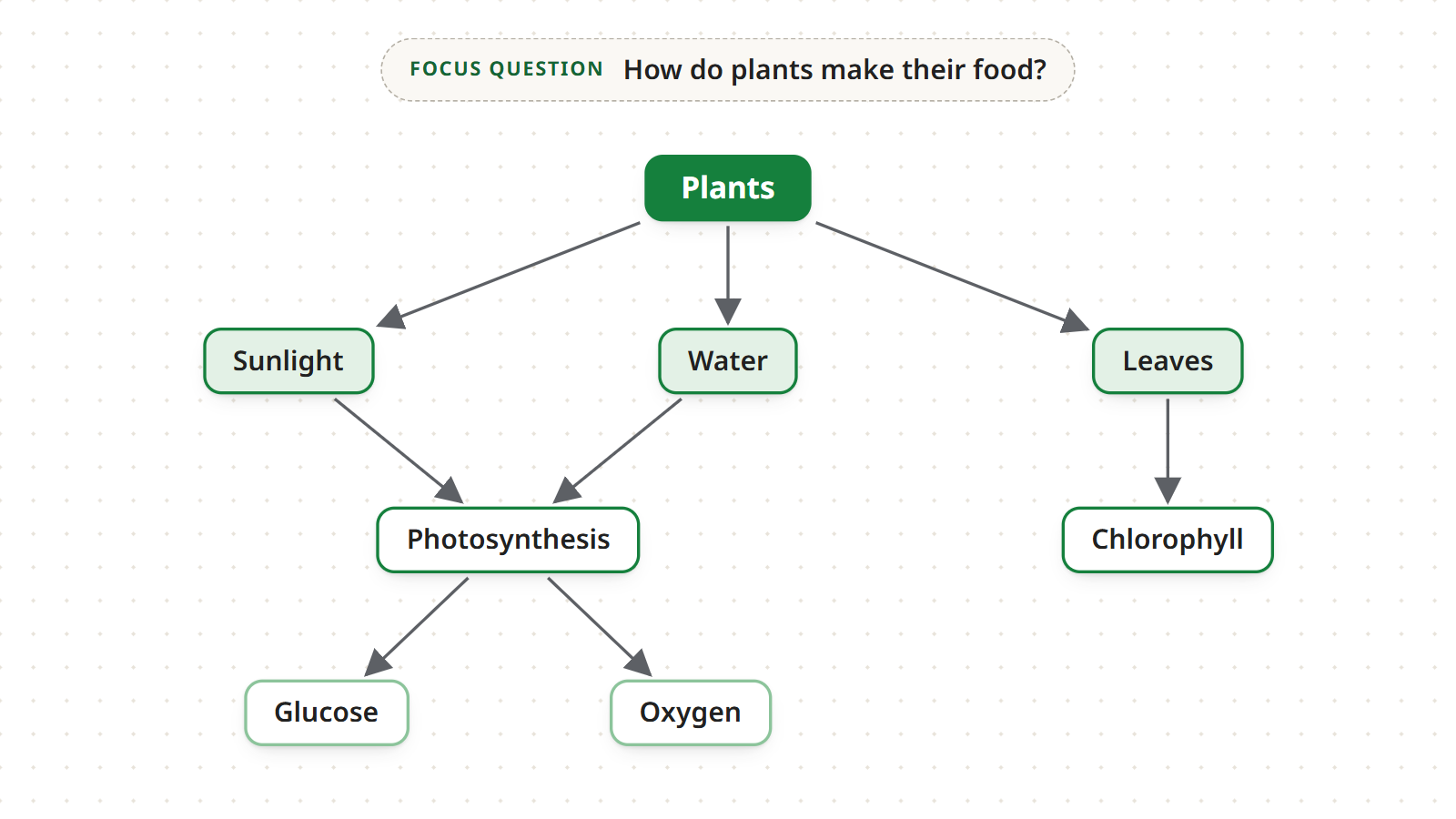
Draw an arrow between every pair of concepts that are directly related. The arrow shows which way the relationship reads, usually from the more general concept to the more specific one. In the example:
- Plants → Sunlight, Plants → Water, Plants → Leaves
- Sunlight → Photosynthesis, Water → Photosynthesis
- Leaves → Chlorophyll
- Photosynthesis → Glucose, Photosynthesis → Oxygen
Notice that Photosynthesis has two incoming arrows, from Sunlight and from Water. In a mind map every idea has exactly one parent; in a concept map a concept can depend on several others, which is what makes it a network rather than a tree. In Mindomo you connect two concepts by dragging one of the box’s handles onto the other concept, or with CTRL+L.
5. Add linking words
Write a linking word on every arrow to say how the two concepts are related. In Mindomo every connection has a label made for this: click the line, then the grey box that appears, and type the linking word. It works on every line, whether it runs from a concept to the ones below it or across the map.
Then read each pair as a proposition, a short statement that makes sense on its own:
- plants → need → sunlight
- plants → need → water
- plants → have → leaves
- sunlight → powers → photosynthesis
- water → is used in → photosynthesis
- leaves → contain → chlorophyll
- photosynthesis → produces → glucose
- photosynthesis → produces → oxygen
The best linking words are short verbs. Read each proposition aloud: if it does not sound like a true statement, change the label or the arrow. This is the step that really separates a concept map from a plain diagram.
6. Add cross-links and review
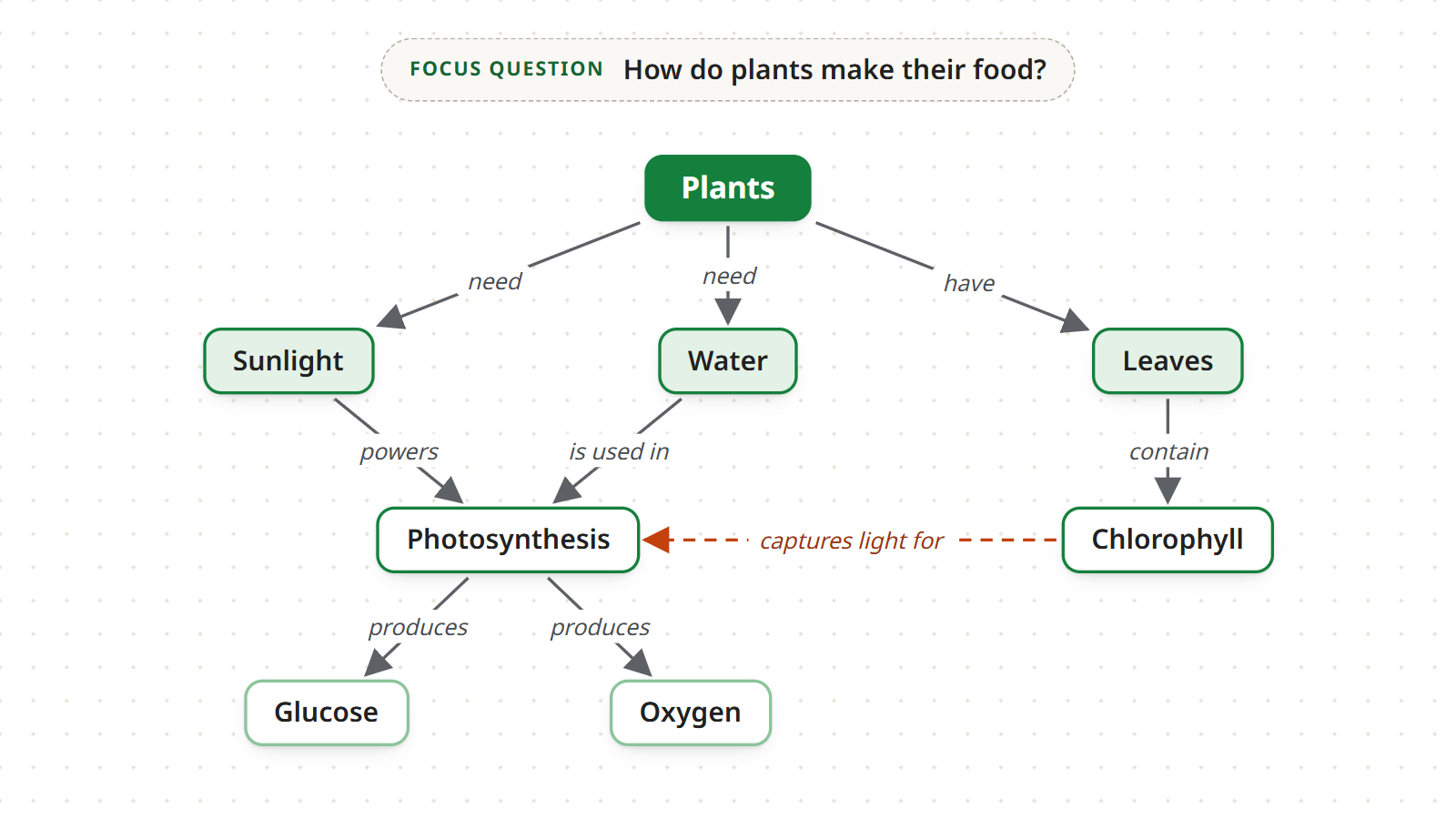
Now look for relationships between concepts in different parts of the map. These are cross-links, and they often show the most interesting ideas. In the example, chlorophyll sits under Leaves while photosynthesis sits under Sunlight and Water; a dashed link joins them: “chlorophyll → captures light for → photosynthesis”.
Then read the map again, starting from the focus question. Does it answer “How do plants make their food?”? Here it does: plants need sunlight and water, their leaves contain the chlorophyll that captures light, and photosynthesis produces glucose, the plant’s food, and oxygen. If part of the answer is missing, add a concept; if a concept does not help answer the question, remove it. Good concept maps almost always go through several revisions.
When the map is ready, you can share it to review it with others, or export it as a PDF, an image or other formats.
Make a concept map with AI
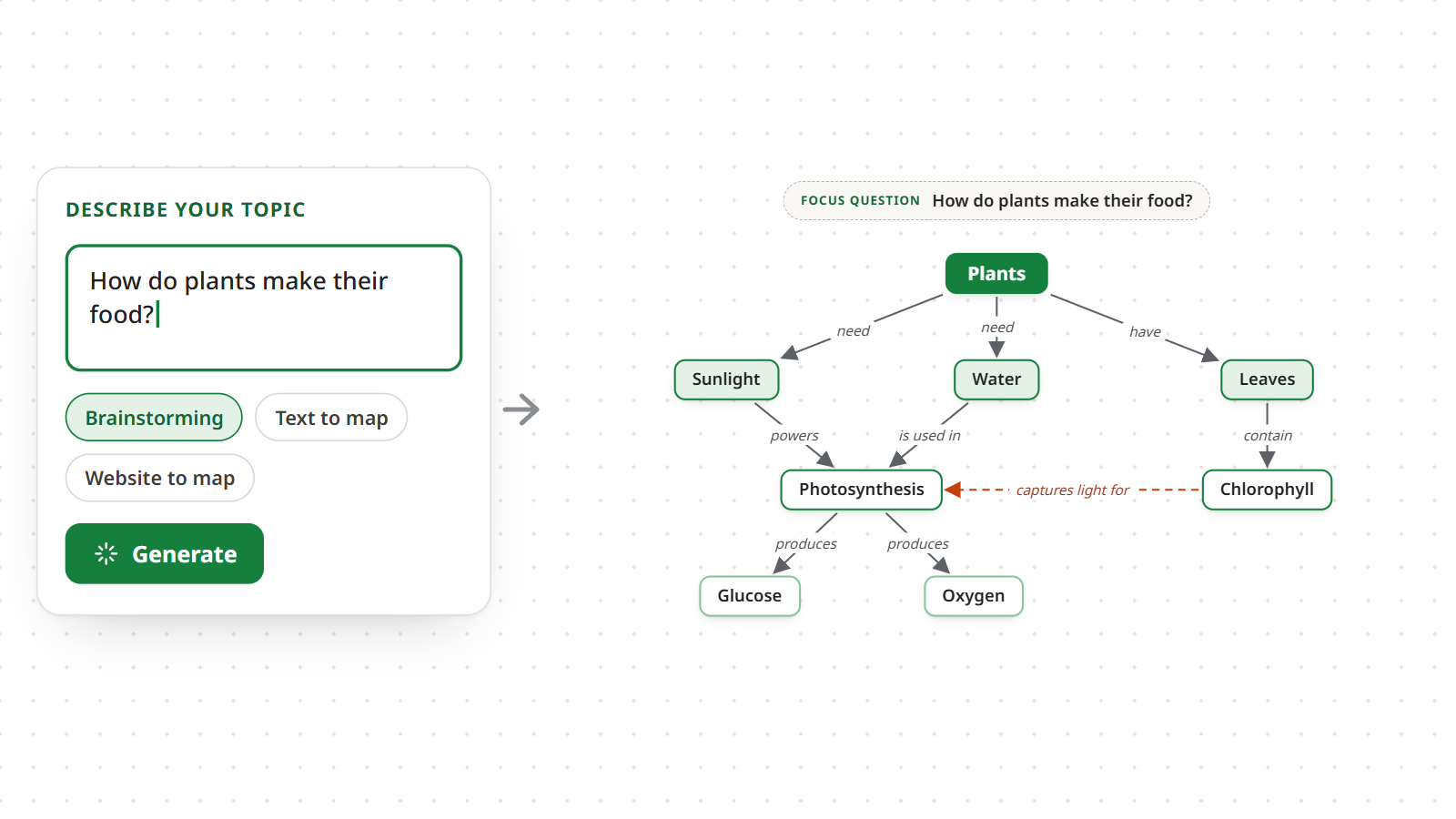
AI skips the slowest part of the method: finding the concepts and arranging them. Type your focus question, for example “How do plants make their food?”, and Mindomo suggests a map with the main concepts already connected. From there, treat it like any draft and check it one proposition at a time.
Mindomo’s AI offers five starting points:
- Brainstorming: from a topic or a question, it suggests the key concepts and a first hierarchy.
- SWOT analysis: it gathers strengths, weaknesses, opportunities and threats, for example to study a business case.
- Pros and cons: it sets the arguments for and against a choice side by side, a good base for an argumentative essay.
- Text to map: from a book chapter or lecture notes, it pulls out the concepts to connect, which is useful for studying.
- Website to map: from an article’s link, it extracts the concepts and the relationships between them.
If the generated map still has the shape of a mind map, switch it to the Concept map layout: the concepts line up from top to bottom, joined by arrows. AI gives you the concepts, but the relationships are yours to check: read every proposition, fix the linking words and add the cross-links only you know about. Try it with the AI mind map generator.
Start from a concept map template
With a concept map template the hardest part, the structure, is already done: the boxes are laid out in levels, the arrows are drawn and every label is waiting for its linking word. It pays off when you already know the shape of the answer, such as a process, a classification or a cause and effect.
Fill in the concepts first, then write the linking words and read every proposition: the template gives you the shape, but you decide the relationships. If the topic does not fit the structure, add or remove boxes as in the steps above.
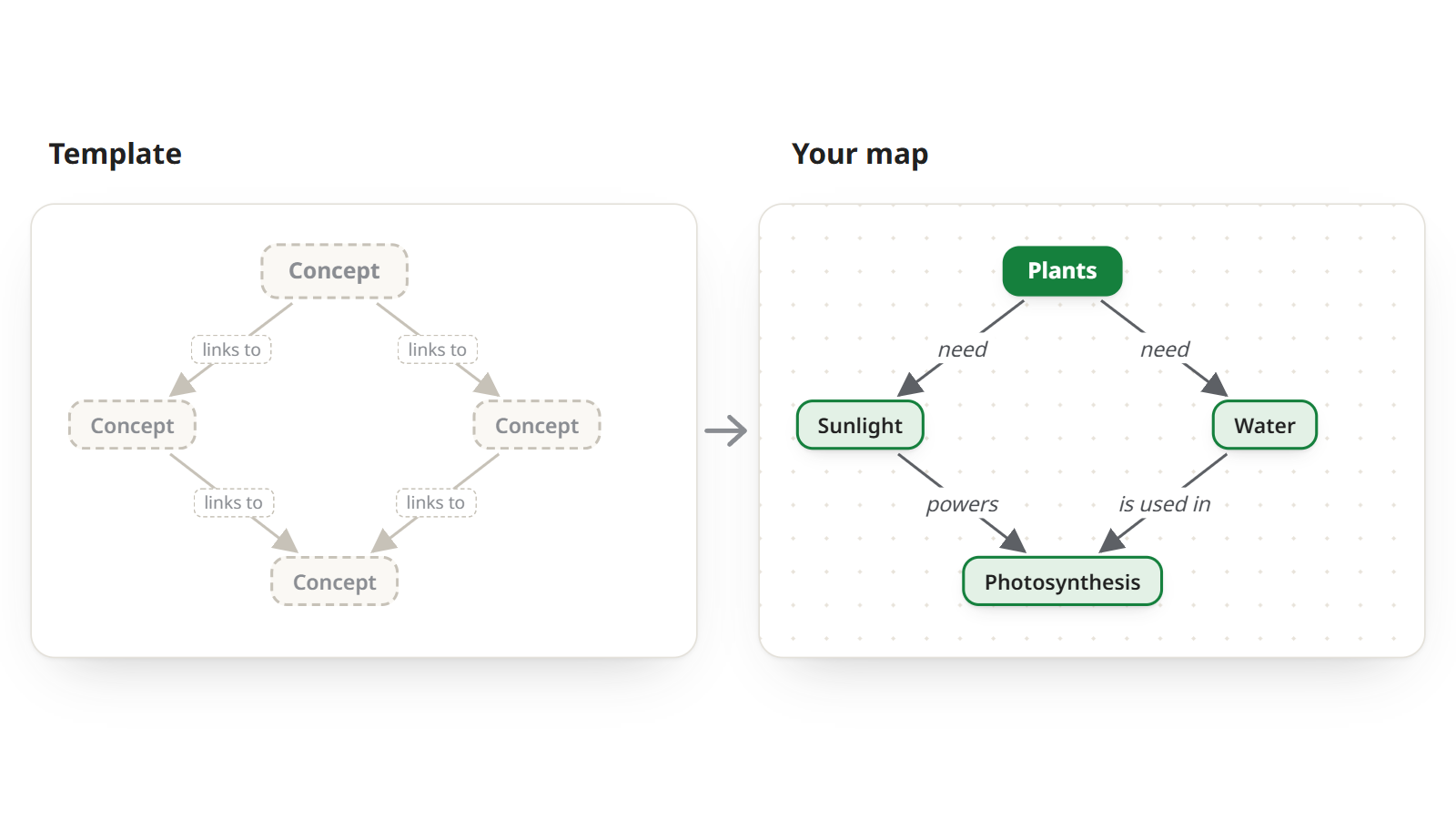
Three maps from our concept map templates: open one and adapt it to your topic. For more ready-made structures, browse the template library.
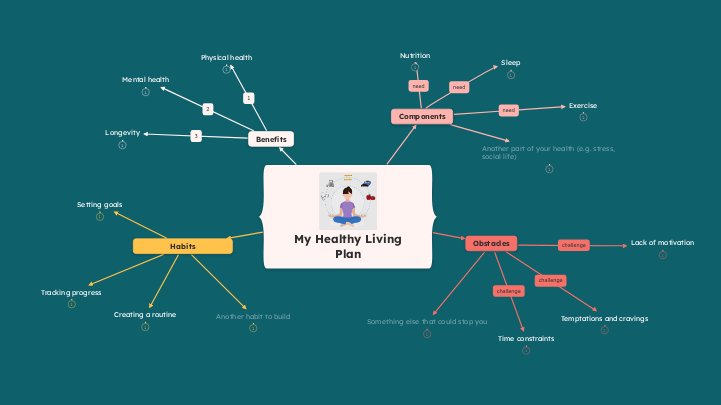
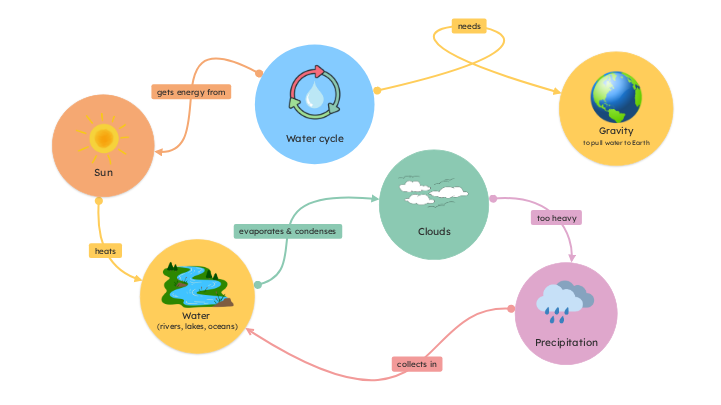

Concept map example: how plants make their food
Here is the map the six steps built, with two more concepts that make the answer more complete: Roots and Carbon dioxide. They come in with four new propositions:
- plants → have → roots
- roots → absorb → water
- plants → need → carbon dioxide
- carbon dioxide → is used in → photosynthesis
Read it from top to bottom: the focus question says what the map is about, Plants is the most general concept, and each level explains the one above it, down to the products of photosynthesis.
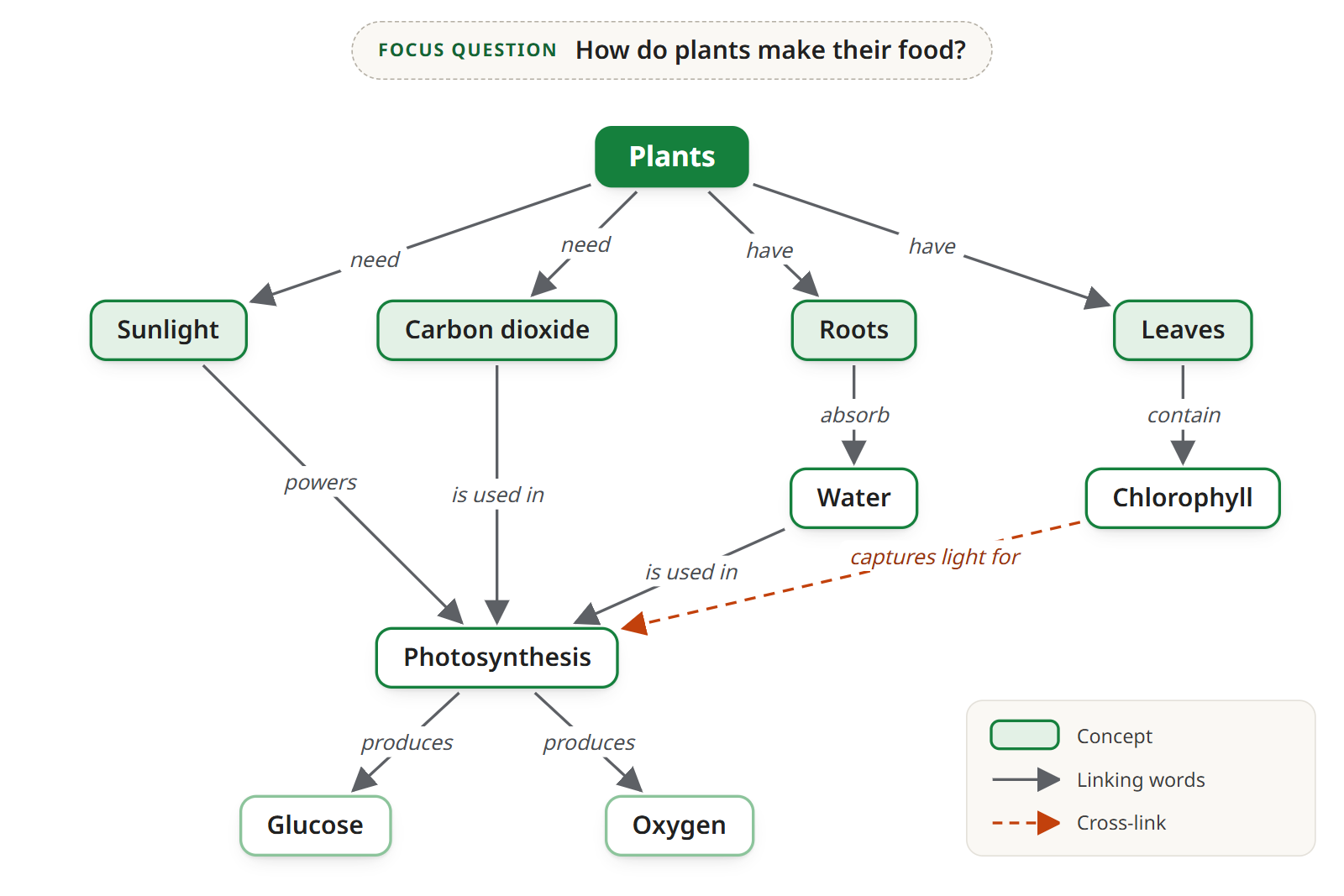
Notice what makes it a good concept map. Every arrow has its linking word, so every pair reads on its own as a true statement. Photosynthesis now has three incoming arrows, from Sunlight, Water and Carbon dioxide, plus the cross-link from chlorophyll: one look at the map shows it is the concept where everything else meets. For maps on other subjects, from school to work, browse these concept map templates.
Video: making a concept map step by step
Prefer to watch? The video builds a concept map in Mindomo from start to finish: concepts, arrows, linking words and cross-links.
Plays from YouTube. Google may set cookies once you press play.
Tips for clearer concept maps
Seven habits for concept maps that read at a glance, are easy to correct and actually help you learn:
Rearrange the levels as you learn
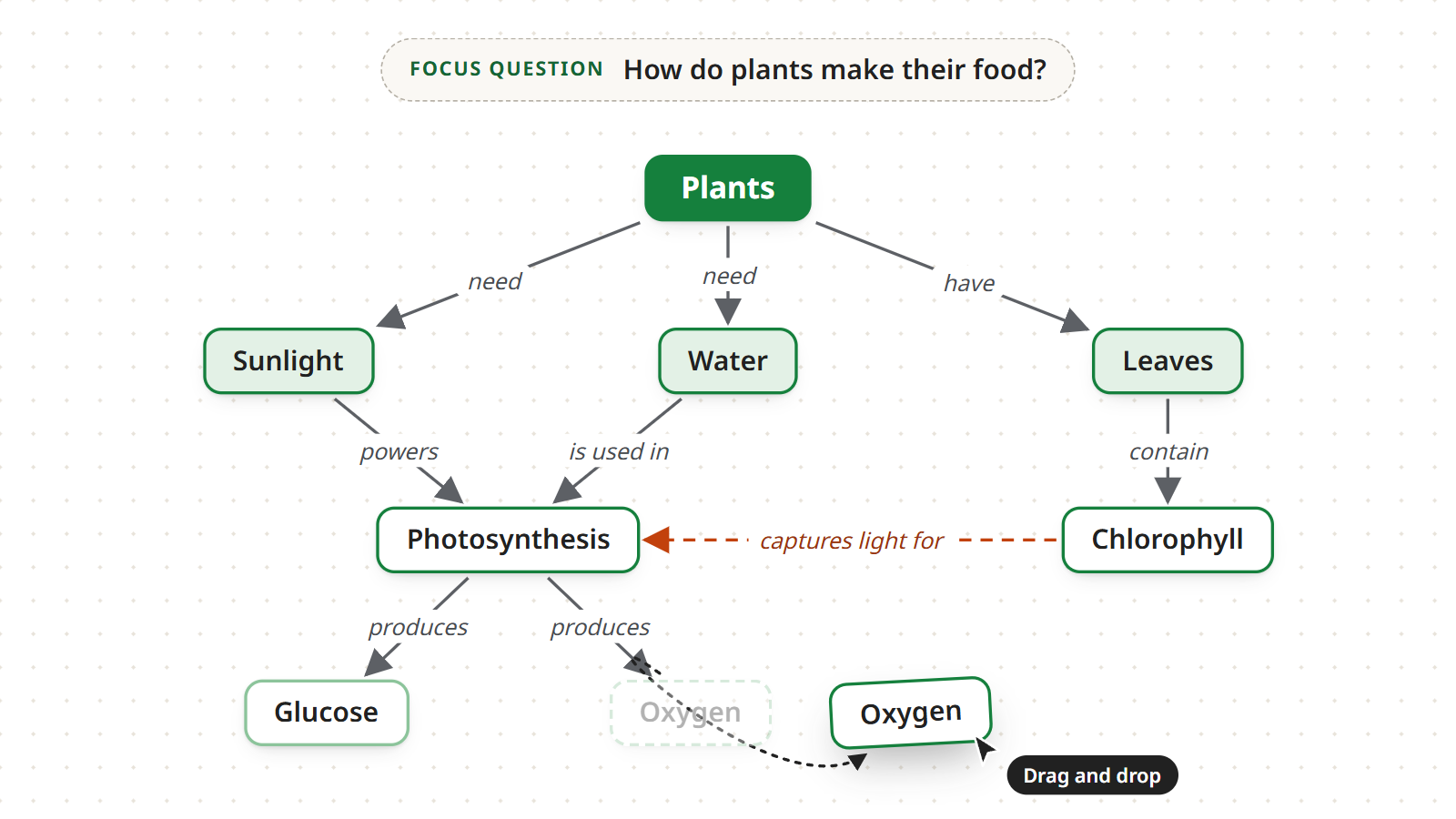
A concept map is a snapshot of what you understand right now, and understanding grows as you study. When a concept turns out to be more general than you thought, move it up a level; if it belongs in another part of the map, drag it there. In Mindomo the arrows and linking words stay attached to the concept while you move it.
Keep linking words short
The best linking words are verbs of one to three words: “contain”, “produces”, “is used in”. Avoid vague labels such as “relates to” or “is connected to”, which do not say what the relationship is, and whole sentences, which weigh the map down. If a relationship needs a long explanation, put it in a note on the concept.
Give colors and shapes a meaning
Colors and shapes make a map faster to read, as long as they mean something:
- use one color per kind of concept, for example one for processes such as photosynthesis and one for substances such as water and glucose;
- or use one shade per level, darker at the top and lighter at the bottom, so the hierarchy shows at a glance;
- give a different shape to concepts of another category, such as things from outside the plant;
- keep cross-links in a different color or line style, like the dashed orange line in the example.
Use the map to revise
A finished map is also a study tool. Hide some concepts, or some linking words, and try to rebuild them from memory: which concepts are missing, and what links them to the others? Your mistakes show exactly what you have not understood yet. To go further, read the research on learning with maps.
Make a template for each kind of question
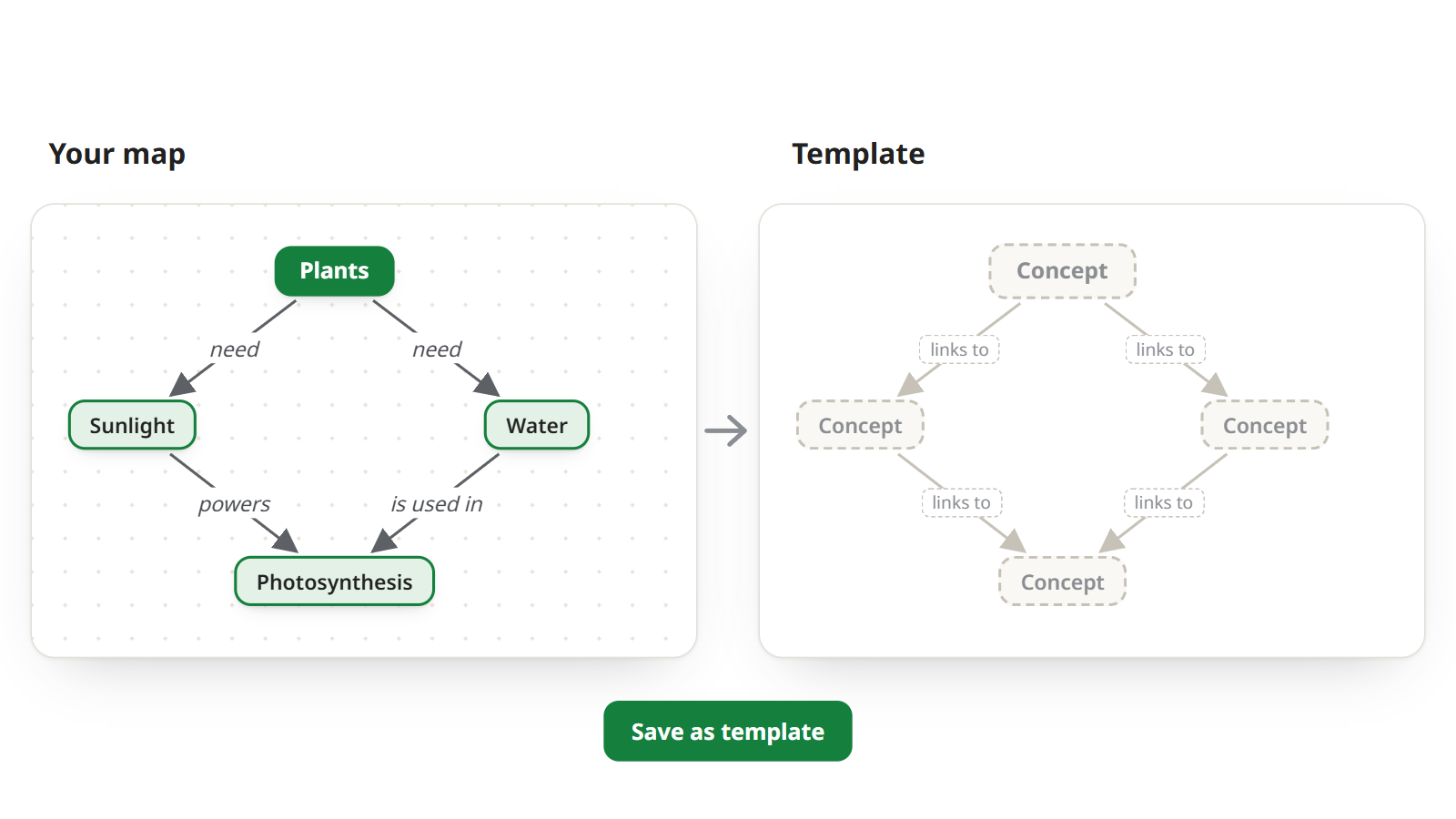
Many focus questions share a shape: a process (“How does…?”), a classification (“What kinds of…?”), a cause and effect (“Why…?”). When a map works well for one of these shapes, turn it into a template: next time you will start with the levels, arrows and empty labels already in place.
Capture ideas on your phone
Explain the map out loud
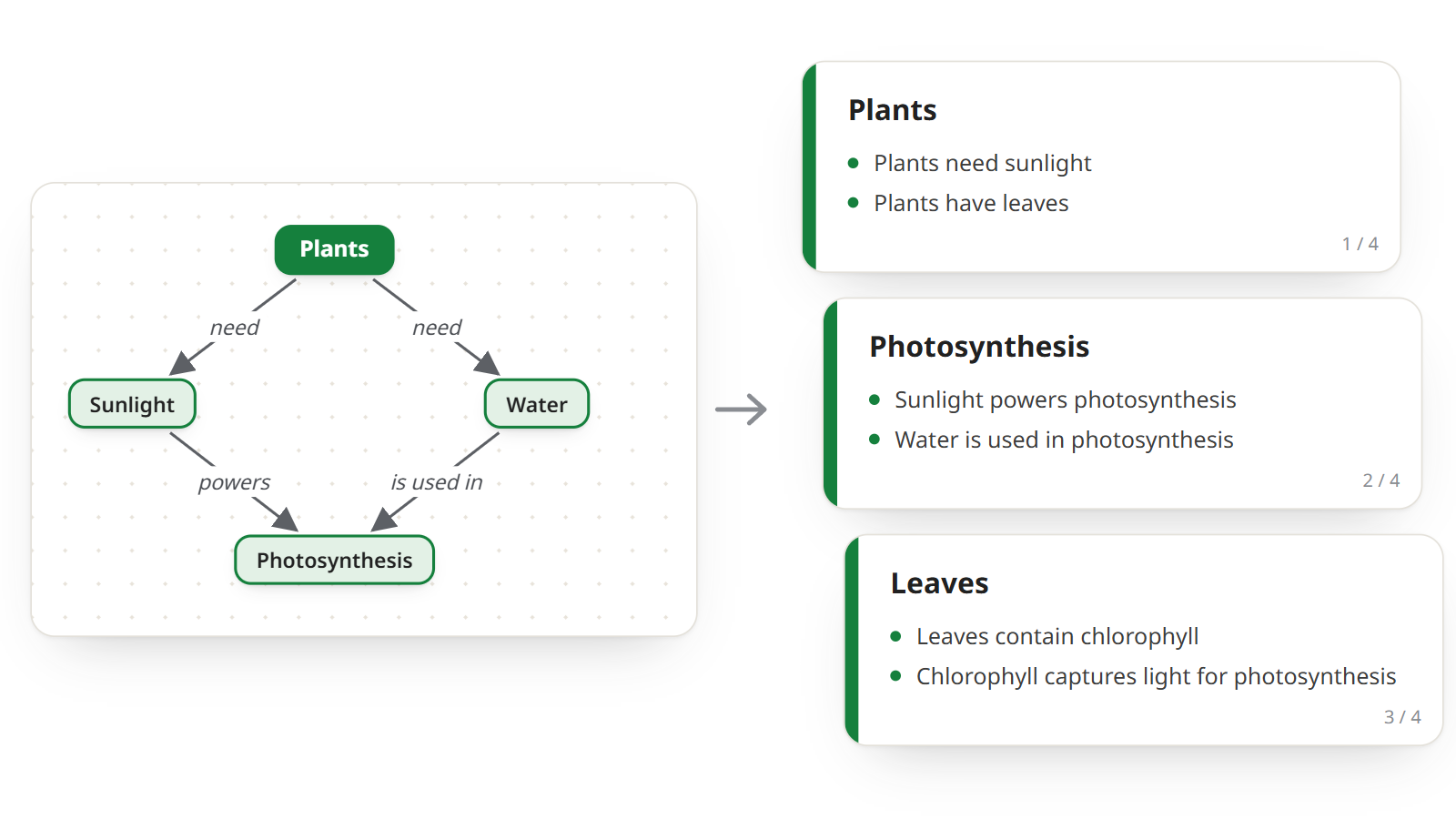
The surest way to check a concept map is to explain it to someone else: start from the focus question and read the propositions one after another, from top to bottom. Wherever you get stuck, a concept or a linking word is missing. For a class presentation or an oral exam, Mindomo builds the slides from the map, one level at a time.
Common concept mapping mistakes
A concept map is simple to make, but six mistakes come up again and again. Each one makes the map harder to read, or turns it into a different kind of diagram:
A mind map under another name
One topic in the center with ideas radiating around it is a mind map, not a concept map. Start from a focus question and arrange the concepts from top to bottom, from the most general to the most specific.
Lines without linking words
An unlabeled line only says that two concepts are related, not how. Without linking words there are no propositions, and the map no longer explains anything.
Too many concepts
Beyond about 25 concepts a map gets hard to read and the arrows start to cross. If the question needs more, split it into two maps with narrower questions.
The wrong linking words
A noun on an arrow, such as “photosynthesis” instead of “powers”, does not make a statement. A whole sentence hides the relationship among its words. Use a short verb.
No focus question
Without a question the map has no boundary: it spreads in every direction and in the end answers nothing. Write the question before anything else, and use it to decide what stays.
No cross-links
If every concept is linked only to the one above it, the map is a tree and shows nothing but a classification. Look for relationships between different parts: they are the ones that show you understand the topic.
Paper vs digital concept maps
The steps are the same by hand or with a concept map maker. The difference shows after the first draft, when the map needs revising: on paper, moving one concept means redrawing all of its arrows.
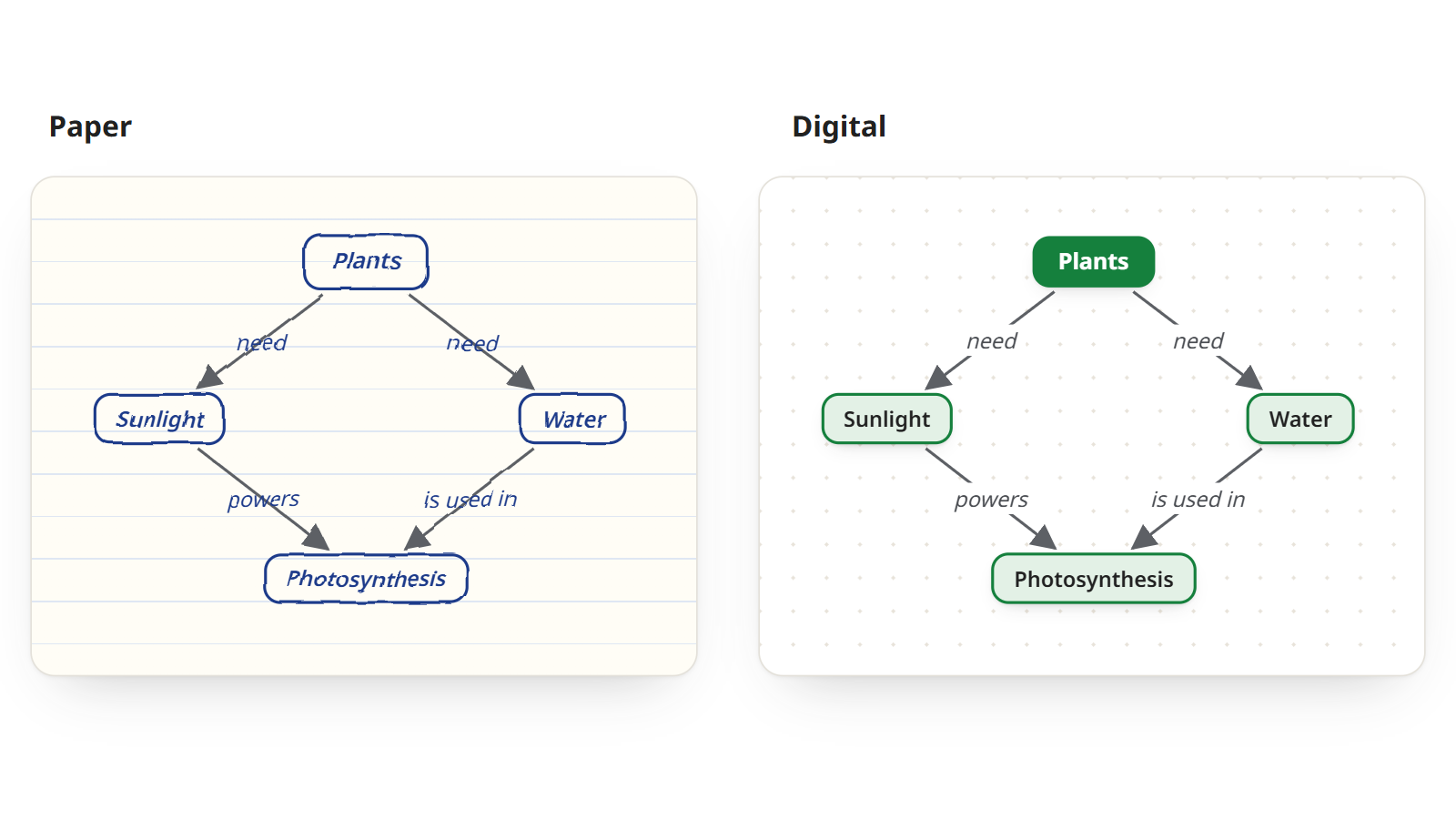
Paper
Pen, paper and nothing else.
- StartingAll you need is a sheet of paper: handy when devices are not allowed, for example in a classroom test.
- Best forA first pass at the concepts, before you settle the levels.
- EditingLimited space: moving a concept means erasing and redrawing its arrows.
- ReadabilityWith each revision the arrows cross and the labels get harder to read.
- ContentOnly what you can write or draw.
Digital
An app on a computer, tablet or phone.
- StartingOn a computer, tablet or phone, with AI to suggest the concepts and templates that come with the structure.
- Best forMaps you revise several times, complex topics and group work.
- EditingUnlimited space: move a concept and its arrows follow, with nothing to redraw.
- ReadabilityNeat and consistent, however large the map grows.
- ContentAttach a note, a link or an image to any concept, and classmates can work on the same map.
Which one should you use? A paper concept map works until it needs correcting. But revising is the heart of the method (rereading propositions, adding cross-links, moving a concept up or down a level), and in a digital map each revision takes a click instead of a fresh sheet.
Frequently asked questions
What is the difference between a concept map and a mind map?
A mind map starts from one topic in the center and branches outward: its branches have no labels, and every idea has one parent. A concept map starts from a focus question, runs from top to bottom and connects concepts with labeled arrows, so every pair reads as a proposition; a concept can have several incoming arrows, and cross-links join different parts of the map. Learn more in our guides on what a concept map is and what a mind map is, or see how to make a mind map.
How many concepts should a concept map have?
Novak and Cañas suggest starting from a list of 15 to 25 concepts. A map for children or a quick review can have fewer, like the eight in this guide’s example. If you need many more, the focus question is usually too broad: split it into two maps.
Do concept maps help you learn?
Yes, though they are no miracle. A meta-analysis of 55 studies with 5,818 students (Nesbit and Adesope, 2006) found that using concept maps is associated with better retention of knowledge. The effect ranges from small to large, depending on how the map is used and what it is compared with. That is why it pays to use them actively: build the map yourself and revise by rebuilding it from memory, as in the revision tip.
Can I make a concept map with others and export it?
Yes. In Mindomo you share the map with classmates or colleagues and edit it together in real time. You can also export it to more than 20 formats, including PDF, PNG, Word and PowerPoint.