

Why mind maps improve learning?
When you read, your brain doesn’t just store words. It goes through a two-step process:
1️⃣ Interpret sentences
2️⃣ Create a mental image
Learning becomes effective only when you reach that second step. If you just read or copy text, the information stays shallow and is easy to forget.
Mind maps support this process by helping you externalize that mental image. Instead of keeping everything in sentences, you organize ideas visually, just like your brain naturally understands them.
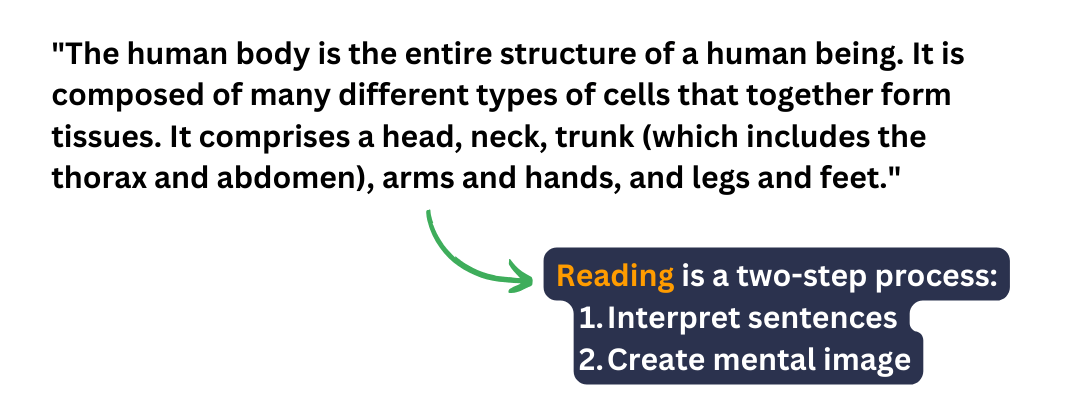
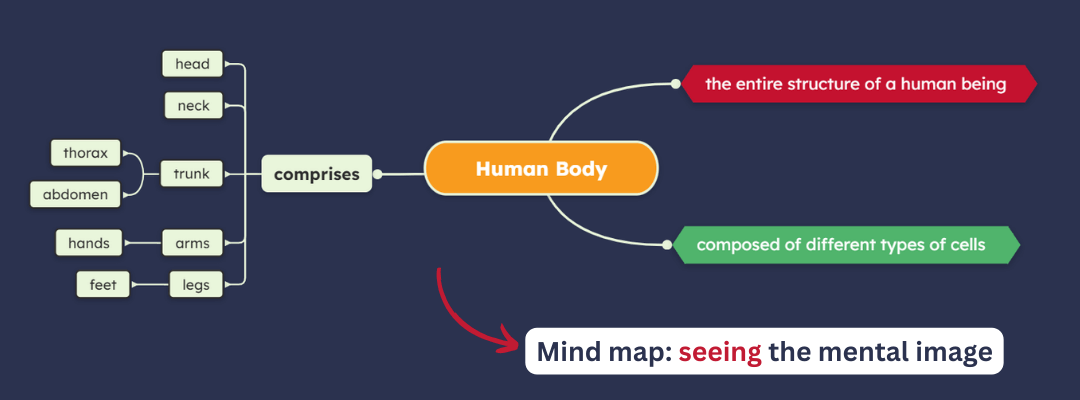
💡 Which one is easier to remember and understand?
Studies (for example, the Dual Coding Theory by Allan Paivio) also suggest that we retain much more of what we see than of what we read or hear. By turning information into a visual structure, mind maps make learning more engaging and easier to recall.
How to turn learning material into a map
You can follow the basic steps of creating a mind map in our guide on how to mind map. Below, we’ll focus on how to use that process specifically for learning and studying.
❗Remember that the value of this technique is not in the diagram itself, but the process of creating it by yourself (so you can structure the information in a way that makes sense to you) and refining it over time.
1. Define what you want to learn
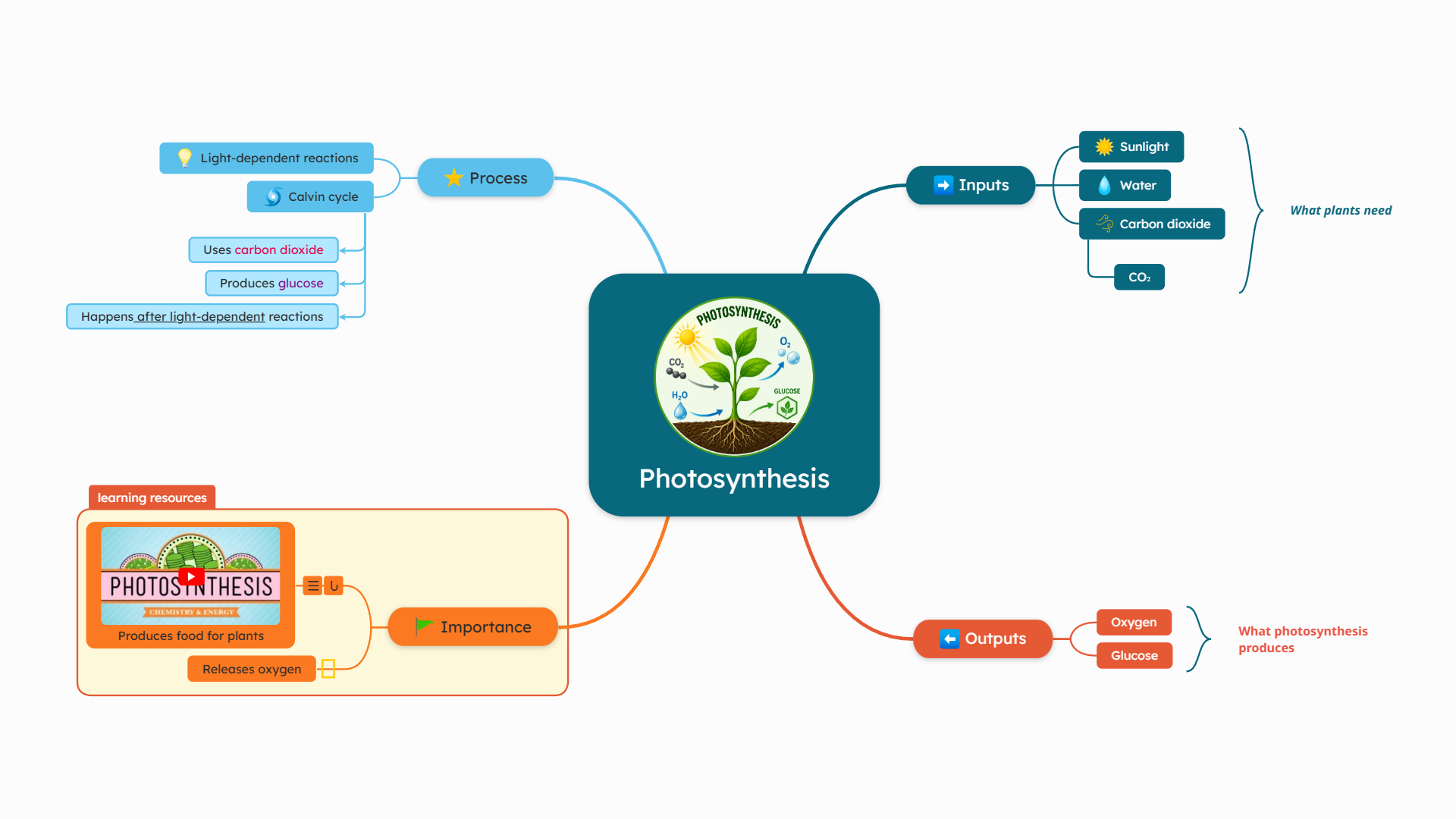
Start with a clear and specific learning goal. Instead of broad topics like “Biology,” focus on a single lesson or concept, such as “Photosynthesis”.
This helps you stay focused and build a structured map from the beginning.
In Mindomo, create a new mind map and add your topic as the central idea. This will serve as the foundation of your learning map.

2. Extract key ideas from your material
Go through your learning material (whether it’s a textbook, video, or course) and identify the main concepts. The key is to focus on understanding the content, not copying it.
➡️ Add each key idea as a main branch in your mind map.
➡️ Use short keywords instead of phrases to keep the map clear and easy to review. Ignore full sentences and extract the essence.

3. Organize information into a structure
Once you have the main ideas, start organizing them into a clear structure.
How?
1️⃣ Break complex concepts into smaller parts by adding subtopics.


4. Add details that support learning
Now expand your map with essential details, such as definitions, examples, or short explanations. Keep your main branches clean and add extra information as subtopics, notes or comments.
In Mindomo, you can:
🟢 Add notes or comments to explain in detail without overcrowding the mind map.


5. Use visuals to reinforce memory
Take full advantage of the visual memory. Make your map more memorable by adding colors, icons, and images.
Visual elements help you recognize patterns and recall information faster.
In Mindomo, you can:
🟠 Use color coding to differentiate levels or types of information (for example, using a different color for each hierarchy level).
🟠 Add icons for quick recognition or to search for topics later.
🟠 Insert images to create associations or to make the map more visual.
6. Review your map actively
Your mind map becomes most valuable during review. Instead of rereading, use it to test your knowledge.
Try the following methods:
💡 Collapse branches and recall the information
💡 Collapse parts of the map and rebuild them from memory
💡 Use the focused view to review specific parts of the map
💡 Use the search and filter options to find specific topics or subtopics
Mindomo makes it easy to navigate, expand, and focus on specific parts of your map during revision.

7. Update and simplify over time
❗This is one of the most crucial steps that many people overlook. It’s not enough to just create the diagram and then forget about it. The process of creating and then refining ideas is the key to long-term retention.
So what should you do?
➡️ As you review, refine your map.
➡️ Remove unnecessary details, simplify branches, and keep only what helps you understand and remember the topic.
Learning is an ongoing process, and your mind map should evolve with it.
A clear and simplified map is easier to revisit and more effective for long-term retention.
Learn with assignments & collaboration
Mindomo includes built-in features designed to support both individual learning and classroom collaboration.
Let’s explore how you can use Mindomo for your learning journey.
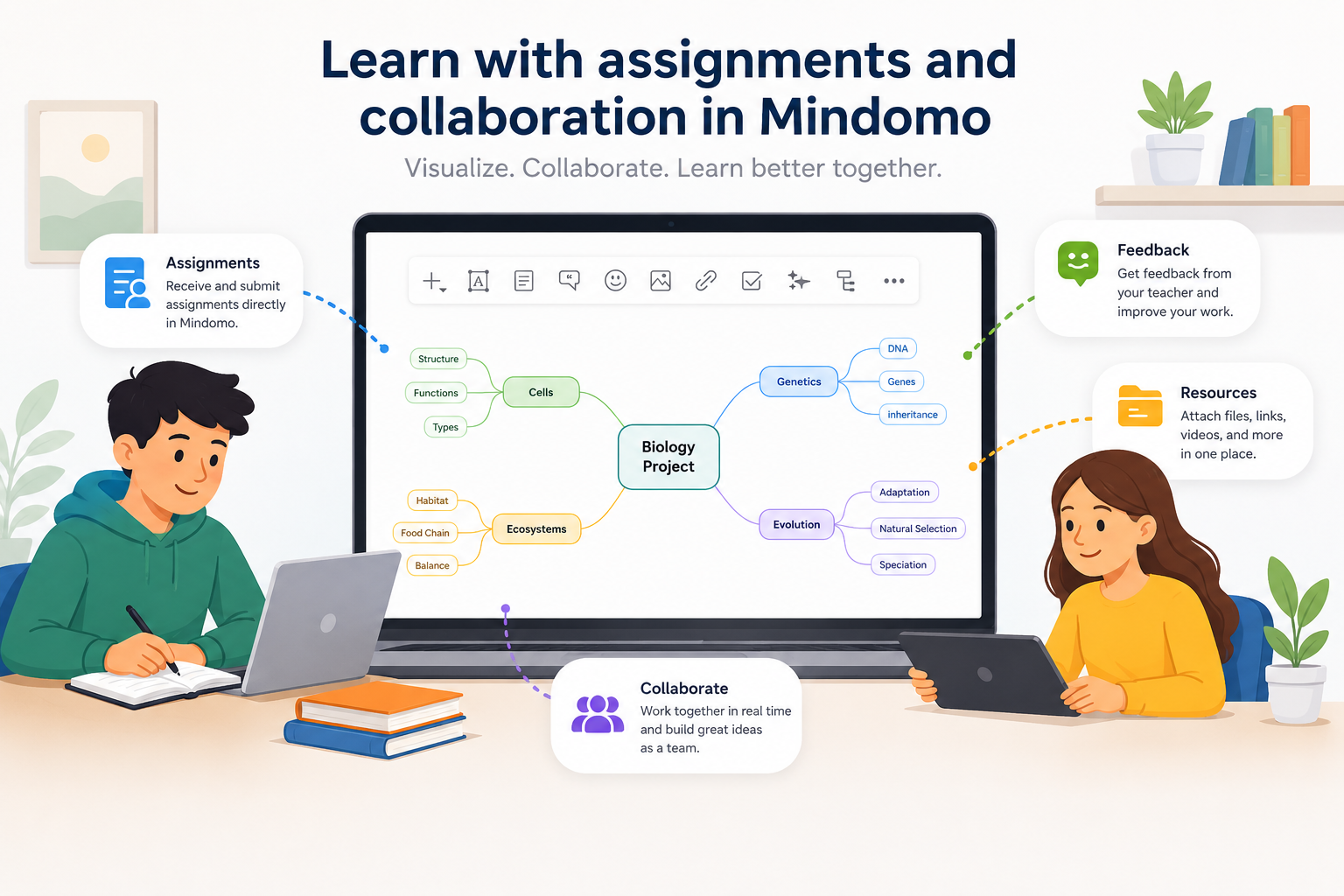
For students 👨🏻🎓
Students can use Mindomo to turn lessons and study materials into visual maps that are easier to review and understand.
For example, students can:
📌 Summarize chapters before exams
📌 Organize research for projects
📌 Create visual study guides
📌 Prepare for presentations (check out our article on how to make effective presentations)
📌 Collaborate with classmates on group projects
📌 Access educational mind map templates categorized by use cases (for example, Science & Biology templates, Grammar templates, History templates, or even Interactive exercises templates)
Get inspiration on how to study effectively from our ideas of mind maps for students.
⭐ Find out more about what you can do with a Student license.
For teachers 👨🏻🏫
Teachers can use Mindomo to create structured learning activities and guide students through complex topics step by step.
For example, teachers can:
➡️ Create interactive assignments based on mind maps
➡️ Visually explain lessons during class
➡️ Provide feedback directly on student maps
➡️ Grade students directly in Mindomo
➡️ Prepare their courses in mind map format
⭐ Discover more of the Teacher license features.

For schools 🏫
Many schools around the world have adopted mind mapping as a learning method to help students better understand, organize, and retain information across different subjects.
Mindomo supports this approach by providing a complete environment for both learning and school collaboration.
School members can easily:
➕ Add teachers and students to a shared school workspace
➕ Create classes and student groups and have access to school management features
➕ Share mind maps, assignments, and learning materials
➕ Collaborate across classrooms
➕ Access LTI integrations (Canvas, Moodle, Blackboard, Brightspace, itslearning, Schoology, etc.)
Because everything is connected inside the same environment, schools can create a more collaborative and organized learning experience that works both in the classroom and remotely.
⭐ Find out more about what the School License includes.
For individual learning 👨🏻💻
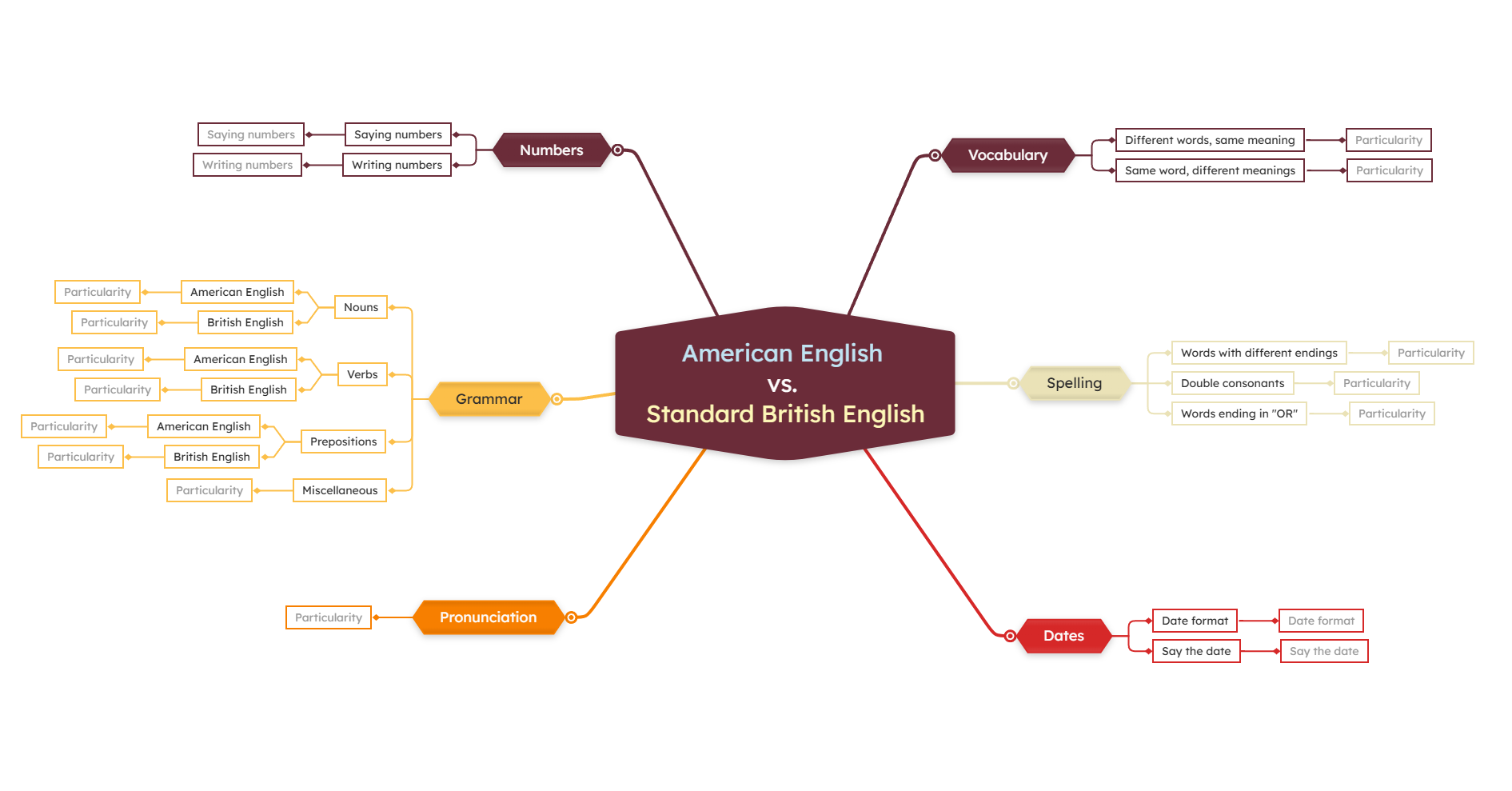
You can use Mindomo to:
🔷 Summarize books or online courses
🔷 Learn a new language
🔷 Prepare for exams or certifications
🔷 Create a resume
🔷 Write recipes or training plans
🔷 and more…
⭐ See all features you can use with an Individual license.
For neurodivergent learners 🧠
Mind maps can also support neurodiverse learners (ADHD, dyslexia, autism, etc.) by making information more visual, structured, and easier to process.
Features like colors, images, keywords, and visual organization can help improve focus, understanding, and information retention.
Read more about how Mindomo supports inclusive learning as an assistive technology tool.

Practical ways to use mind maps for learning
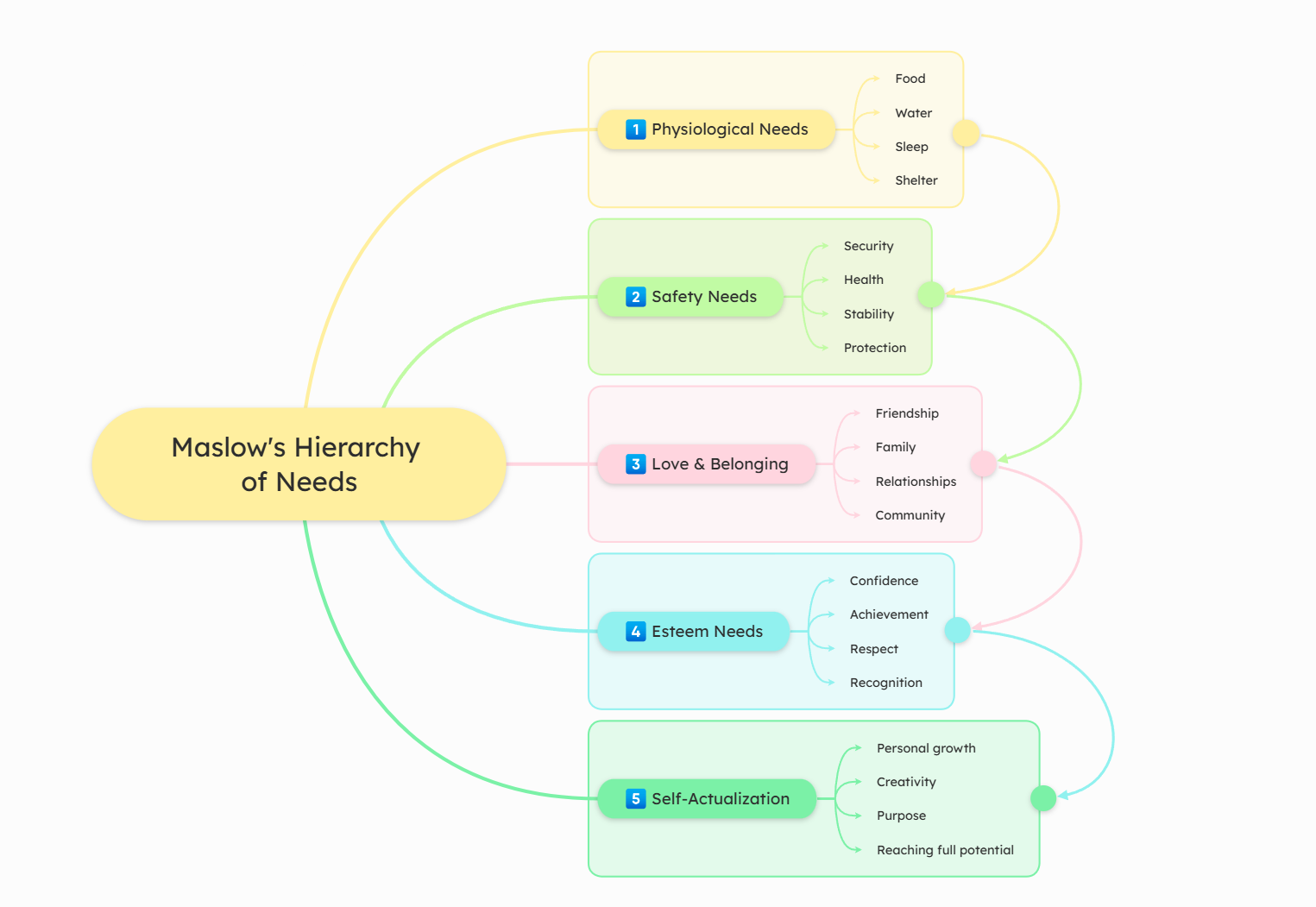
1️⃣ Study for exams
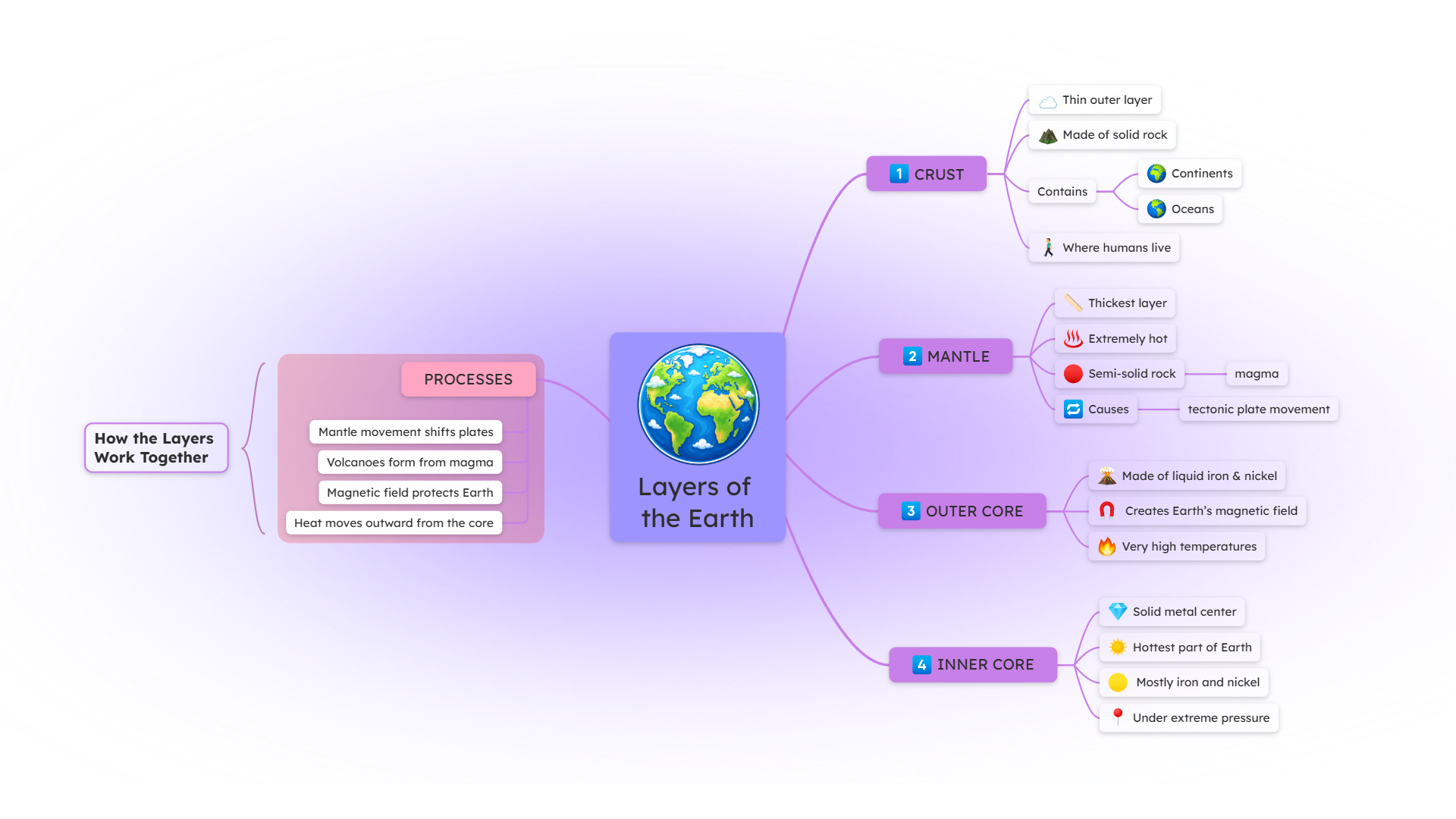
2️⃣ Learn from books or courses
3️⃣ Take notes during classes
Capture ideas visually during lectures and connect them instantly to related concepts. You will understand the material better and be able to review it more effectively.
💡 Learn more about how to take notes with mind maps in our dedicated guide.
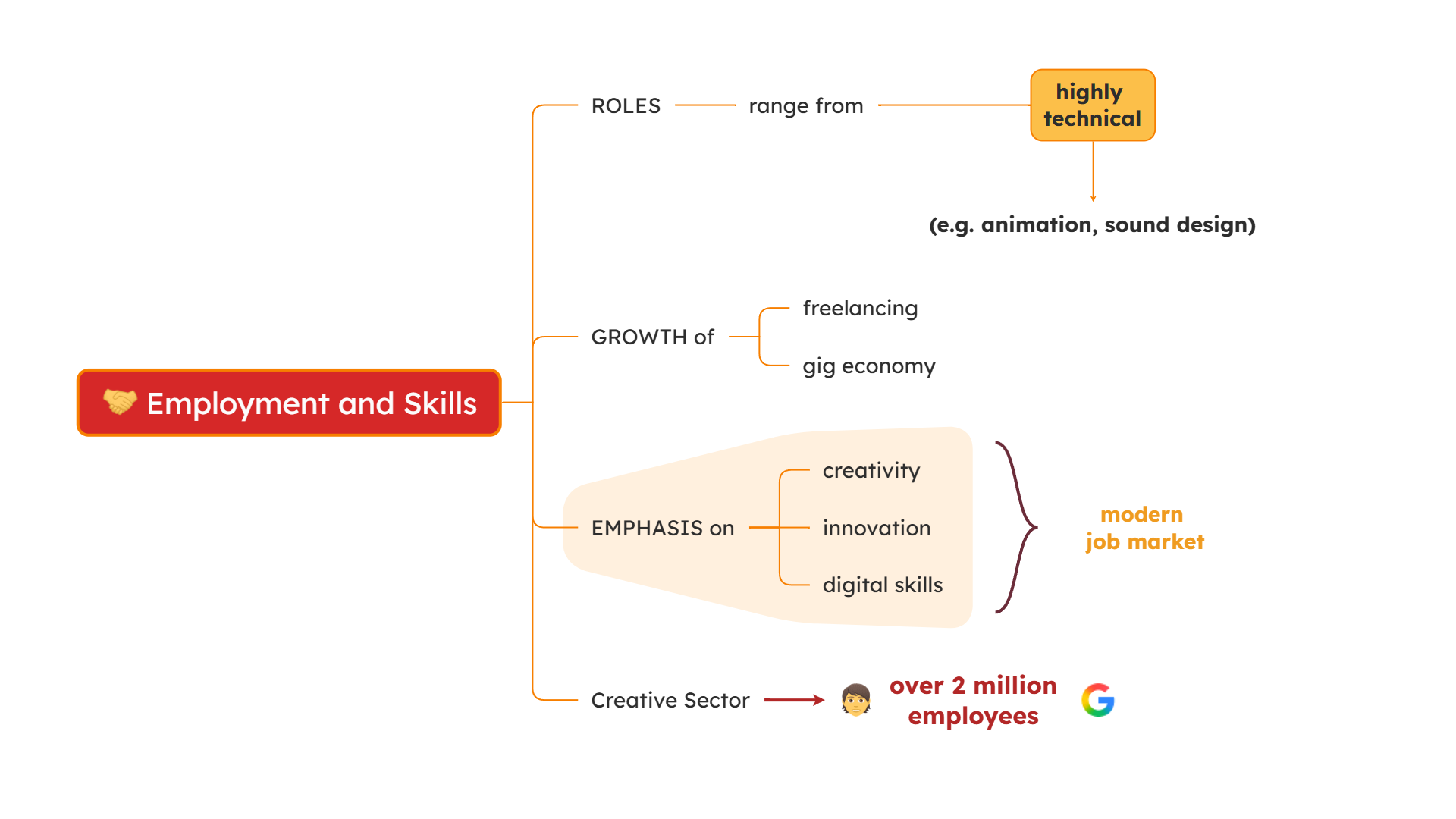
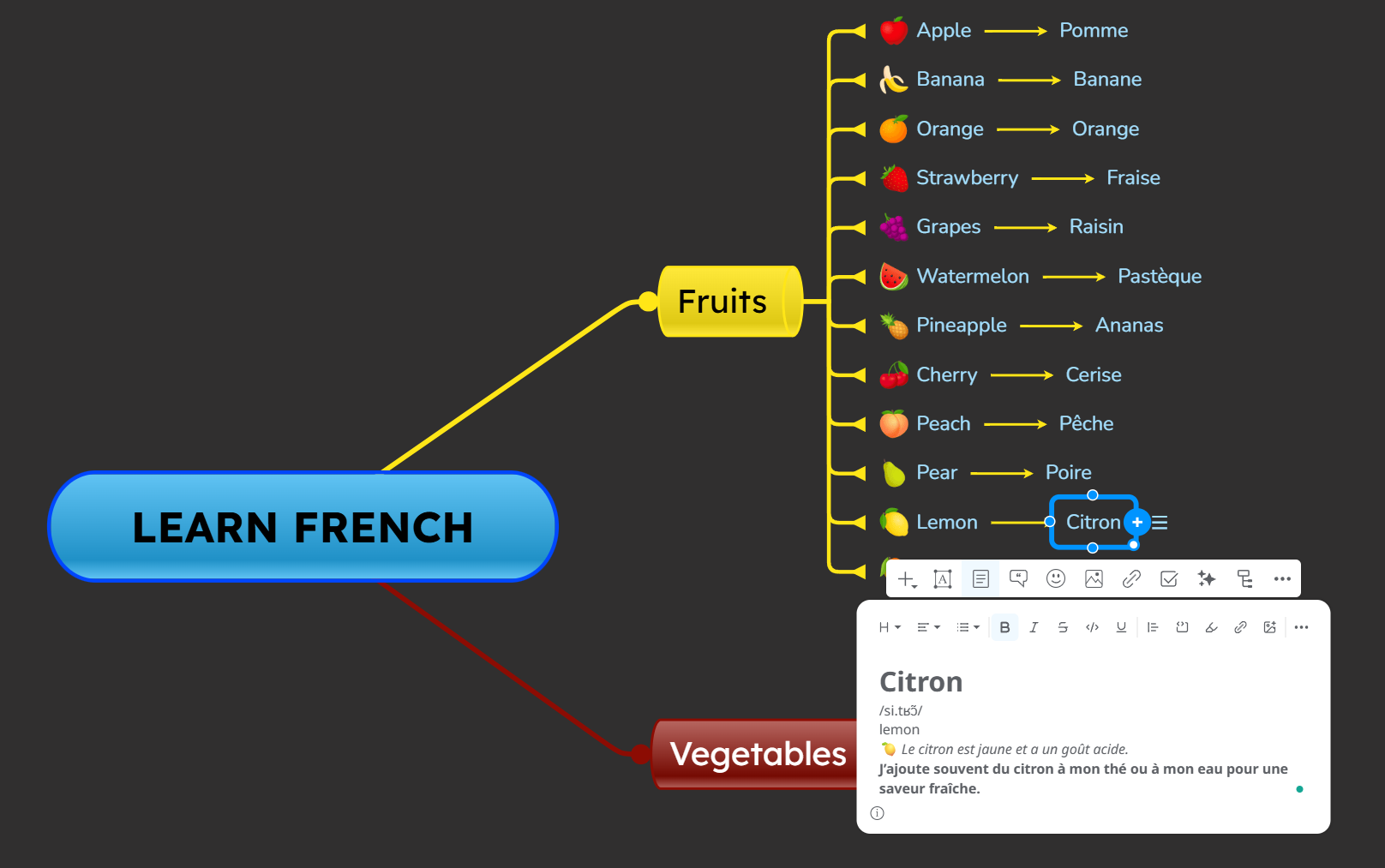
4️⃣ Learn a new language
One of the easiest ways to learn a new language is to create a mind map of different aspects. For example, create a diagram with categories of words and their meanings, group them, and add notes with their phonetic transcription; you can even add a voice note of how each word should be pronounced.
You can also create a diagram with linking words, another one with adverbs, another one with pronouns, etc. Find inspiration in our Grammar templates gallery.
5️⃣ Organize study materials
Create a mind map to organize all your study materials in one place. You can attach notes, PDFs, videos, links, and other resources directly to specific topics or collect everything inside a dedicated resource branch.
Instead of saving files randomly across folders and tabs, keep everything connected to your map so information stays structured, easy to access, and easier to review later.

Combine mind maps with effective study habits
Are you learning how to learn? Mind mapping is a powerful technique, but creating a mind map alone is not enough.
You need to combine it with effective study habits to get the most out of it. Make sure to:
💡 Use active recall: instead of rereading your map, try to rebuild concepts from memory or explain branches in your own words.
💡 Review regularly: revisiting maps over time helps strengthen long-term memory and understanding.
💡 Keep maps simple: focus on keywords and connections instead of long paragraphs.
💡 Learn progressively: start with the big picture, then expand maps gradually with more details.
💡 Use colors consistently: consistent visual patterns make maps easier to scan and remember.
Start learning with mind maps today
Mind maps help you turn information into structured knowledge that is easier to understand, organize, and remember.
Whether you’re studying for exams, learning something new, or teaching others, Mindomo gives you a practical way to learn more visually and effectively.
Start building your first learning mind map and keep all your ideas, notes, and resources connected in one place.