Mindomo for Consultants

The engagement workspace, from first workshop to signed scope

Run the workshop the client co-edits live, structure the problem into a tree that survives partner review, scope the engagement before it's a document, and turn every closed project into the next one's head start.

One workspace, four viewsGuest editing, no client accounts
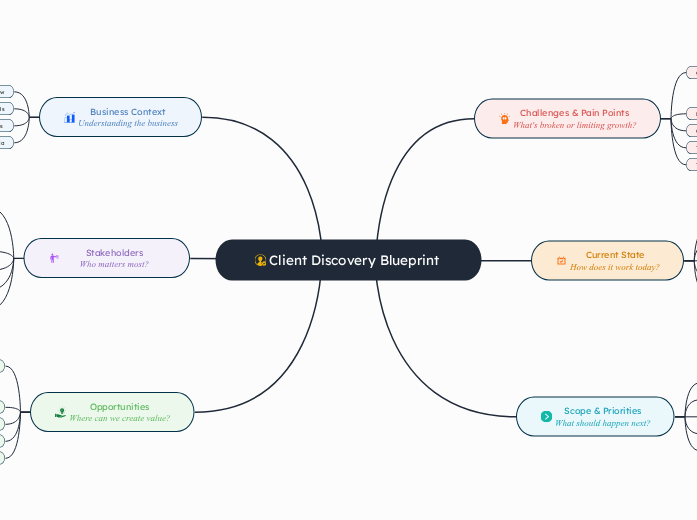
Mind map view of a live client discovery session from initial idea through brainstorm to expanded processes, dependencies, and risks
The same discovery session in Mindomo's outline view, with nested headers and margin notes for challenges, current state, and scope
The same discovery session in Mindomo's Gantt chart view, with phased tasks and a timeline
The same discovery session presented as slides in Mindomo, walking the client through the current-state branch
The problem

Ask a consultant where the engagement lives and you get a version history

The workshop notes are a phone photo of a whiteboard, opened once. The issue tree presented cleanly on Tuesday and had two branches quietly overlapping by Thursday, caught out loud in front of the client.

The scope of work lists the deliverables; the assumption that makes one of them true is a paragraph in section four nobody re-reads after signing. And the framework that would have made this engagement faster than the last one lived in a senior consultant's head, and they're staffed on another project now.

The solution

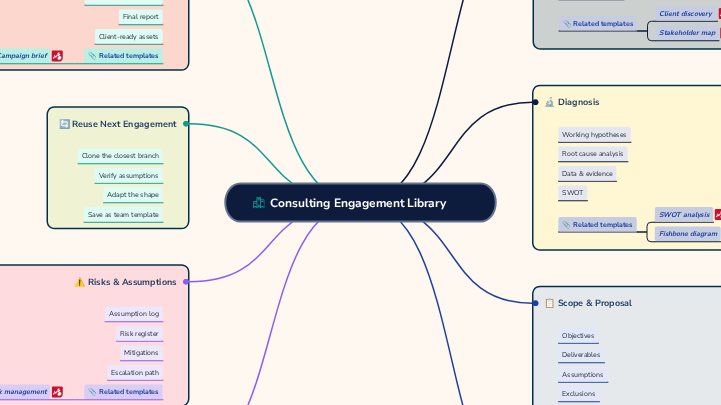
Mindomo holds the whole engagement: the workshop the client co-edits live, the issue tree that still holds up under partner review, the scope of work whose logic stays visible, and the library that lets the next engagement start from a proven structure instead of a blank canvas.

Features

Features Consultants Care About

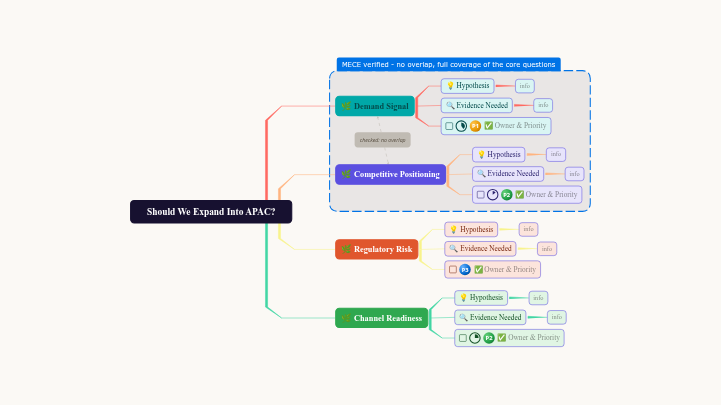
The one that survives partner review

A shape for every stage

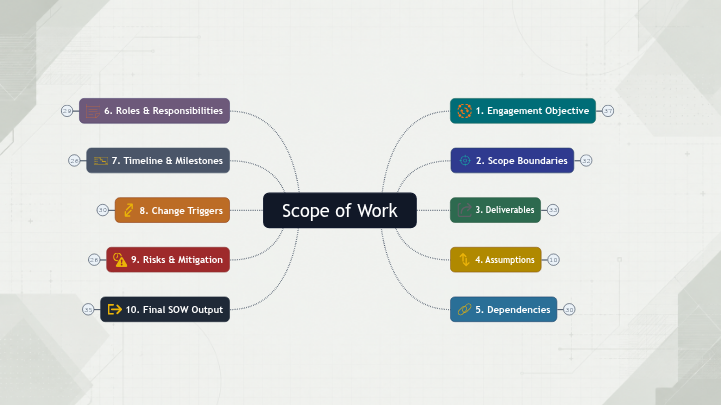
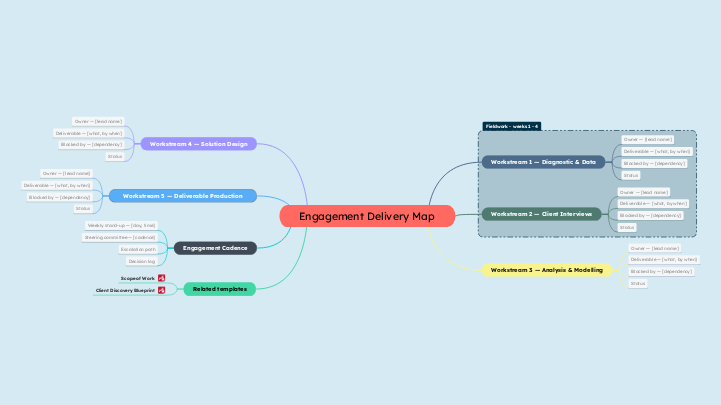
An engagement doesn't stay one shape. Discovery starts as a mind map. The issue tree needs branches that survive scrutiny. The scope of work has to read as a document the client can sign. The delivery plan needs owners and dates. Mindomo has the structure for each of them, so the engagement never gets flattened into whichever shape your tool happens to offer.

4 views 1 engagement
One switch.

Mind map

Outline

Gantt chart

Presentation

Real-time collaboration

Run the discovery workshop with the client in the room and on the canvas. The CEO adds a node, the CFO drags a dependency, and the structure the whole room agreed on is the one you keep working from.

Guest editing

Clients and procurement teams aren't your core team. Send a link, and they can comment, challenge a branch, or accept a scope item with full editing rights- no account, no per-seat fee to add them.

Task management

Turn issue-tree branches into deliverables with owners, dates, priority tags, and dependencies. Move from the scoped engagement to tracked delivery without rebuilding the plan in a separate PM tool.

AI text-to-map

Paste in workshop notes, a rough proposal, or any other plain text (even a document) and get a structured first draft in seconds. Starting from something wrong and specific beats starting from an empty canvas.

Live presentation readouts

Walk the client through the discovery findings, the issue tree, or the scope of work directly from the workspace. Keep editing the same source after the meeting, or download it to PowerPoint or PDF.

Does this replace your proposal or tracker?

Only for the part before you sign.

Mindomo owns the stretch between the first workshop and the agreed engagement: discovery, the issue tree, and the scope of work - the part that usually ends up scattered across a whiteboard photo, a deck, and section four of a Word doc because nothing else quite fits it. Some firms stop there: they discover, structure, and scope in Mindomo, then hand the signed SOW to whatever delivery tool their PMO already runs on. Others keep the whole engagement here, because owners, dates, dependencies, and progress are already sitting on the same canvas.

Both are normal. What you don't do is scope in one place and then retype the same logic into a project tracker, a proposal template, and a shared drive.

Getting your work in

Not a migration project. Mindomo imports 14 formats, including the Word scope templates you already use, Microsoft Project files, Markdown, and every major mind mapping tool. Or paste a plain-text outline from a discovery call and let it build the structure for you.

Mindomo.mom MindManager.mmap Freemind.mm Mindmeister.mind XMind.xmind Bubbl.us.xml SimpleMind.smmx iThoughts.itmz Text.txt Markdown.md MS Project.xml Excel.xlsx OPML.opml Paste plain text
Get started

Bring your next engagement into one visual workspace.

Run the workshop, structure the problem, scope the work, and reuse what you learn, all in the workspace your client can open too.

Getting started

1

Open a template

Start with a client discovery blueprint, an issue tree, a scope of work, an engagement library, or open a blank workspace.
2

Bring your engagement in

Import the SOW template you already maintain, paste workshop notes and let Mindomo build the structure, or attach files straight onto the canvas.
3

Share the link

Invite the client, procurement, and your own team to comment, challenge a branch, and co-edit the same map; no account required for guests.

Same workspace, a different job

Consultants Marketers Sales teams HR & L&D Educators & Trainers Product managers & Engineers