How to Write a Summary of a Story

Interactive map · How to Write a Summary of a Story
Mind map: How to Write a Summary of a Story

How to Write a Summary of a Story

Free with a Mindomo account. Opens your own copy in the editor.

Learn to establish the main aspects of a story while consolidating the important details that support them.

Free with a Mindomo account. Opens your own copy in the editor.

About this template

Story summary template

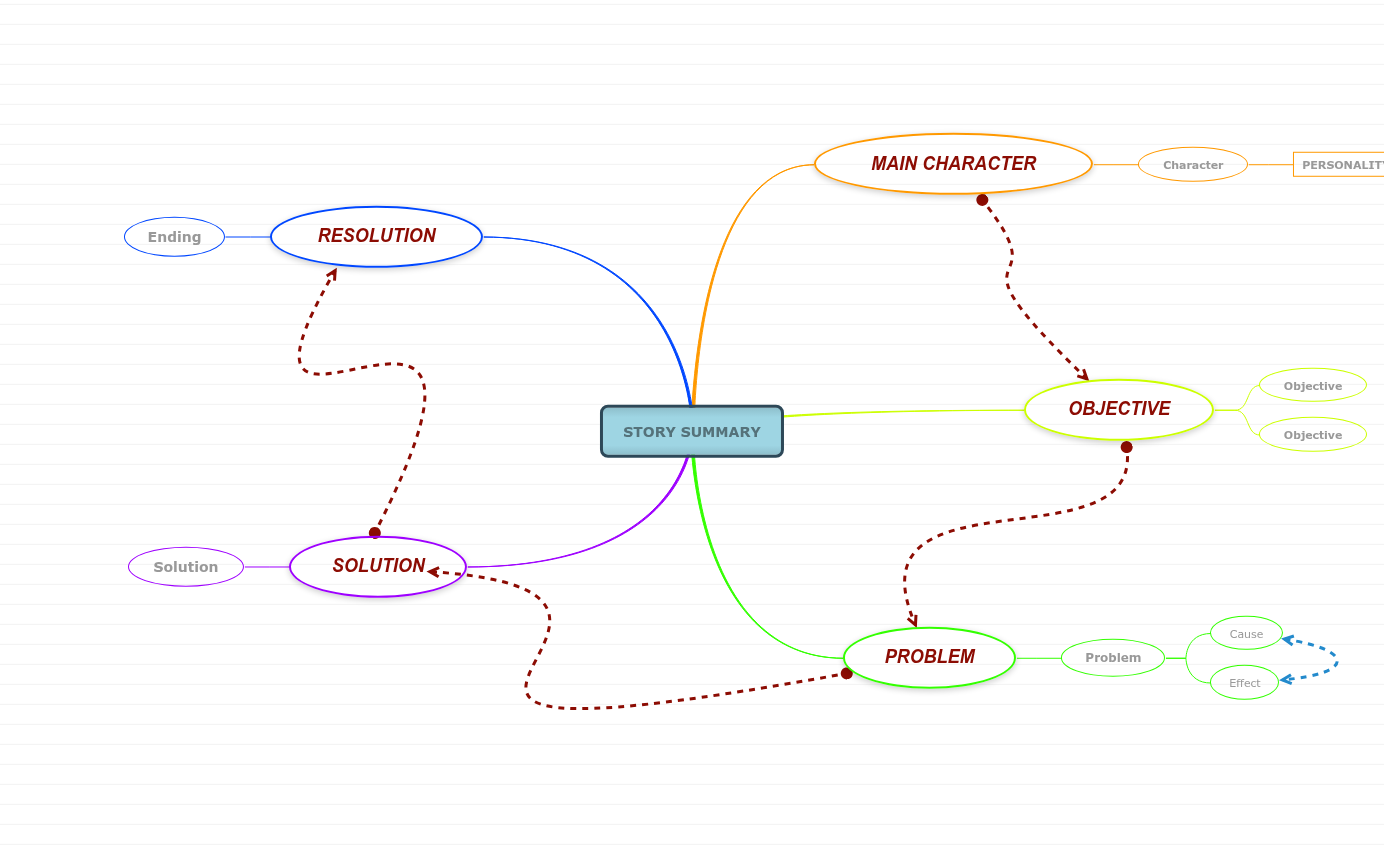
With this story summary template, you can establish the main aspects of a story and discuss the main character traits, objectives, problems, effects, and solutions to those problems from the story.

What’s inside this template

How to Write a Summary of a Story: what the map covers

Central topic

STORY SUMMARY

Type in the name of the story or historical event you are planning to summarize.

MAIN CHARACTER

1 topic

It can be a person, an animal, a monster, a figure, an item, and it is the centerpiece of the entire story. Who is the main character in the story? Type in his/her name.

Character

It can be a person, an animal, a monster, a figure, an item, and it is the centerpiece of the entire story. Who is the main character in the story? Type in his/her name.

  • PERSONALITY TRAITS
    • Trait: What are the traits that best describe the main character? Type them in.
OBJECTIVE

1 topic

This is the Wanted component in the story and it refers to what your character planned on doing in this story or event.

Objective

What are the character's plans? Type them in.

PROBLEM

1 topic

This is the But moment in the story or event, when one or several issues arise, messing up the character's plans.

Problem

What is the conflict or problem that has occurred? Type it in.

  • Cause — What led to this issue? Type it in.
  • Effect — What's the impact of this issue upon the action of events? Type it in.

RESOLUTION

1 topic

Resolution is the part of the story's plot where the main problem is resolved or worked out.

Ending

And then what happened? What is the ending of the story or event? Type it in.

SOLUTION

1 topic

A solution is found for the problem or challenge.

Solution

What was the solution to the problem? Type it in.

How to use it

  1. 1

    Open the template

    Click “Use this template” and sign in with a free account.

  2. 2

    Make it yours

    Replace the topics and fill in the notes.

  3. 3

    Share it

    Share, present or export it, or switch it to an outline or Gantt view.