Generate ideas and turn plain text or website content into clear, visual mind maps in seconds. Instantly create brainstorming maps, SWOT analyses, and pros & cons diagrams for any topic.AI Mind Map Generator
Example Prompts
Get inspired by these example prompts and start generating your own mind maps in seconds.
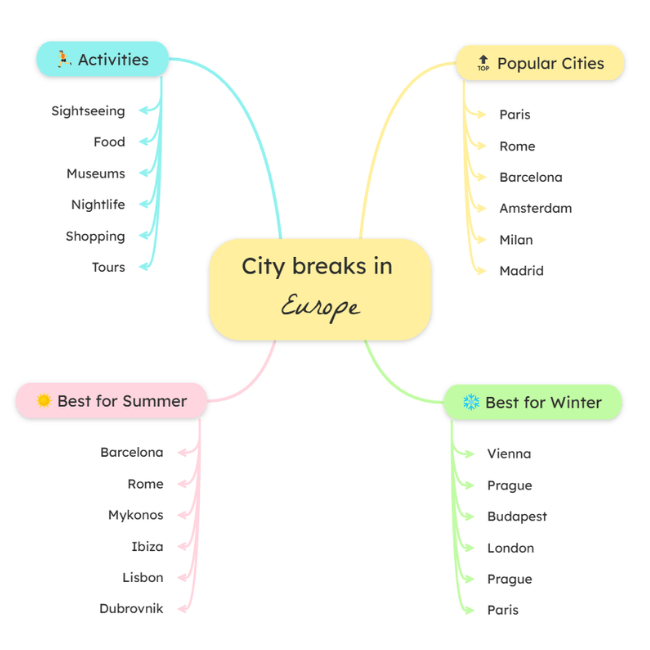
“City breaks in Europe”
Created using AI Brainstorming to explore destinations, activities, and travel ideas.
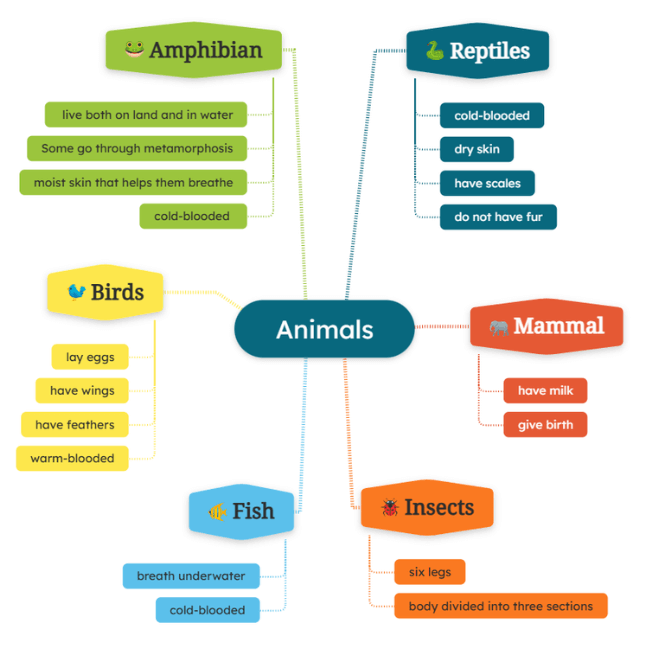
“Animals Classification”
Generated with AI Text to Mind Map for animal classification.
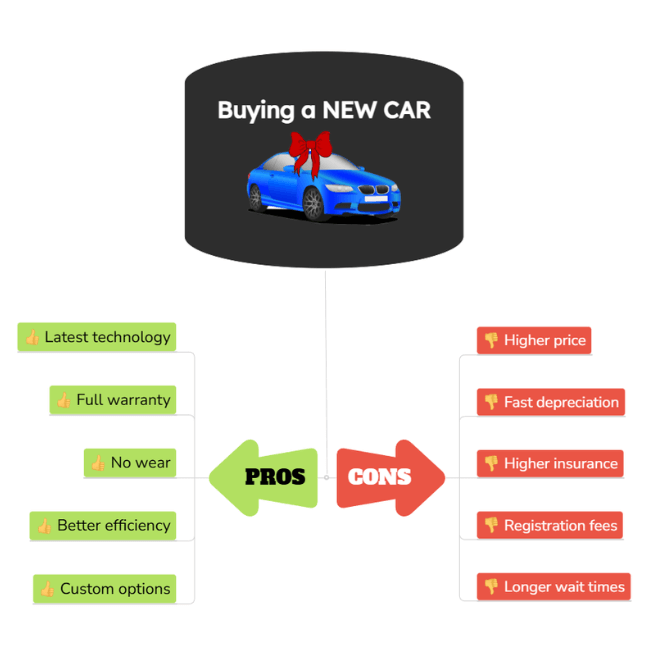
“Buying a new car”
Created using AI Pros & Cons to compare advantages and disadvantages at a glance.
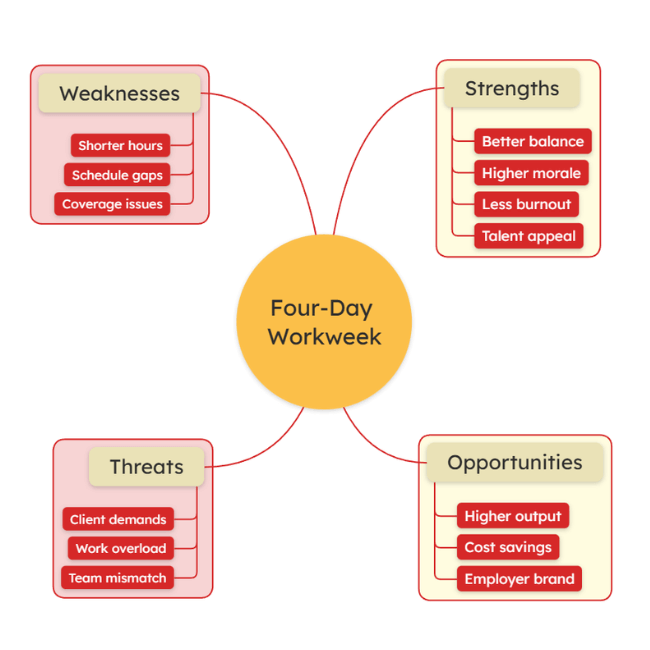
“Four-day workweek”
Generated with AI SWOT Analysis to map out strengths, weaknesses, opportunities, and threats.
How the AI Mind Map Generator Works
You can generate diagrams in seconds by following these simple steps.
Try it now1. Choose the type of diagram
Choose between brainstorming, SWOT analysis, pros & cons, or text to mind map.
2. Enter your input
It can be a topic you have in mind, plain text you paste, or a website URL.
3. Choose the language
Select one of the 30+ languages you want the diagram to be generated in.
4. Generate the diagram
Simply click the Generate button and wait a few seconds.
5. Edit the diagram
Use AI to add new ideas, topics, questions, and notes, or use the regular mind map maker features to reorganize ideas or add images, files, links, etc.
6. Share & download
Share the diagram with others to collaborate in real time and download it as a PDF, PNG, JPG, SVG, MindManager, FreeMind, and more.
Flexible Mind Maps for Every Need

- Brainstorming ideas
- Project planning
- Note organization
- Studying & learning
- Presentations
- Meeting planning
- Business analysis
- Content creation
An AI mind map generator is a tool that uses artificial intelligence to automatically create mind maps from ideas, text, or existing content. Instead of building a mind map manually, you simply enter a topic, paste text, or add a website URL, and the AI organizes the information into a clear, structured visual map. AI mind map generators help with brainstorming, learning, planning, and analysis by turning complex or unstructured information into easy to understand diagrams. They can also generate specific formats, such as SWOT analyses or pros and cons mind maps, saving time and helping you focus on refining ideas rather than structuring them. Simply type in your topic, paste text, or add a website URL, and the AI will generate a mind map for you. You can then edit the map manually by adding topics, files, images, videos, or links, or continue using AI to expand it with new ideas, topics, questions, and notes. Yes. You can edit all AI-generated mind maps just like any other diagram. You can add, remove, or rearrange topics, include files, images, videos, links, and notes, and customize the map to suit your needs. Yes. You can share your mind maps with teammates, friends, or colleagues and collaborate on them in real time. You can also choose to share a view-only version if you don’t want others to make edits. In addition, you can download your mind maps in over 20 formats, including PDF, PNG, JPG, SVG, MindManager, FreeMind, and more. Mindomo is a freemium tool. That means you can sign up for a free account and use it for unlimited time, but to access advanced features, you need to upgrade to a paid plan. Check out our pricing page to see the available plans and features. Yes. Mindomo follows strict security standards to protect your mind map data and clearly explains how information is handled in our privacy policy. For more details, please refer to our security page. New to mind mapping? Mindomo is easy to get started with and freely accessible.
FAQs about Mindomo's AI Mind Map Maker
Try Mindomo today