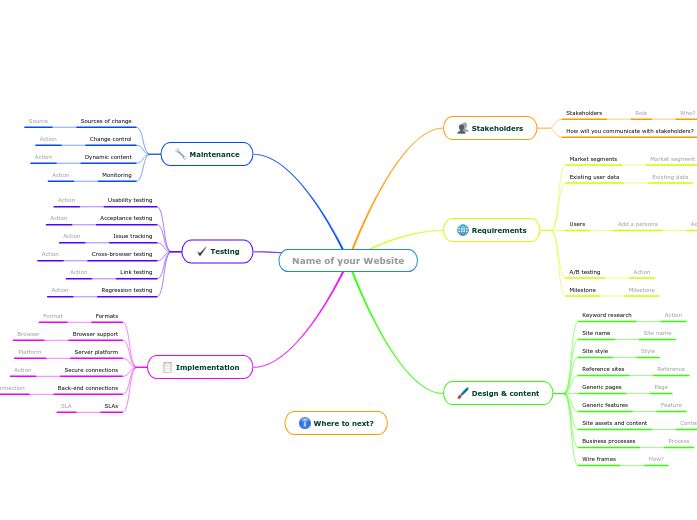
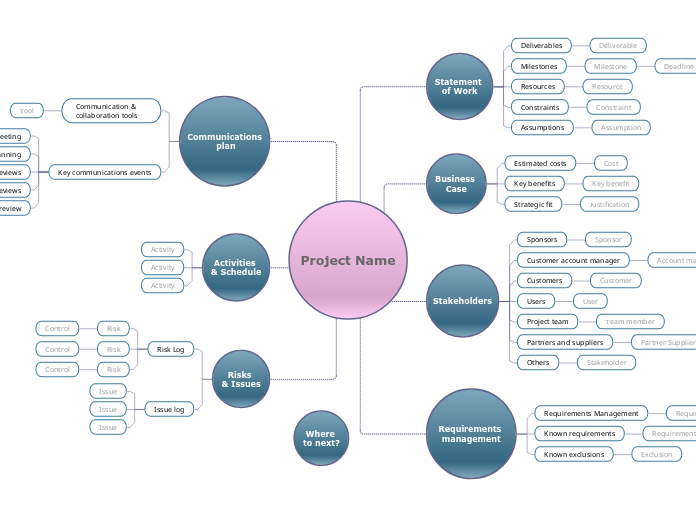
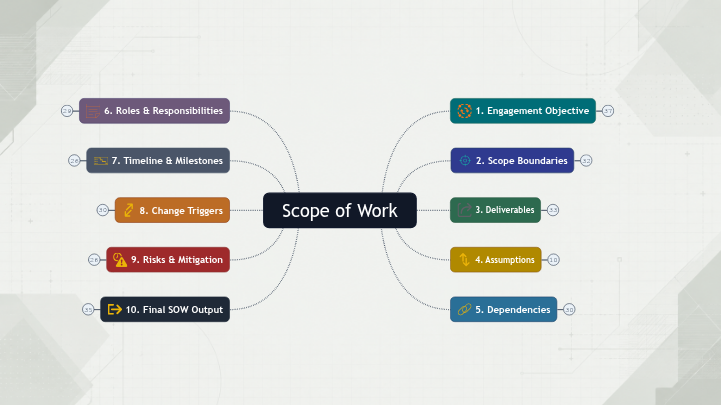
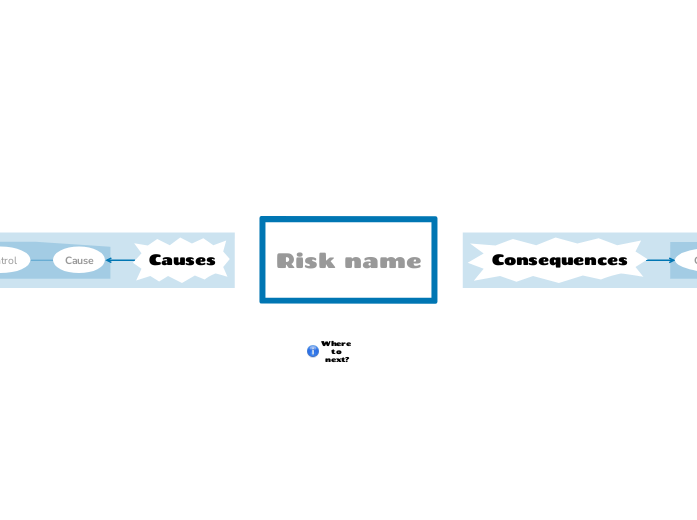
Brainstorm and find a name that strongly draws consumers and suggests what your business is about. Whether it's the first or the last thing you're doing, the name of your website will represent your brand and it will be the first thing that your customers will notice and remember. Start with choosing one or multiple stakeholders and assign responsibilities. Then go on by defining your requirements: do a market research analysis and come up with a user segmentation that you will need in order to plan and create the content. Set the essential milestones for your website project and take into account A / B testing, which allows you to avoid unnecessary risks by optimizing your resources for maximum effectiveness and performance. Once you've done all these steps, it's time to think of design and content. You will need to run keyword research, think of generic pages and features, choose the web site's style and outline the actual content. Include any reference sites that you find inspiring or not and think about how you will implement the business processes. Implementation of a website is an essential process that needs careful planning, so identify the formats and browsers your site will support, the platforms you want to integrate it with and SLA metrics you will set up with the web site hosting company. Lastly, pay close attention to your maintenance plan, as having a website well maintained and engaging is important to keep your customers committed and retained. Once you have gathered the initial specification for your web site, you can use this map to: Type in the name of your web site and press Enter. Service Level Agreements define the reliability and capacity of service and are usually part of an agreement with a web site hosting company. Include a back-end connection from the suggestions or add your own. A secure server and HTTPS encryption may be needed if you are handling: Web sites can be implemented in a variety of ways. Choose from the suggestions or add your own. What browsers will your site need to support? Add information about the formats your site will need to support. You should carry out a basic regression testing after making significant changes to your site or the back-end technology, in case some disruption has occurred. Links tend to go stale over time and need periodic testing. Add a note about on you will detect broken links. You will need to test against your supported browsers, especially after updates. Add some notes about how this will be achieved. When performing tests, or receiving feedback on the technical aspects of the site, how will you collect and track issues? You will need to test the usability and user stories that the site should deliver. Your web site will need to be regularly monitored to ensure that problems are detected early. If your site contains dynamic information such as a blog, a news feed, user forums or regular campaigns, how will these be updated and published? What will be your process for managing change on your website? Identify the sources of change on your website. How will you visualize your site structure and design? Your design should show the flow of typical actions and focus on making these as simple as possible. What business processes will your web site trigger? Who will do these, and how? Add some notes about business processes that your web site will link to. Identify content and assets that you will need for your site. You can choose from the suggestions or add your own. You can choose from the suggestions or add your own. Add as many generic pages as you will need. You can choose from the suggestions or add your own. Add references to sites that you like or dislike, with reasons. What website site are you aiming at? Add the site name, if chosen. If not, then a site name based on preferred keywords should help with search engine optimisation. What keyword research has been done or needs to be done? What terms are your target audience searching for? What are the key milestones for your website project? Add a topic and target date for each milestone. Will you use A/B testing? Will you use A/B testing? A persona is a type of user who may visit your site. Add objective Failure How might 'Add a persona' fail to 'Add objective'? What could go wrong? Resolution How will Step be detected? How can it be resolved? Process Step How will 'Add a persona' be able to 'Add objective'? Privileges What privileges does 'Add a persona' need to 'Add objective'? What privileges does 'Add objective' need to 'Privileges'? Reason Why would 'Add a persona' need to 'Add objective'? Why would 'Add objective' need to 'Reason'? If you have existing marketing data about users and their needs, you can identify it or attach a file here. Who are your target users? How will you do the following? Add a stakeholder role. You can choose from the suggestions or add your own. Who? Add a responsible person 思维导图可以帮助你集思广益,建立概念之间的关系,组织和产生想法。 然而,思维导图模板提供了一种更容易上手的方法,因为它们是包含特定主题信息和指导说明的框架。从本质上讲,思维导图模板确保了将特定主题的所有元素结合在一起的结构,并可作为个人思维导图的起点。思维导图模板是一种资源,可为创建特定主题的思维导图提供实用的解决方案,无论是用于商业还是教育。 Mindomo 为你带来智能思维导图模板,让你毫不费力地运作和思考。 您可以从Mindomo的商业或教育账户中选择各种思维导图模板,也可以从头开始创建自己的思维导图模板。任何思维导图都可以转化为思维导图模板,只需在其中一个主题上添加进一步的指导说明即可。关于此模板
Digital marketing is moving quickly so keep up! Learn how to plan a website structure using this mind map.
Where to next?
Name of your Website
Implementation
SLAs
Are there specific terms that you will require? Think about:
Add an action that you need to take to establish SLA metrics for your site.SLA
Back-end connections
Connection
Secure connections
Add notes about actions you will need to take about using a secure server.Server platform
Platform
Browser support
It is difficult to support all browsers as technologies change. Many web sites declare older browser versions as unsupported.
Add included or excluded browsers and versions.Browser
Formats
Think about:Format
Testing
Regression testing
Think about:Link testing
Options include:Cross-browser testing
Think about:Issue tracking
Think about:Acceptance testing
Add some information about acceptance testing.Usability testing
Think about:Maintenance
Monitoring
Think about:
Add actions to establish monitoring and response for your site.Dynamic content
Think about:Change control
Think about:
Add an action needed to establish change control.Sources of change
Think about:
Add a source of change for your website.Source
Design & content
Wire frames
You could use:
Add some notes about communicating your site layout and design.How?
Business processes
Think about:Site assets and content
Content
Generic features
Feature
Generic pages
Page
Reference sites
Reference
Site style
Add some notes about the style for your web site.Style
Site name
Keyword research
Selected keywords will be needed for page names, body text and alt text for images, which will help with search engine optimization.
Add some notes about keyword research for your site.Requirements
Milestone
Think about:A/B testing
A/B testing tests the effectiveness of marketing techniques rather than the functioning of the technology. You can use it for:
Add some notes about A/B testing for your site.Action
A/B testing tests the effectiveness of marketing techniques rather than the functioning of the technology.
You can use it for:
Add some notes about A/B testing for your site.Users
Add a persona
Think about:
You can add multiple topics here.
You can add multiple topics here.
What are the steps in the normal (successful) process?
How will the user know they have succeeded?
You can add multiple topics here.
Do they need:
Do they need:
What would motivate them to do this?
What would motivate them to do this?Existing user data
Existing data
Market segments
Market segment
Add a market segment that reflects specific users.Stakeholders
How will you communicate with stakeholders?
Responsible
Role
为什么使用 Mindomo 思维导图模板?
模板具有各种功能: