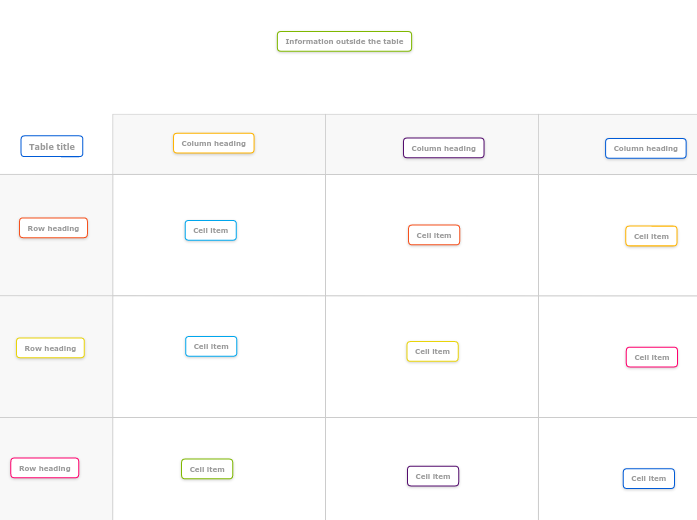
This template provides a simple grid with two rows and two columns, perfect for organizing key information and making clear comparisons. Begin by collecting ideas and information outside the table, before starting to organize topics into rows and columns. Double-click in a cell to add a topic. You can add multiple topics in a cell and easily move topics between cells. Double-click in the headings column to add row headings. Double-click in the headings row to add column headings. Type the title of your table. Mindmaps helfen beim Brainstorming, zeigen Beziehungen zwischen Konzepten, organisieren und generieren Ideen. Mindmap-Vorlagen bieten einen einfacheren Einstieg, da sie Rahmenbedingungen enthalten, die Informationen und Anleitung zu einem spezifischen Thema bieten. Sie liefern eine Struktur, die alle Elemente eines Themas verbindet und dienen als Ausgangspunkt für Ihre persönliche Mindmap, sowohl für geschäftliche als auch pädagogische Zwecke. Mindomo bietet intelligente Mindmap-Vorlagen, die Ihnen müheloses Arbeiten und Denken ermöglichen. Sie können aus einer Vielzahl von Mindmap-Vorlagen aus Mindomos geschäftlichen oder Bildungsangeboten wählen oder eigene Vorlagen erstellen. Jede Mindmap kann durch Hinzufügen von Anleitungshinweisen in eine Mindmap-Vorlage umgewandelt werden.Two by two table template
This templates helps you to organize information and ideas in a simple 2 x 2 table.
The template gives you 2 rows with 2 columns and headers in a background image. You can double-click inside or outside the table to create new topics.
Keywords: project organizing, task management, organizing information, table, ideas and information management, Planning & Organizing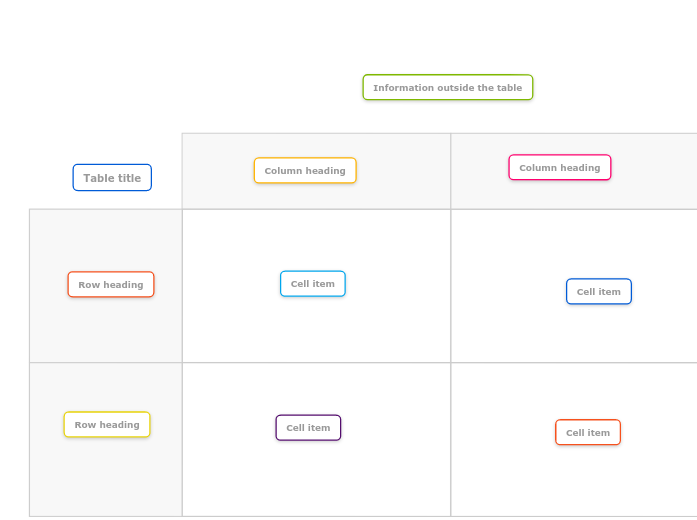
2 x 2 online table template
Information outside the table
Double-click in the map background to create a new topic.Cell item
Column heading
Row heading
Table title
Warum eine Mindomo-Mindmap-Vorlage verwenden?
Eine Vorlage bietet verschiedene Funktionen:
-
Produkte
-
Anwendungen
- Allgemeine Anwendungen
- Mindmaps für Bildung
- Mindmaps für Unternehmen
- Mindmaps für die persönliche Entwicklung
- Assistive Technologie
- Teamzusammenarbeit
- Kampagnenbriefings für Marketingfachleute
- Workshops zur Kundenermittlung für Berater
- Onboarding-Prozesse für HR und L&D
- Wissensmanagement
- Team-Kompetenzmatrix
- Projektbibliothek
- Projektmanagement
- Marketing-Kampagnenplanung
- Rollout von Mitarbeiterschulungen
- Leistungsumfang
- Ideenorganisation
- Problembäume
- Trainingsbedarfsanalyse
- Mindmapping Vorteile
-
Lösungen
- Anleitungen
- Präsentationen mit Mindmaps erstellen
- Wie man mit Mindmaps lernt
- Planen und Organisieren mit Mindmaps
- Aufgaben mit Mindmaps priorisieren
- Wie kann man mit Mindmaps Notizen machen?
- Echte Kundengeschichten
- Bildungsinhalte für 11.000 Ärzte skalieren
- Team-Workflow: vom Test zur unverzichtbaren Lösung in zwei Monaten
- 10 Jahre ohne Folien: Architekturvorlesungen neu gedacht
- Alle Erfolgsgeschichten lesen
-
Resourcen
- Grundlagen
- Was ist eine Mindmap?
- Wie macht man eine Mindmap?
- Mindmapping als assistive Technologie
- Was ist eine Concept Map?
- Anleitungen & Support
- Videoanleitungen
- Hilfezentrum
- Forum
- Beispiele & Vorlagen
- Die 29 besten Mindmap-Beispiele
- Mindomo für Microsoft Teams
- Plane Projekte mit einem Gantt-Diagramm-Maker
- Funktionsseiten
- Bildung
- Aufgaben für Lehrer
- Arbeit & Persönlich
- Desktop
- Der Mindomo-Blog
- Preise
- Anmelden
- Registrieren
- Dashboard
Wissensmanagement
Mindmapping Vorteile
Warum visuelles Denken Erinnern und Planen erleichtert.
Grundlagen
Anleitungen & Support
Beispiele & Vorlagen
Funktionsseiten
 Blog
Der Mindomo-Blog
Anleitungen, Beispiele und Forschung zum visuellen Denken.
Alle Artikel ansehen
Blog
Der Mindomo-Blog
Anleitungen, Beispiele und Forschung zum visuellen Denken.
Alle Artikel ansehen