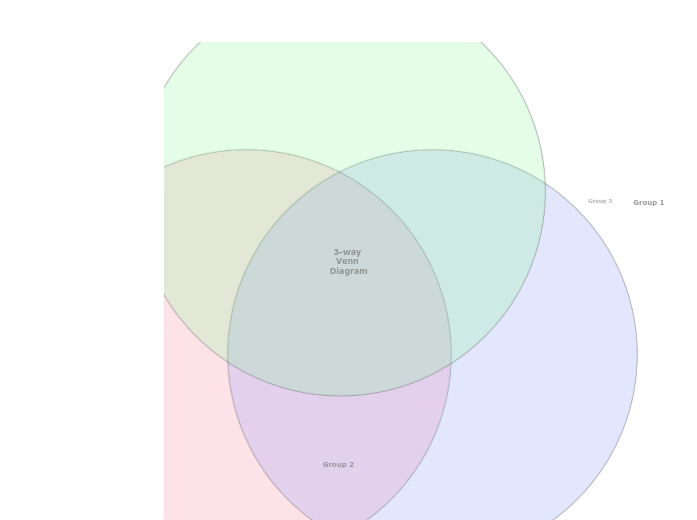
A three-way Venn Diagram helps to understand the similarities and differences between items, by showing their membership of three groups. Explore the relationships between three different sets of data using the 3-Way Venn Diagram template. This template features three intersecting circles that allow you to compare and analyze data across multiple dimensions. Start by filling in each circle with your data sets and use the overlapping areas to identify commonalities and differences. This diagram helps you visualize how the sets interact, making it ideal for data analysis, problem-solving, and strategic planning. Perfect for presentations, reports, and collaborative projects, this template provides a clear and comprehensive view of complex relationships. Type in the name of the third group and press Enter. Type in the name of the second group and press Enter. Type in the name of the first group and press Enter. A Venn Diagram compares items by assigning them to groups. An item can belong to: The item counts (and not the areas of the circles and their overlap) indicate the population of each group or the overlap between groups. Mindmaps helfen beim Brainstorming, zeigen Beziehungen zwischen Konzepten, organisieren und generieren Ideen. Mindmap-Vorlagen bieten einen einfacheren Einstieg, da sie Rahmenbedingungen enthalten, die Informationen und Anleitung zu einem spezifischen Thema bieten. Sie liefern eine Struktur, die alle Elemente eines Themas verbindet und dienen als Ausgangspunkt für Ihre persönliche Mindmap, sowohl für geschäftliche als auch pädagogische Zwecke. Mindomo bietet intelligente Mindmap-Vorlagen, die Ihnen müheloses Arbeiten und Denken ermöglichen. Sie können aus einer Vielzahl von Mindmap-Vorlagen aus Mindomos geschäftlichen oder Bildungsangeboten wählen oder eigene Vorlagen erstellen. Jede Mindmap kann durch Hinzufügen von Anleitungshinweisen in eine Mindmap-Vorlage umgewandelt werden.Create a Venn Diagram
Über diese Vorlage
3 Way Venn Diagram template
Group 3
Double-click in the background to add items to this group, or in the overlaps between the groups.Group 2
Double-click in the background to add items to this group, or in the overlaps between the groups.Group 1
Double-click in the background to add items to this group, or in the overlaps between the groups.3-way Venn Diagram
Warum eine Mindomo-Mindmap-Vorlage verwenden?
Eine Vorlage bietet verschiedene Funktionen:
-
Produkte
-
Anwendungen
- Allgemeine Anwendungen
- Mindmaps für Bildung
- Mindmaps für Unternehmen
- Mindmaps für die persönliche Entwicklung
- Assistive Technologie
- Teamzusammenarbeit
- Kampagnenbriefings für Marketingfachleute
- Workshops zur Kundenermittlung für Berater
- Onboarding-Prozesse für HR und L&D
- Wissensmanagement
- Team-Kompetenzmatrix
- Projektbibliothek
- Rollen
- Marketingfachleute
- HR und L&D
- Berater
- Projektmanagement
- Marketing-Kampagnenplanung
- Rollout von Mitarbeiterschulungen
- Leistungsumfang
- Ideenorganisation
- Problembäume
- Trainingsbedarfsanalyse
- Mindmapping Vorteile
-
Lösungen
- Anleitungen
- Präsentationen mit Mindmaps erstellen
- Wie man mit Mindmaps lernt
- Planen und Organisieren mit Mindmaps
- Aufgaben mit Mindmaps priorisieren
- Wie kann man mit Mindmaps Notizen machen?
- Echte Kundengeschichten
- Bildungsinhalte für 11.000 Ärzte skalieren
- Team-Workflow: vom Test zur unverzichtbaren Lösung in zwei Monaten
- 10 Jahre ohne Folien: Architekturvorlesungen neu gedacht
- Alle Erfolgsgeschichten lesen
-
Ressourcen
- Grundlagen
- Was ist eine Mindmap?
- Wie macht man eine Mindmap?
- Mindmapping als assistive Technologie
- Was ist eine Concept Map?
- Anleitungen & Support
- Videoanleitungen
- Hilfezentrum
- Forum
- Beispiele & Vorlagen
- Die 29 besten Mindmap-Beispiele
- Mindomo für Microsoft Teams
- Plane Projekte mit einem Gantt-Diagramm-Maker
- Die Effizienz von Mindomo im Bildungsbereich
- Funktionsseiten
- Bildung
- Aufgaben für Lehrer
- Arbeit & Persönlich
- Desktop
- Der Mindomo-Blog
- Preise
- Anmelden
- Registrieren
- Dashboard
Mindmapping Vorteile
Warum visuelles Denken Erinnern und Planen erleichtert.
Grundlagen
Anleitungen & Support
Beispiele & Vorlagen
Funktionsseiten
 Blog
Der Mindomo-Blog
Anleitungen, Beispiele und Forschung zum visuellen Denken.
Alle Artikel ansehen
Blog
Der Mindomo-Blog
Anleitungen, Beispiele und Forschung zum visuellen Denken.
Alle Artikel ansehen