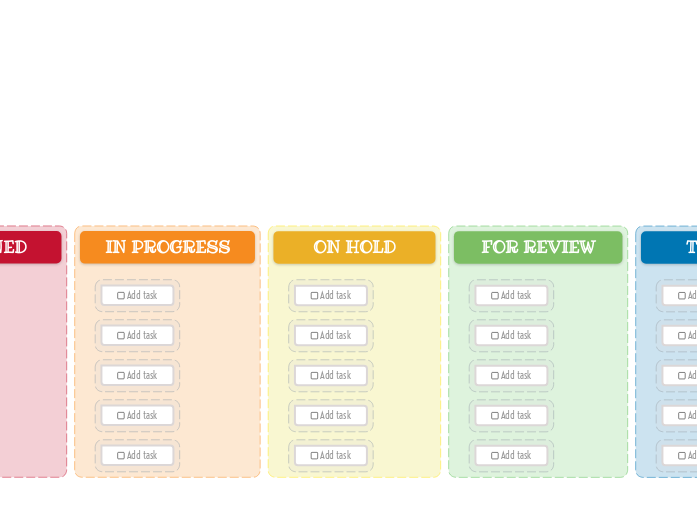
The Kanban Board helps you manage your workload easily. Add new tasks, then drag and drop them to the suitable category depending on their progress. This template allows you to visually organize your tasks into three key stages: New Task, Assigned, In Progress, On Hold, For Review, Testing, and Done. Simply fill in each column with tasks corresponding to their current status. As you complete tasks, move them across the board to track your progress. Ideal for both personal and team projects, this Kanban Board helps you maintain focus, prioritize tasks, and enhance productivity. Add your task here. Los mapas mentales ayudan a hacer lluvias de ideas, establecer relaciones entre conceptos y organizar y generar ideas. Las plantillas de mapas mentales ofrecen además una forma más fácil de empezar, ya que son estructuras que contienen información sobre un tema concreto junto con instrucciones orientativas. En esencia, las plantillas de mapas mentales aportan una estructura que reúne todos los elementos de un tema y sirven como punto de partida para tu propio mapa mental. Son un recurso práctico para crear un mapa mental sobre un tema concreto, ya sea en el ámbito empresarial o en el educativo. Mindomo te ofrece plantillas de mapas mentales inteligentes que te permiten trabajar y pensar sin esfuerzo. Puedes elegir entre una gran variedad de plantillas de mapas mentales de las cuentas empresariales o educativas de Mindomo, o crear tus propias plantillas desde cero. Cualquier mapa mental puede convertirse en una plantilla añadiendo notas orientativas a uno de sus temas.Kanban Board Template (Bright)
Acerca de esta plantilla
Why use the Kanban board (light) template?
Idea board
DONE
Drag and drop your tasks from the previous column here when you are done.
You can create more columns with additional steps and customize them for your needs.TESTING
Drag and drop your tasks from the previous column here when they are ready to be tested.FOR REVIEW
Drag and drop your tasks from the previous column here when they are ready for a review.ON HOLD
Drag and drop your tasks from the previous column here if the assigned person stopped working on these tasks.IN PROGRESS
Drag and drop your tasks from the previous column here when someone started to work on them.ASSIGNED
NEW TASKS
Your tasks have a predefined path in this kanban board, that starts with the initial stage of creating them.
Each column represents the present stage of their progress.Add task
¿Por qué usar una plantilla de mapa mental de Mindomo?
Una plantilla tiene varias funciones:
-
Productos
-
Usos
- Usos generales
- Mapas mentales para la educación
- Mapas mentales para empresas
- Mapas mentales para el desarrollo personal
- Tecnología asistida
- Colaboración en equipo
- Briefs de campaña para profesionales de marketing
- Talleres de descubrimiento de clientes para consultores
- Recorridos de onboarding para RR. HH. y L&D
- Gestión del conocimiento
- Matriz de competencias del equipo
- Biblioteca de proyectos
- Roles
- Profesionales de marketing
- RR. HH. y L&D
- Consultores
- Gestión de proyectos
- Planificación de campañas de marketing
- Planes de formación para empleados
- Alcance del trabajo
- Organización de ideas
- Árboles de problemas
- Análisis de necesidades de formación
- Beneficios de los mapas mentales
-
Soluciones
- Guías
- Hacer presentaciones con mapas mentales
- Aprender con mapas mentales
- Planificar y organizar con mapas mentales
- Priorizar tareas con mapas mentales
- Tomar notas con mapas mentales
- Historias reales de clientes
- Escalar contenido educativo para 11.000 médicos
- Flujo de trabajo en equipo: de la prueba a herramienta imprescindible en dos meses
- 10 años sin diapositivas: repensar las clases de arquitectura
- Leer todas las historias
-
Recursos
- Aprende lo básico
- Los 29 mejores ejemplos de mapas mentales
- Programa de Gantt
- ¿Cómo hacer un mapa mental?
- Cómo hacer un diagrama de Gantt
- Guías y soporte
- Tutoriales en video
- Centro de ayuda
- Foro
- Ejemplos y plantillas
- ¿Qué es un mapa conceptual?
- Creador de mapas conceptuales
- Plantilla de mapa conceptual
- Plantillas de diagramas
- Páginas de funciones
- Educación
- Tareas para profesores
- Trabajo y uso personal
- Escritorio
- El blog de Mindomo
- Precios
- Iniciar sesión
- Registrarse
- Panel de control
Gestión del conocimiento
Beneficios de los mapas mentales
Por qué el pensamiento visual facilita recordar y planificar.
Aprende lo básico
Guías y soporte
Ejemplos y plantillas
Páginas de funciones
 Blog
El blog de Mindomo
Guías, ejemplos e investigación sobre el pensamiento visual.
Ver todos los artículos