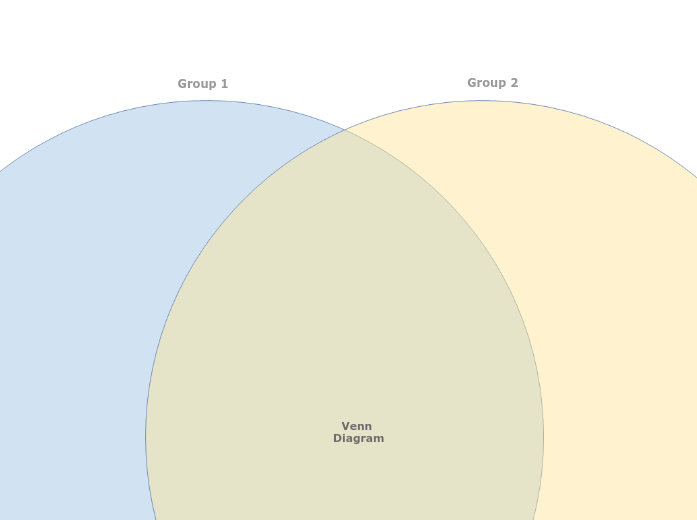
A Venn Diagram helps to understand the similarities and differences between items, by showing their membership of two groups. Visualize complex relationships and comparisons with the simple Venn Diagram template. This template allows you to map out two or more overlapping sets to identify similarities, differences, and intersections. Start by filling in each circle or section with your data or categories. The overlapping areas will reveal commonalities and unique aspects of each set. Ideal for data analysis, brainstorming sessions, and strategic planning, this diagram helps you clearly understand how different sets interact and relate to each other, providing valuable insights for decision-making and problem-solving. Type in the name of the second group and press Enter. Type in the name of the first group and press Enter. A Venn Diagram compares items by assigning them to groups. An item can belong to: The item counts (and not the areas of the circles and their overlap) indicate the population of each group or the overlap between groups. Miellekarttojen avulla voit ideoida, hahmottaa käsitteiden välisiä suhteita sekä järjestää ja tuottaa ideoita. Miellekarttamallien avulla alkuun pääsee kuitenkin helpommin: ne ovat valmiita runkoja, jotka sisältävät tietoa tietystä aiheesta sekä ohjeita kartan täydentämiseen. Malli antaa rakenteen, joka kokoaa yhteen aiheen kaikki osa-alueet ja toimii lähtökohtana omalle miellekartallesi. Se on käytännöllinen tapa luoda miellekartta tietystä aiheesta niin työelämän kuin opiskelun tarpeisiin. Mindomon älykkäiden miellekarttamallien avulla ajattelet ja toimit vaivattomasti. Voit valita erilaisia miellekarttamalleja Mindomon yritys- ja koulutustileiltä tai luoda omia malleja tyhjästä. Minkä tahansa miellekartan voi muuttaa malliksi lisäämällä sen aiheisiin ohjaavia muistiinpanoja.Blank Venn Diagram
Tietoja tästä mallista
Venn Diagram template
Group 2
Double-click in the background to add items to this group, or drag to position them in the overlap between the two groups.Group 1
Double-click in the background to add items to this group, or drag to position them in the overlap between the two groups.Venn Diagram
Miksi käyttää Mindomon miellekarttamallia?
Malleissa on useita toimintoja:
-
Tuotteet
-
Käyttötarkoitukset
- Yleiset käyttötarkoitukset
- Miellekartat koulutukseen
- Miellekartat liiketoimintaan
- Miellekartat henkilökohtaiseen kehitykseen
- Apuvälineteknologia
- Tiimiyhteistyö
- Kampanjabriefit markkinoijille
- Asiakastarpeiden kartoitustyöpajat konsulteille
- Perehdytyspolut HR:lle ja L&D:lle
- Tietämyksenhallinta
- Tiimin osaamismatriisi
- Projektikirjasto
- Roolit
- Markkinoijat
- HR ja L&D
- Konsultit
- Projektinhallinta
- Markkinointikampanjan suunnittelu
- Henkilöstökoulutusten jalkautus
- Työn laajuuden määrittely
- Ideoiden organisointi
- Ongelmapuut
- Koulutustarveanalyysi
- Miellekarttojen hyödyt
-
Ratkaisut
- Oppaat
- Tee esityksiä miellekartoilla
- Opi miellekartoilla
- Suunnittele ja järjestä miellekartoilla
- Priorisoi tehtäviä miellekartoilla
- Tee muistiinpanoja miellekartoilla
- Aitoja asiakastarinoita
- Koulutussisällön skaalaaminen 11 000 lääkärille
- Tiimin työnkulku: kokeilusta korvaamattomaksi kahdessa kuukaudessa
- 10 vuotta ilman dioja: arkkitehtuuriluennot uusiksi
- Lue kaikki tarinat
-
Resurssit
- Perusteet
- Mikä on miellekartta?
- Miten miellekartta tehdään?
- Mikä on käsitekartta?
- Miellekarttaideoita opiskeluun
- Oppaat ja tuki
- Video-oppaat
- Ohjekeskus
- Foorumi
- Esimerkit ja mallit
- 100 miellekarttaideaa
- Miellekartat apuvälineteknologiana
- 29 parasta miellekarttaesimerkkiä
- Ominaisuussivut
- Koulutus
- Opettajan tehtävät
- Työ ja vapaa-aika
- Työpöytäsovellus
- Mindomo-blogi
- Hinnoittelu
- Kirjaudu sisään
- Rekisteröidy
- Hallintapaneeli
Yleiset käyttötarkoitukset
Miellekarttojen hyödyt
Miksi visuaalinen ajattelu helpottaa muistamista ja suunnittelua.
Perusteet
Oppaat ja tuki
Esimerkit ja mallit
Ominaisuussivut
 Blogi
Mindomo-blogi
Oppaita, esimerkkejä ja tutkimusta visuaalisesta ajattelusta.
Selaa kaikkia artikkeleita
Blogi
Mindomo-blogi
Oppaita, esimerkkejä ja tutkimusta visuaalisesta ajattelusta.
Selaa kaikkia artikkeleita