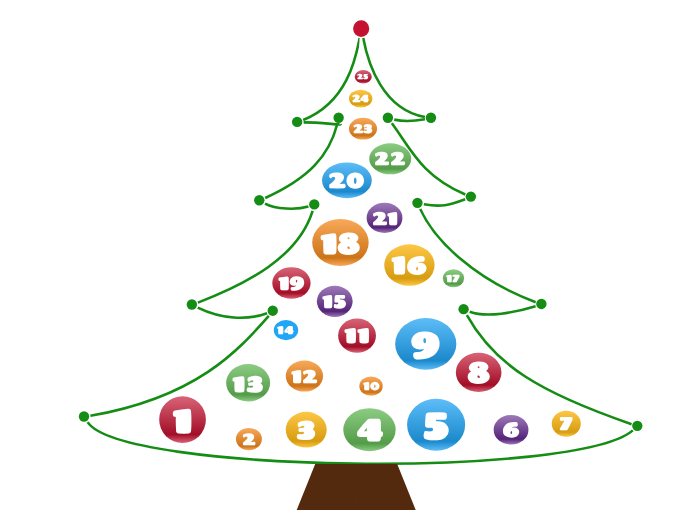
The Advent Calendar is a diagram that contains a surprise element for each day of December (until Christmas). In other words, you can add a total of 25 elements that are ready to be unveiled every day. You can add anything you want, starting from personal development videos, editing tools, movie ideas, places to visit, food recipes, grateful thoughts, or even daily small goals for the following year. Put your imagination to work and create your own advent calendar for your dear ones! Create a festive and interactive experience with the Advent Calendar Template. This unique diagram allows you to add 25 elements, each designed to be revealed daily throughout December leading up to Christmas. Whether you want to include personal development videos, editing tools, movie suggestions, travel ideas, food recipes, or daily affirmations, this template offers endless possibilities. Simply customize each day with a surprise element that will delight and inspire. Share your advent calendar with loved ones and let the countdown to Christmas be filled with creativity, joy, and meaningful moments. Perfect for adding a personal touch to the holiday season! 5 6 7 8 9 10 11 12 13 14 15 16 17 18 19 20 21 22 23 24 25 The Advent Calendar is a diagram that contains a surprise element for each day of December (until Christmas). In other words, you can add a total of 25 elements that are ready to be unveiled every day. You can add anything you want, starting from personal development videos, editing tools, movie ideas, places to visit, food recipes, grateful thoughts, or even daily small goals for the following year. Put your imagination to work and create your own advent calendar for your dear ones! 마인드맵은 브레인스토밍, 개념 간의 관계 파악, 아이디어 정리와 발상에 도움이 됩니다. 마인드맵 템플릿에는 특정 주제에 관한 정보와 작성 요령이 미리 담겨 있어 더 쉽게 시작할 수 있습니다. 주제에 필요한 요소를 모두 갖춘 구조가 준비되어 있으므로 나만의 마인드맵을 만드는 출발점으로 활용할 수 있습니다. 비즈니스든 교육이든, 특정 주제로 마인드맵을 만들 때 유용한 실용적인 자료입니다. Mindomo는 편리한 스마트 마인드맵 템플릿을 제공합니다. Mindomo 비즈니스 계정이나 교육용 계정에서 제공하는 마인드맵 템플릿 중에서 고를 수 있고, 처음부터 나만의 템플릿을 만들 수도 있습니다. 어떤 마인드맵이든 토픽에 가이드 노트를 추가하기만 하면 템플릿으로 바꿀 수 있습니다.Advent Calendar Template
이 템플릿 정보
Advent Calendar Template
1
Add the surprise element for the first day. Choose one of the following options:2
Add the surprise element for the second day. Choose one of the following options:3
Add the surprise element for the third day. Choose one of the following options:4
Add the surprise element for the fourth day. Choose one of the following options:
Add the surprise element for the fifth day. Choose one of the following options:
Add the surprise element for the sixth day. Choose one of the following options:
Add the surprise element for the seventh day. Choose one of the following options:
Add the surprise element for the eighth day. Choose one of the following options:
Add the surprise element for the ninth day. Choose one of the following options:
Add the surprise element for the tenth day. Choose one of the following options:
Add the surprise element for the eleventh day. Choose one of the following options:
Add the surprise element for the twelfth day. Choose one of the following options:
Add the surprise element for the thirteenth day. Choose one of the following options:
Add the surprise element for the fourteenth day. Choose one of the following options:
Add the surprise element for the fifteenth day. Choose one of the following options:
Add the surprise element for the sixteenth day. Choose one of the following options:
Add the surprise element for the seventeenth day. Choose one of the following options:
Add the surprise element for the eighteenth day. Choose one of the following options:
Add the surprise element for the nineteenth day. Choose one of the following options:
Add the surprise element for the twentieth day. Choose one of the following options:
Add the surprise element for the twenty-first day. Choose one of the following options:
Add the surprise element for the twenty-second day. Choose one of the following options:
Add the surprise element for the twenty-third day. Choose one of the following options:
Add the surprise element for the twenty-fourth day. Choose one of the following options:
Add the surprise element for the twenty-fifth day. Choose one of the following options:......
.
Mindomo 마인드맵 템플릿을 사용해야 하는 이유
템플릿에는 다음과 같은 기능이 있습니다.
-
제품
- 만들기
- AI 마인드맵 생성기
- 아웃라인 프로그램
- 간트 차트 프로그램
- Mindomo 시작하기
- Mindomo 다운로드
- 브라우저 확장 프로그램
- 새로운 기능
- 마인드맵 템플릿
- 모든 기능 비교
-
활용
-
솔루션
-
리소스
- 기초 배우기
- 마인드맵이란?
- 마인드맵 그리는 법
- 가이드 및 지원
- 동영상 튜토리얼
- 고객센터
- 포럼
- 예시 및 템플릿
- 마인드맵 예시 29선
- 개념도란?
- 기능 소개
- 교육
- 교사용 과제 기능
- 업무 및 개인
- 데스크톱
- Mindomo 블로그
- 요금제
- 로그인
- 가입하기
- 대시보드
지식 관리
직무
마인드맵의 장점
시각적 사고가 기억과 계획을 쉽게 만드는 이유