This templates helps you to organize information and ideas in a simple 2 x 2 table. This template provides a simple grid with two rows and two columns, perfect for organizing key information and making clear comparisons. Begin by collecting ideas and information outside the table, before starting to organize topics into rows and columns. Double-click in a cell to add a topic. You can add multiple topics in a cell and easily move topics between cells. Double-click in the headings column to add row headings. Double-click in the headings row to add column headings. Type the title of your table. マインドマップは、ブレインストーミング、概念間の関係の確立、アイデアの整理と生成に役立つ。 しかし、マインドマップのテンプレートは、特定のテーマに関する情報を含むフレームワークであり、ガイドとなる指示が含まれているため、より簡単に始めることができます。要するに、マインドマップのテンプレートは、特定のテーマのすべての要素を組み合わせた構造を確保し、あなたの個人的なマインドマップの出発点として機能します。ビジネスでも教育でも、特定のトピックに関するマインドマップを作成するための実用的なソリューションを提供するリソースです。 Mindomoは、スマートなマインドマップのテンプレートを提供します。 マインドマップのテンプレートは、Mindomoのビジネスアカウントや教育アカウントから選ぶこともできますし、ゼロから独自のマインドマップテンプレートを作成することもできます。どのマインドマップも、トピックの1つにさらにガイドノートを追加することで、マインドマップテンプレートマップに変換することができます。Two by two table template
The template gives you 2 rows with 2 columns and headers in a background image. You can double-click inside or outside the table to create new topics.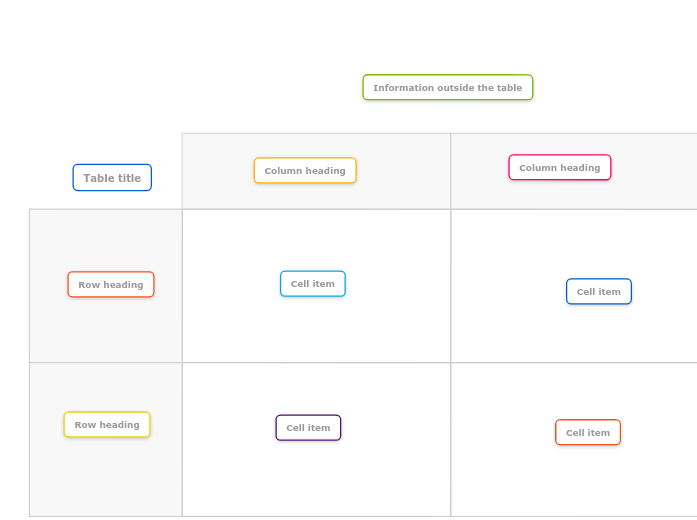
このテンプレートについて
2 x 2 online table template
Information outside the table
Double-click in the map background to create a new topic.Cell item
Column heading
Row heading
Table title
なぜMindomoのマインドマップテンプレートを使うのか?
テンプレートにはさまざまな機能がある:
-
製品
-
用途
-
ソリューション
-
リソース
- 基本を学ぶ
- マインドマップとは何か?
- マインドマップの作り方?
- ガイドとサポート
- ビデオチュートリアル
- ヘルプセンター
- フォーラム
- 事例とテンプレート
- トップ29マインドマップの例
- コンセプトマップとは何か?
- 機能ページ
- 教育
- 教師の課題
- 仕事 と 個人
- デスクトップ
- Mindomoブログ
- 価格
- ログイン
- サインアップ
- ダッシュボード
ナレッジマネジメント
マインドマッピングの利点
視覚的思考が記憶と計画を楽にする理由。