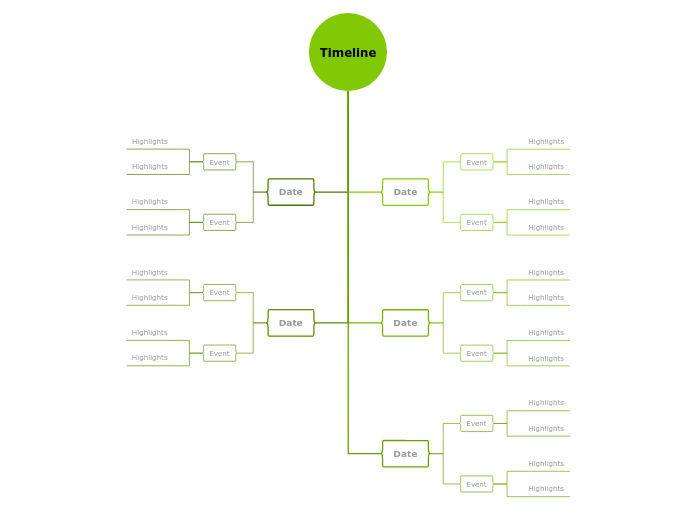
Timelines can be a tool for managing the workflow and making it more effective. You can use them to record events, to organize information in chronological order so that you can better understand growth, change, recurring events. Use this timeline template to keep track of your company or personal changes throughout a period. Organize information in chronological order so that you can easily analyze progress and understand which are the changes and recurring events. A timeline is a list of important events arranged in the order in which they happened. You can also add in the timeline events that did not happen and you are planning to do in the future. Add the dates and the events that took place on those dates. You can also measure your progress over the years. Add a few highlights or add a detailed description using the Mindomo Notes feature. A timeline is an important tool for Project Management. Use this mind map as a history timeline template or as a monthly timeline. In this way, when you are doing Project Management, you can see the results of your projects at the end of the month. You can present this timeline to colleagues or bosses, to better understand your progress with tasks and projects and to know exactly when certain deadlines have been reached. You can also use it as a social media calendar, to keep your posts organized and program them in advance to be posted at a specific time. Another option is to turn it into a Gantt Chart after you have completed it. Use it to have a retrospective of the past years or for event planning. You can create a timeline template during the planning stage of a project and it will evolve over time. When you make a marketing plan, you can take this timeline into account, think about what has happened over the years and what improvements you can make to increase the company's results in the coming years. When you are presenting information is always a good idea to set an order visually through the use of a timeline. The main purpose of timelines is to display a series of actions within a particular time interval. Timelines can cover a bigger time period, they should not be very detailed. Howbeit, it is possible to add images, data, or figures. Add date here. Add the event here. You can add a few highlights here or if you want to add detailed description you can use the Notes feature. マインドマップは、ブレインストーミングや概念同士の関係づけ、アイデアの整理・創出に役立ちます。 マインドマップテンプレートには、特定のテーマに関する情報と作成のヒントがあらかじめ組み込まれているため、より簡単に始められます。テーマに必要な要素がそろった構造が用意されているので、自分だけのマインドマップの出発点として使えます。ビジネスでも教育でも、特定のトピックについてマインドマップを作成するときに役立つ実用的なリソースです。 Mindomoでは、便利なスマートマインドマップテンプレートをご用意しています。 マインドマップテンプレートは、Mindomoのビジネスアカウントや教育アカウントで用意されたものから選べるほか、独自のテンプレートを一から作成することもできます。どのマインドマップも、トピックにガイドノートを追加するだけでテンプレートに変換できます。Vertical Timeline Template
このテンプレートについて
Use the vertical timeline template to keep track of the company history
Use timeline templates for Project Management
Use timeline templates for social media
Use timeline template for event planning
Timeline templates for the marketing plan creation
Use timeline templates for storytelling
Timeline
Date
Event
Highlights
Mindomoのマインドマップテンプレートを使う理由
テンプレートには次のような機能があります:
-
製品
-
用途
-
ソリューション
-
リソース
- 基本を学ぶ
- マインドマップとは?
- マインドマップの作り方
- ガイドとサポート
- ビデオチュートリアル
- ヘルプセンター
- フォーラム
- 作例とテンプレート
- マインドマップの作例29選
- コンセプトマップとは?
- 機能ページ
- 教育
- 教師向け課題機能
- 仕事・個人
- デスクトップ
- Mindomoブログ
- 料金
- ログイン
- 新規登録
- ダッシュボード
ナレッジマネジメント
マインドマップのメリット
視覚的思考が記憶と計画を楽にする理由。