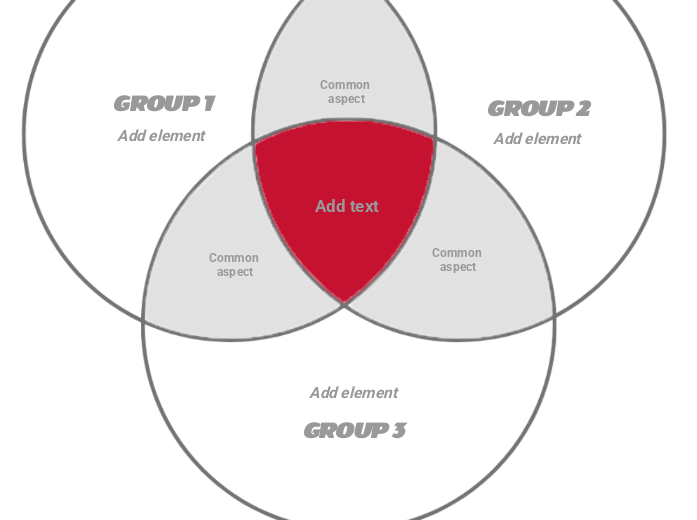
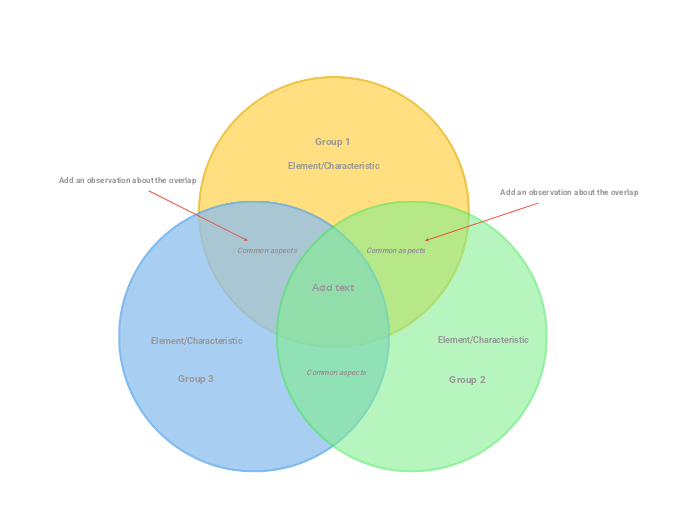
This template has a simple design, only highlighting the intersection of the three circles with red to put the common aspect of the three groups/elements/concepts compared in the spotlight . You can also add the similar characteristics of two elements in the grey area of the circles' intersection, and also write the distinctive characteristics in the white area of the circle. The design is simple but the content included will be complex and detailed. Type the element/characteristic you want to add to this group. Type the common aspect between the two groups. Type the third group name. Type the second group name. Type the first group name. Venn Diagram is a visual representation of multiple (in this case 3) different groups, representing their similarities and differences. マインドマップは、ブレインストーミングや概念同士の関係づけ、アイデアの整理・創出に役立ちます。 マインドマップテンプレートには、特定のテーマに関する情報と作成のヒントがあらかじめ組み込まれているため、より簡単に始められます。テーマに必要な要素がそろった構造が用意されているので、自分だけのマインドマップの出発点として使えます。ビジネスでも教育でも、特定のトピックについてマインドマップを作成するときに役立つ実用的なリソースです。 Mindomoでは、便利なスマートマインドマップテンプレートをご用意しています。 マインドマップテンプレートは、Mindomoのビジネスアカウントや教育アカウントで用意されたものから選べるほか、独自のテンプレートを一から作成することもできます。どのマインドマップも、トピックにガイドノートを追加するだけでテンプレートに変換できます。このテンプレートについて
Venn Diagram (simple three-circle) template
Add element
Common aspect
GROUP 3
Then double-click in the circle area to add elements/characteristics in this group only or in the overlapping areas.GROUP 2
Then double-click in the circle area to add elements/characteristics in this group only or in the overlapping areas.GROUP 1
Then double-click in the circle area to add elements/characteristics in this group only or in the overlapping areas.Add text
Type the common aspects between the three groups (or you can leave this empty).Mindomoのマインドマップテンプレートを使う理由
テンプレートには次のような機能があります:
-
製品
-
用途
-
ソリューション
-
リソース
- 基本を学ぶ
- マインドマップとは?
- マインドマップの作り方
- ガイドとサポート
- ビデオチュートリアル
- ヘルプセンター
- フォーラム
- 作例とテンプレート
- マインドマップの作例29選
- コンセプトマップとは?
- 機能ページ
- 教育
- 教師向け課題機能
- 仕事・個人
- デスクトップ
- Mindomoブログ
- 料金
- ログイン
- 新規登録
- ダッシュボード
ナレッジマネジメント
マインドマップのメリット
視覚的思考が記憶と計画を楽にする理由。