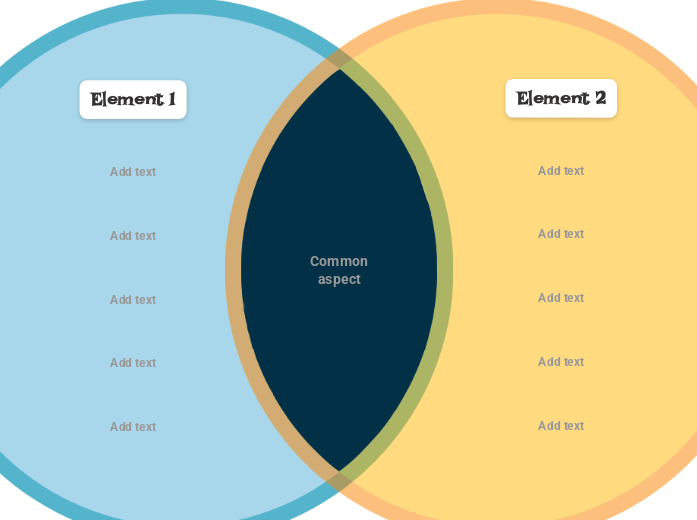
This Venn Diagram visually represents two different elements, highlighting their common aspect and showing their differences. This diagram helps you compare two different elements by writing their similarities and differences. The two circles represent the elements, and their intersection represents their common aspects. Add characteristics for each element to represent the specific aspects of each element. You can use this template for any two elements you want to compare. Type the second ELEMENT. Type the first ELEMENT. Type a characteristic you want to add to this element. This Venn Diagram visually represents two different elements, highlighting their common aspect and showing their differences. Интеллект-карты помогают проводить мозговой штурм, выстраивать связи между понятиями, упорядочивать идеи и находить новые. А с шаблоном интеллект-карты начать ещё проще: это готовый каркас с информацией по конкретной теме и подсказками, как его заполнить. По сути, шаблон задаёт структуру, которая объединяет все элементы темы и служит отправной точкой для вашей собственной карты. Это практичный способ быстро создать интеллект-карту на нужную тему — будь то бизнес или образование. Mindomo предлагает умные шаблоны интеллект-карт, с которыми работать и думать становится легко. Выбирайте из множества шаблонов интеллект-карт в бизнес- и образовательных аккаунтах Mindomo или создавайте собственные шаблоны с нуля. Любую интеллект-карту можно превратить в шаблон, добавив к её темам направляющие заметки.Venn Diagram (2 Circle) Template
Об этом шаблоне
Venn Diagram (two-circle) template
What is a two circles Venn Diagram template
Element 2
Optional: double-click in the circle area to add elements/characteristics in this group only or in the overlapping areas.Element 1
Optional: double-click in the circle area to add elements/characteristics in this group only or in the overlapping areas.Add text
Common aspect
Type the common aspect between the two elements.Зачем использовать шаблоны интеллект-карт Mindomo?
Возможности шаблонов:
-
Продукты
-
Применение
- Основные сценарии
- Интеллект-карты для образования
- Интеллект-карты для бизнеса
- Интеллект-карты для личного развития
- Ассистивные технологии
- Командная работа
- Брифы кампаний для маркетологов
- Воркшопы по выявлению потребностей клиентов для консультантов
- Программы адаптации для HR и L&D
- Управление знаниями
- Матрица навыков команды
- Библиотека клиентских проектов
- Роли
- Маркетологи
- HR и L&D
- Консультанты
- Управление проектами
- Планирование маркетинговых кампаний
- Запуск программ обучения сотрудников
- Объём работ
- Организация идей
- Деревья проблем
- Анализ потребностей в обучении
- Преимущества интеллект-карт
-
Решения
- Руководства
- Презентации с интеллект-картами
- Учёба с интеллект-картами
- Планирование и организация с интеллект-картами
- Приоритизация задач с интеллект-картами
- Конспекты с интеллект-картами
- Истории клиентов
- Как масштабировать обучающие материалы для 11 000 врачей
- Работа в команде: от пробной версии до незаменимого инструмента за два месяца
- 10 лет без слайдов: новый взгляд на лекции по архитектуре
- Все истории клиентов
-
Ресурсы
- Основы
- Что такое интеллект-карта?
- Топ-29 примеров интеллект-карт
- Что такое концептуальная карта?
- Идеи интеллект-карт для студентов
- Руководства и поддержка
- Видеоуроки
- Справочный центр
- Форум
- Примеры и шаблоны
- Идеи для интеллект-карт
- Как составить интеллект-карту?
- Возможности
- Образование
- Задания для учеников
- Работа и личное
- Настольная версия
- Блог Mindomo
- Цены
- Войти
- Регистрация
- Панель управления
Управление знаниями
Преимущества интеллект-карт
Почему визуальное мышление помогает лучше запоминать и планировать.
Основы
Руководства и поддержка
Примеры и шаблоны
 Блог
Блог Mindomo
Руководства, примеры и исследования о визуальном мышлении.
Все статьи
Блог
Блог Mindomo
Руководства, примеры и исследования о визуальном мышлении.
Все статьи