

Mindomo Browser Extension
Save links, pages, notes, images and video as you browse, or hand a selection to Mindomo AI and get a structured mind map back in seconds, all from one right-click.



One right-click, two ways to work
Select anything on a page, right-click and choose Mindomo. Saving builds the material you’ll later reason over, and generating turns a source into a first shape to reason against. Most people use both: collect for weeks, generate a skeleton in seconds, then bring the two together.
Collect it now, use it later
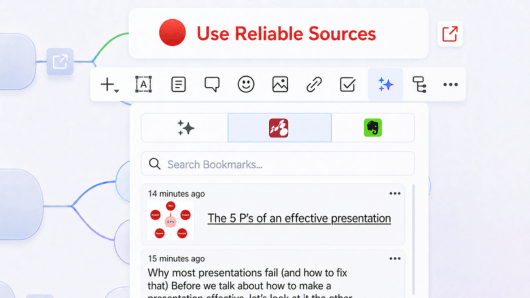
Links, pages, notes, images and videos land in your Bookmarks section, searchable from inside the map editor.
Turn a selection into a map
Highlight a passage and Mindomo AI analyses it, builds a structured diagram in a few seconds, and drops you into the editor to refine it.
What you can capture
Five kinds of bookmark, collected in one place, saved from any page as you read. Everything lands in Bookmarks, not on a map, so saving commits you to nothing. Your maps only ever hold what you put there on purpose.
Links
Keep the good sources you find as you browse the web, filed away and ready to reopen straight from inside the map.
Pages
Send a whole page along with the article, so the full source stays close by whenever you need to check it again.
Notes
A definition, a statistic or a quote, selected straight from the page and kept exactly as written, nothing paraphrased.
Images
Charts, diagrams and photos, saved together with where they came from, never more than a click away when needed.
Videos
Tutorials and clips worth coming back to. Grab the share link from the video player itself, so it's filed as a video, not just the page.
Everything arrives the same way: right-click, choose Mindomo, then Save to Bookmarks.
Select a passage, get a map in seconds
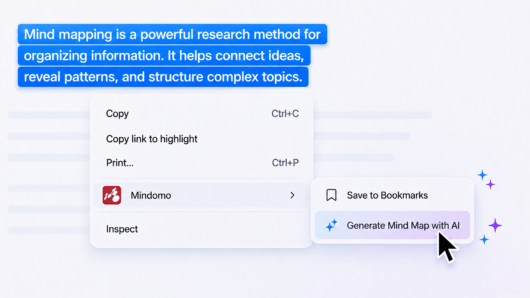
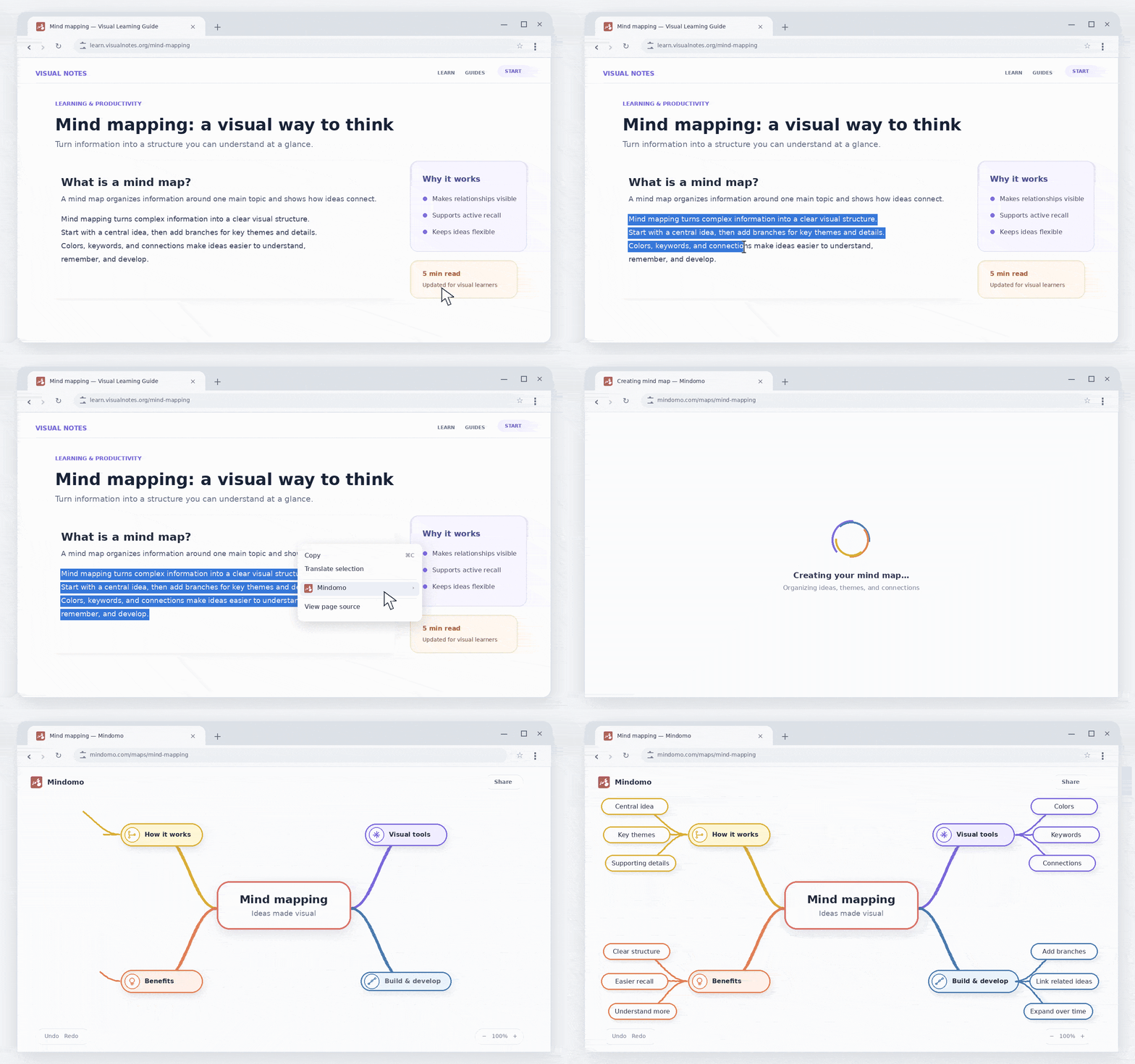
Highlight any part of any web page that's relevant to your work, right-click and choose Generate Mind Map with AI. Mindomo AI reads the selection, summarizes it and opens a structured map in the editor, branches, subtopics and all, ready to edit, extend or hand to someone else.
No copy-pasting, no blank canvas. The whole thing takes about as long as reading the intro paragraph.
AI Credits power Mindomo AI features. One credit covers roughly 1,000 words, and every free account comes with one trial credit.
From research to a working mind map
Follow these three steps, in order. Save first: a generated map is only a starting structure until your own sources are added to it.
File as you read
Every source you save lands in Bookmarks, sorted automatically by type: links, pages, notes, images and videos. Add custom tags on top whenever you want extra structure.
Generate the frame
Pick one source and generate a mind map from it. Treat the result as a starting structure, not a finished answer: it gives your material a place to go. The extension produces the map directly; open it in the mind map editor and keep going with Mindomo AI to expand it further with more ideas, notes and detail.
Place what you kept
Move each saved bookmark onto the branch it supports. Every source is already captured, so any claim on the map can be traced back and double-checked in a click.

Connections
Curious about what else you can do with Mindomo? Check out Mindomo’s integrations with other tools and platforms that will simplify your workflow (Microsoft Teams, Office 365, Google Drive, and more).
See all integrations →
Add it to your browser
The extension is free. You just need a Mindomo account: add it, sign in once, and start saving from any page.
Create your free accountSigned up with Google, Facebook or Office 365? Set a Mindomo password first with Forgot password, then use that email and password in the extension.