
Overview
Write down a summary of your project's key points, to act as a reference for discussions. Add a key point about your project.
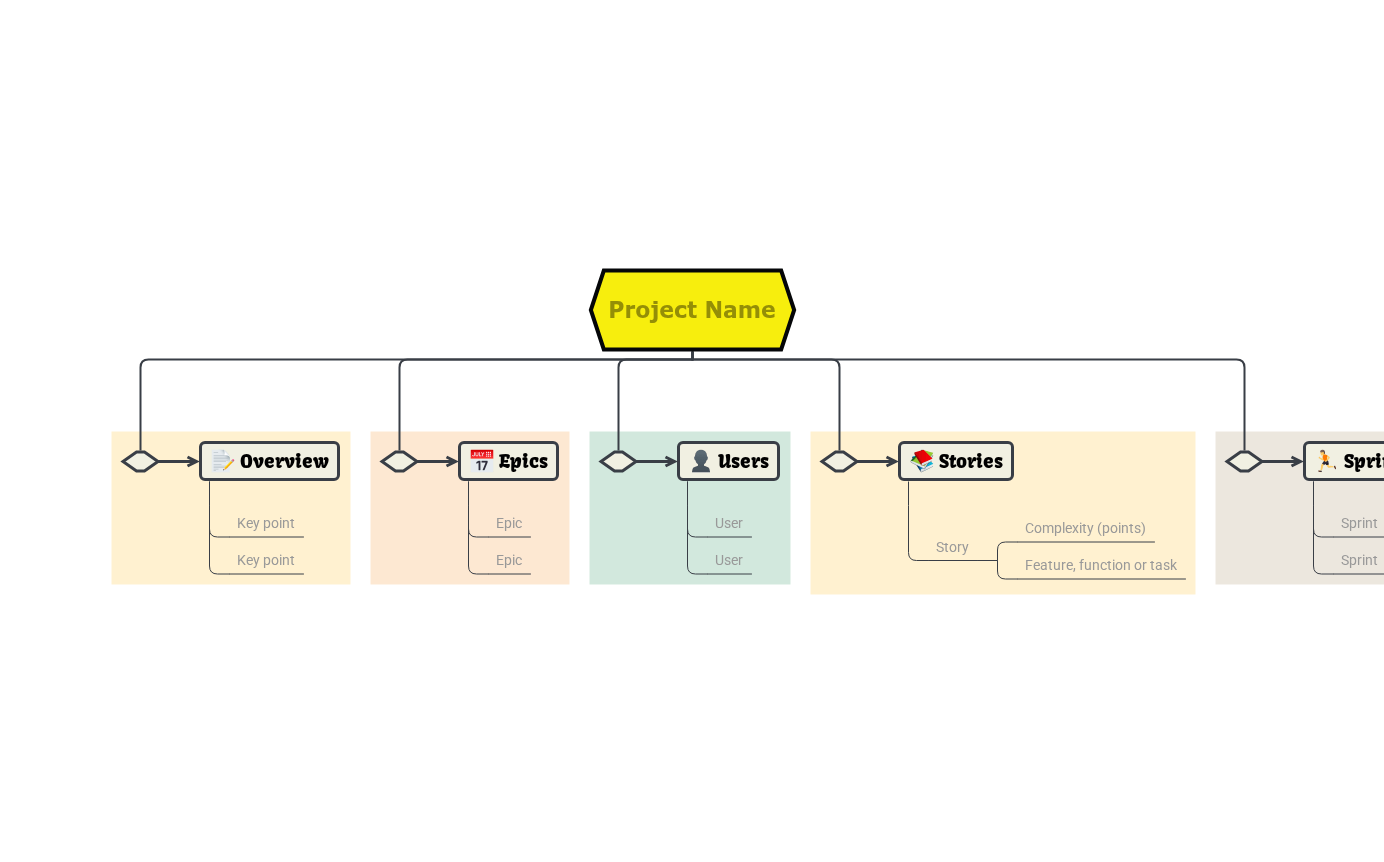
This mind map helps you outline the plan for an Agile project.
The map aims to capture an accurate description of the work to be done and you can use the mind map to discuss and explain stories, specifications, features, and plans.
Free with a Mindomo account. Opens your own copy in the editor.
Agile planning is a way to capture an accurate description of the work that needs to be done. Use this template to discuss plans, features, and specifications from the agile projects. It will be useful for you if you are a product owner.
Write down a summary of your project, adding key points.
Also, write down the epics (the major stages) of a project.
Add the sprints. They are groups of users’ ideas that can be demonstrated and used.
Type in the users’ stories and make a list of users (people that will interact with the solution). Do not use users’ names, but their roles based on the task they will perform.
What’s inside this template
Central topic
Project Name
Begin by typing in the name of your project, then press Enter.
Write down a summary of your project's key points, to act as a reference for discussions. Add a key point about your project.
Epics are the major stages in a project and are divided up into sprints. An epic is often a product release point or a handover to the customer. Add an Epic of your project. If you have a target date in mind, include it in the topic text for clarity.
Next, make a list of Users. These are the people who will interact with the solution that you are creating. Users are identified not by personal name, but by their role in relation to the task they perform. Add a User role and press Enter.
Type in a user story, in the following format: "As a [A], I need to [B], so that I can [C]" where: [A] is a user role, [B] is what the user needs to do, and [C] is why they need to do it.
Sprints are groups of user Stories that fit together well enough to be demonstrated and used. Sprints are defined by timeboxing, and also by what is practical to deliver and use. Identify Sprint groupings from your stories and add them here.
Click “Use this template” and sign in with a free account.
Replace the topics and fill in the notes.
Share, present or export it, or switch it to an outline or Gantt view.
Agile plan template
Free with a Mindomo account. Opens your own copy in the editor.