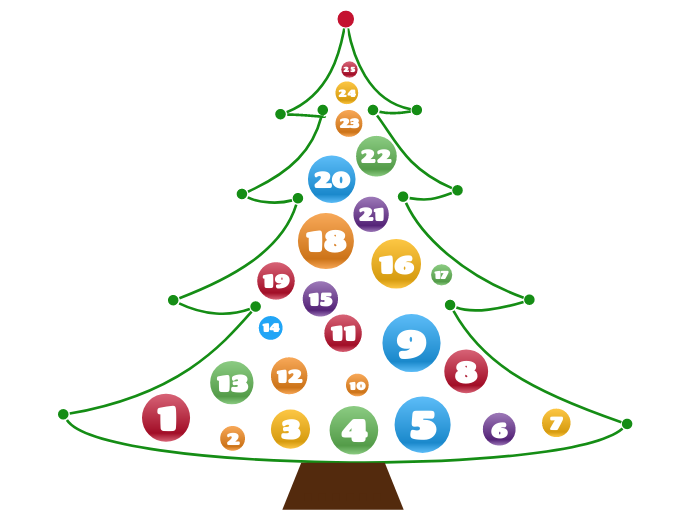
The Advent Calendar is a diagram that contains a surprise element for each day of December (until Christmas). In other words, you can add a total of 25 elements that are ready to be unveiled every day. You can add anything you want, starting from personal development videos, editing tools, movie ideas, places to visit, food recipes, grateful thoughts, or even daily small goals for the following year. Put your imagination to work and create your own advent calendar for your dear ones! Create a festive and interactive experience with the Advent Calendar Template. This unique diagram allows you to add 25 elements, each designed to be revealed daily throughout December leading up to Christmas. Whether you want to include personal development videos, editing tools, movie suggestions, travel ideas, food recipes, or daily affirmations, this template offers endless possibilities. Simply customize each day with a surprise element that will delight and inspire. Share your advent calendar with loved ones and let the countdown to Christmas be filled with creativity, joy, and meaningful moments. Perfect for adding a personal touch to the holiday season! 5 6 7 8 9 10 11 12 13 14 15 16 17 18 19 20 21 22 23 24 25 The Advent Calendar is a diagram that contains a surprise element for each day of December (until Christmas). In other words, you can add a total of 25 elements that are ready to be unveiled every day. You can add anything you want, starting from personal development videos, editing tools, movie ideas, places to visit, food recipes, grateful thoughts, or even daily small goals for the following year. Put your imagination to work and create your own advent calendar for your dear ones! 心智圖能幫助您集思廣益、建立概念之間的關聯,並整理與激發想法。 而心智圖範本讓入門更容易,因為範本是已含特定主題資訊與引導說明的架構。換句話說,範本先替您搭好能涵蓋該主題所有要素的結構,可作為您個人心智圖的起點。無論用於商業或教育,心智圖範本都能為特定主題的心智圖提供實用的解決方案。 Mindomo 提供智慧心智圖範本,讓您輕鬆工作、順暢思考。 您可以從 Mindomo 商業版或教育版帳號中挑選各式心智圖範本,也可以從頭建立自己的範本。只要在主題上加入進一步的引導說明,任何心智圖都能變成心智圖範本。Advent Calendar Template
關於此範本
Advent Calendar Template
1
Add the surprise element for the first day. Choose one of the following options:2
Add the surprise element for the second day. Choose one of the following options:3
Add the surprise element for the third day. Choose one of the following options:4
Add the surprise element for the fourth day. Choose one of the following options:
Add the surprise element for the fifth day. Choose one of the following options:
Add the surprise element for the sixth day. Choose one of the following options:
Add the surprise element for the seventh day. Choose one of the following options:
Add the surprise element for the eighth day. Choose one of the following options:
Add the surprise element for the ninth day. Choose one of the following options:
Add the surprise element for the tenth day. Choose one of the following options:
Add the surprise element for the eleventh day. Choose one of the following options:
Add the surprise element for the twelfth day. Choose one of the following options:
Add the surprise element for the thirteenth day. Choose one of the following options:
Add the surprise element for the fourteenth day. Choose one of the following options:
Add the surprise element for the fifteenth day. Choose one of the following options:
Add the surprise element for the sixteenth day. Choose one of the following options:
Add the surprise element for the seventeenth day. Choose one of the following options:
Add the surprise element for the eighteenth day. Choose one of the following options:
Add the surprise element for the nineteenth day. Choose one of the following options:
Add the surprise element for the twentieth day. Choose one of the following options:
Add the surprise element for the twenty-first day. Choose one of the following options:
Add the surprise element for the twenty-second day. Choose one of the following options:
Add the surprise element for the twenty-third day. Choose one of the following options:
Add the surprise element for the twenty-fourth day. Choose one of the following options:
Add the surprise element for the twenty-fifth day. Choose one of the following options:......
.
為什麼要使用 Mindomo 心智圖範本?
範本提供多種功能: