
Comparison Diagram Template

Interactive map · Comparison Diagram Template
Mind map: Comparison Diagram Template

Comparison Diagram Template

Free with a Mindomo account. Opens your own copy in the editor.

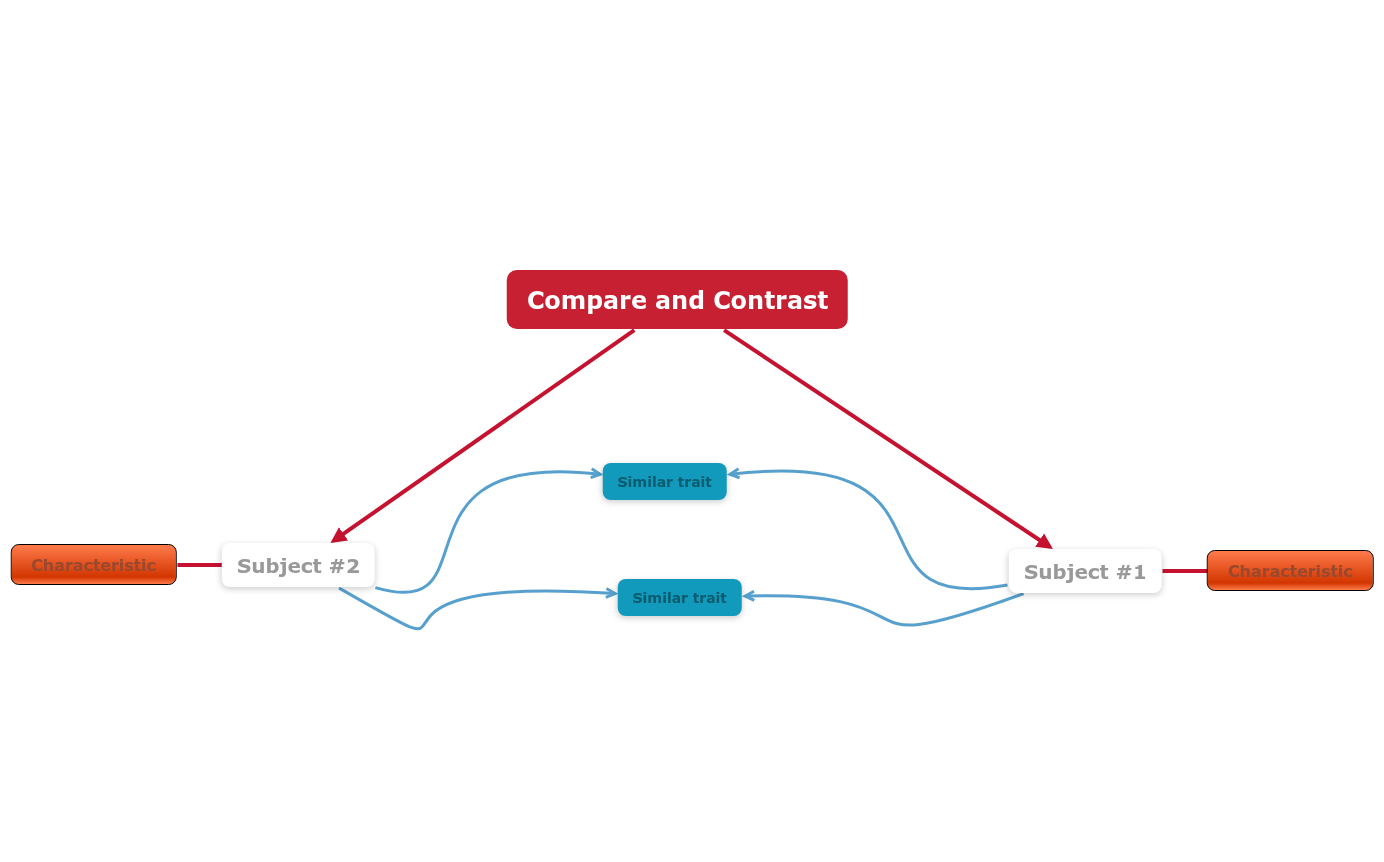
Use the 'Similarities-to-Differences' strategy to do the comparison.

Free with a Mindomo account. Opens your own copy in the editor.

About this template

Compare and contrast template(Similarities-to-Differences)

Use this compare and contrast template to compare two subjects.

Type in the characteristics that differentiate them and their similarities.

What’s inside this template

Comparison Diagram Template: what the map covers

Central topic

Compare and Contrast

Use the "Similarities-to-Differences" strategy to do the comparison. Press NEXT

Subject #1

1 topic

Type in the name of the first subject which you are going to compare and contrast. It can be: a concept an idea a person an animal something else

Characteristic

Type in the characteristics that make the first subject different from the second subject. Type them in.
Subject #2

1 topic

Type in the name of the second subject which you are going to compare and contrast. It can be: a concept an idea a person or even an animal

Characteristic

Type in the characteristics that make the second subject different from the second subject. Type them in.
Similar trait

What do the two subjects have in common? Type in the similarities.

How to use it

  1. 1

    Open the template

    Click “Use this template” and sign in with a free account.

  2. 2

    Make it yours

    Replace the topics and fill in the notes.

  3. 3

    Share it

    Share, present or export it, or switch it to an outline or Gantt view.