
Class
Optionally, you can add your class title.
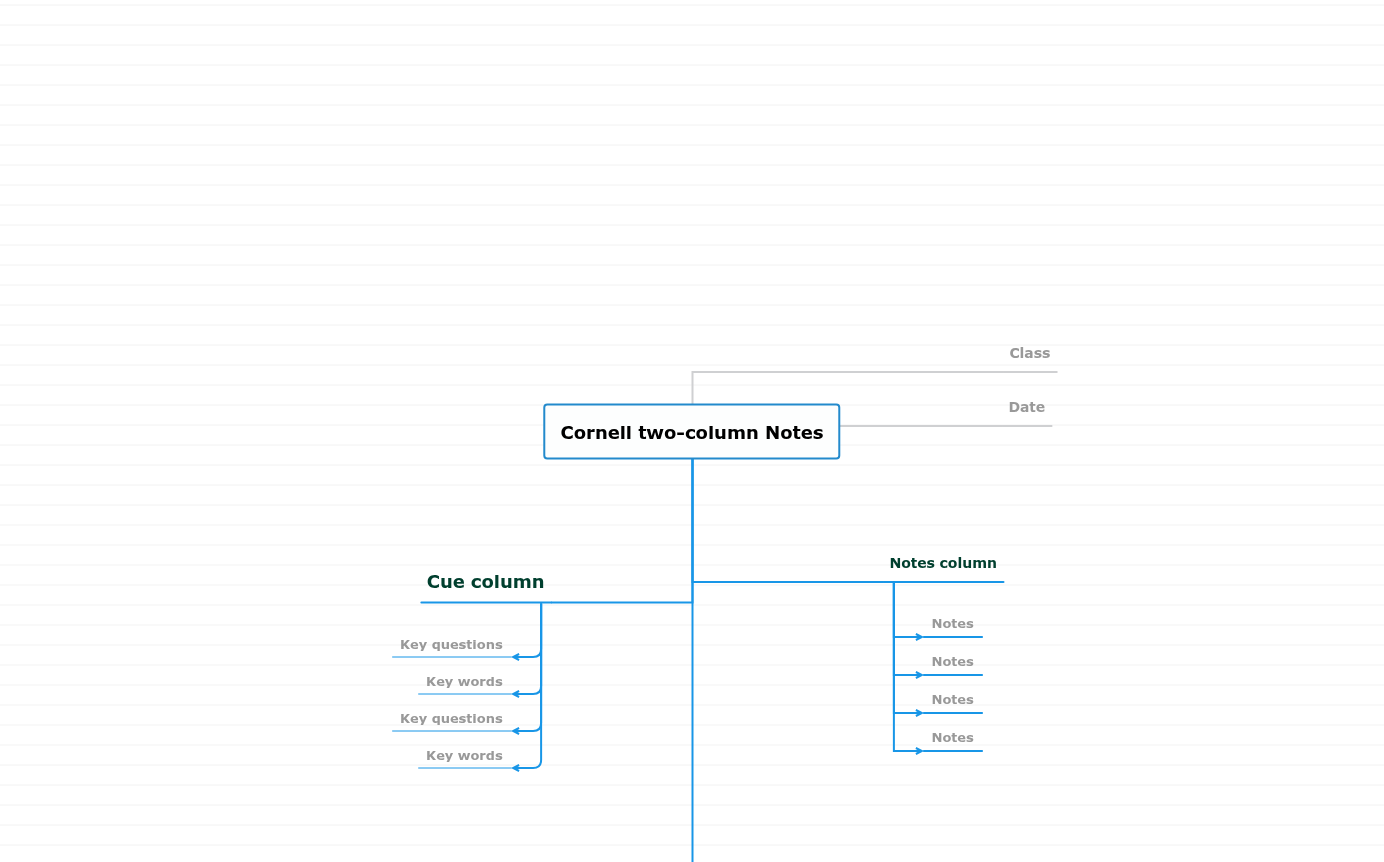
This note-taking system was invented in the 1940s by Walter Pauk, an education professor at Cornell University. It encourages you to reflect on your notes by actively summarizing them in your own words. This will help you easily remember information, ultimately helping you to pass your school year easily.
Free with a Mindomo account. Opens your own copy in the editor.
The Cornell note-taking method was invented by Walter Pauk, who was Cornell University's reading and study center director and professor in the field of developmental education and study skills.
This note-taking system will help you understand information easier.
The template is divided into two columns: one with your actual notes and long sentences from class and the other one where you should extract keywords, anticipated exam questions, and vocabulary words right after finishing the class, while the content taught is still fresh in your mind.
In the end, write a summary from all your notes, with your own words, including keywords from the second column.
What’s inside this template
Central topic
Cornell two-column Notes
How to take Cornell Notes?
Optionally, you can add your class title.
Optionally, you can add the date of your class.
These are the actual notes taken during your class. Add the key ideas, main points, important people, or places here. Make sure you use concise sentences, abbreviations, outlines.
Write the summary while reviewing your notes and write it in your own words. It needs to highlight the main points in your notes, so you can use it as a quick reference area later on.
This section should be written soon after class, while you still have a fresh memory of the content taught. In this column, you can add: keywords questions that will connect points anticipated exam questions vocabulary words This will make the learning and remembering process easier.
Click “Use this template” and sign in with a free account.
Replace the topics and fill in the notes.
Share, present or export it, or switch it to an outline or Gantt view.
Cornell note-taking method template
Free with a Mindomo account. Opens your own copy in the editor.