Session
Add session topics around the map, roughly at the time that you want to cover them. Double-click to add a new topic to the map.
 Blog
The Mindomo blog
Guides, examples and research on visual thinking.
Browse all articles
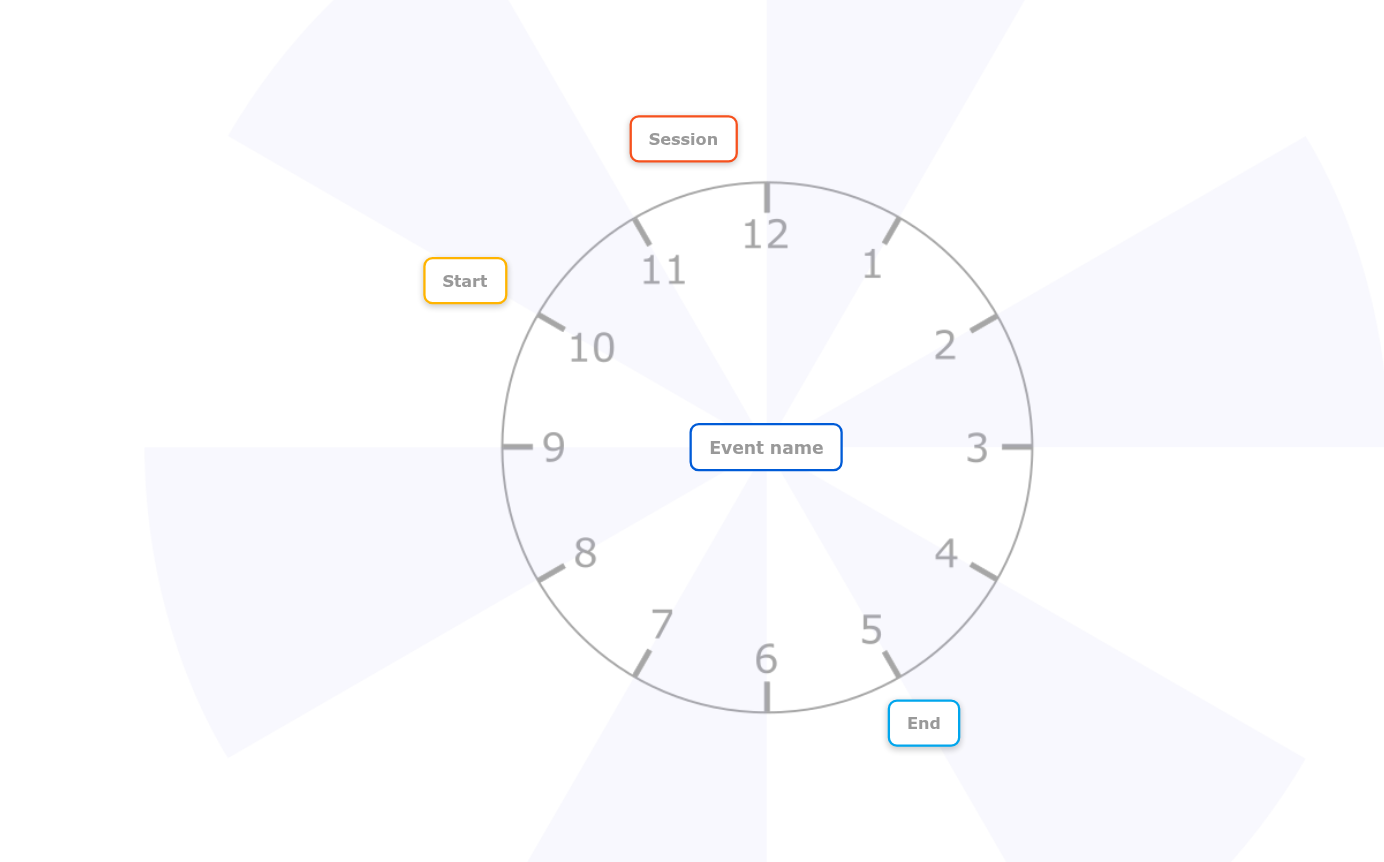
This template helps you create a simple time plan for a one-day event. You mark the start and end on a clock face, then add session topics or activities around the clock. This will help you to ensure that your event stays on track, and you don't run out of time before covering all the important topics.
Free with a Mindomo account. Opens your own copy in the editor.
Plan your one-day event efficiently with the 1-Day Event Plan template. Use the clock face to allocate time for each session or activity and ensure your event stays on schedule.
What’s inside this template
Central topic
Event name
Type in the name of your event, e.g. the workshop name.
Add session topics around the map, roughly at the time that you want to cover them. Double-click to add a new topic to the map.
Mark the start of your event, e.g. 10am
Mark the end of your event, e.g. 5pm.
Click “Use this template” and sign in with a free account.
Replace the topics and fill in the notes.
Share, present or export it, or switch it to an outline or Gantt view.
One day event schedule template
Free with a Mindomo account. Opens your own copy in the editor.
One day event schedule template