Add text
What are the actual tasks or actions a user is trying to complete? What are they trying to resolve?
 Blog
The Mindomo blog
Guides, examples and research on visual thinking.
Browse all articles
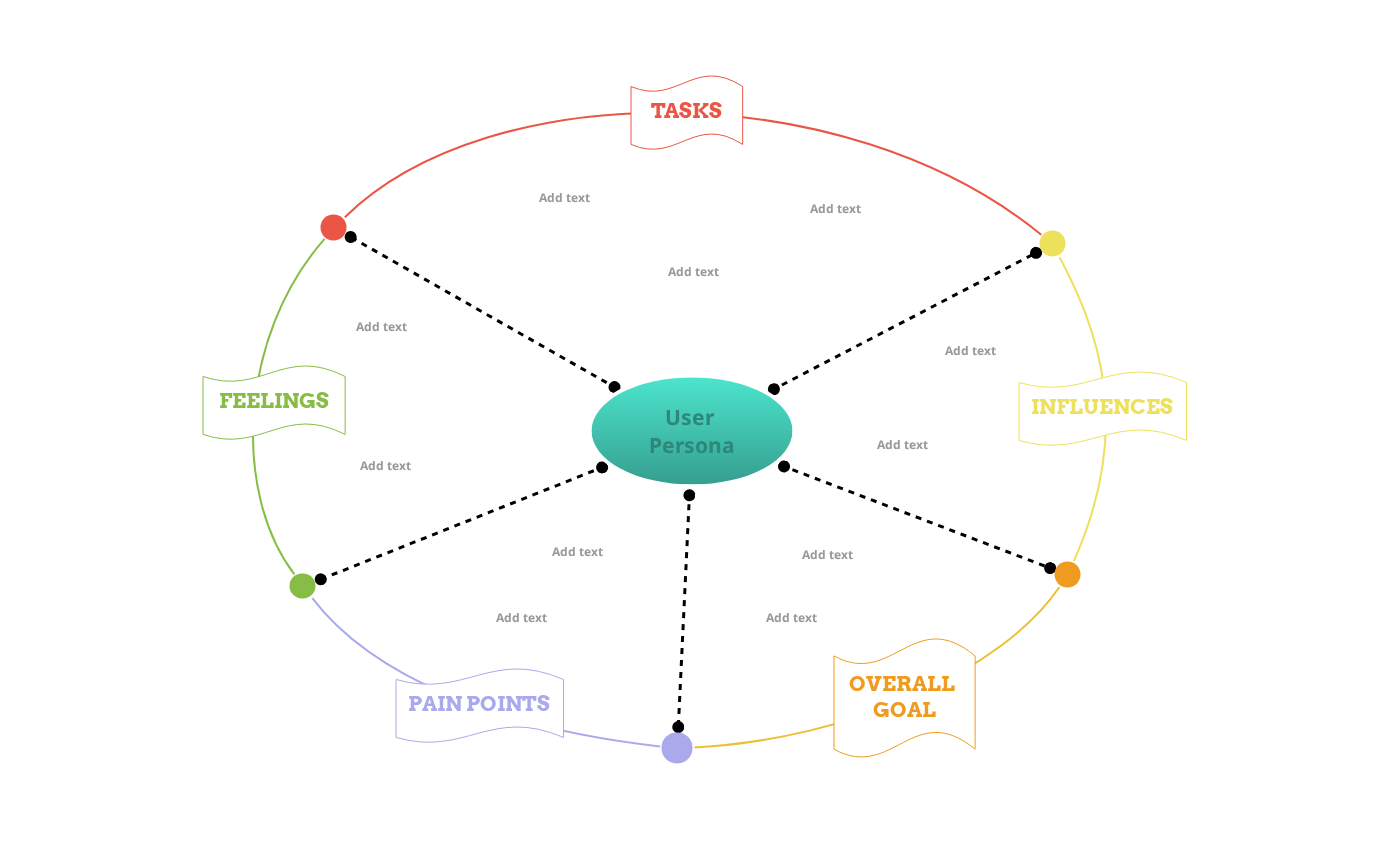
This empathy map template is a visual tool used to identify and elaborate information about user personas. In other words, fill out this template to get an in-depth view of your users/customers or a particular type of your users/customers.
Free with a Mindomo account. Opens your own copy in the editor.
This is the upgraded version of the standard Empathy Map template. Besides the circular design, it also has a fifth element to help you create a complete analysis of the user personas.
Fill out all circle areas, and at the end, you'll get an in-depth overview of the user personas. Afterward, you can upgrade your business and marketing strategy using information from this analysis.
What’s inside this template
Central topic
User Persona
What are the actual tasks or actions a user is trying to complete? What are they trying to resolve?
What are the actual tasks or actions a user is trying to complete? What are they trying to resolve?
What actually matters to a user? How do they feel in the current situation?
This includes both external and internal influences.
What gets in the way of the user for a positive overall experience?
What is the end result a user wants to achieve?
This includes both external and internal influences.
What is the end result a user wants to achieve?
What gets in the way of the user for a positive overall experience?
What actually matters to a user? How do they feel in the current situation?
Click “Use this template” and sign in with a free account.
Replace the topics and fill in the notes.
Share, present or export it, or switch it to an outline or Gantt view.
Customer Empathy Map
Free with a Mindomo account. Opens your own copy in the editor.
Customer Empathy Map