
Topics
Choose a topic that your audience will enjoy.
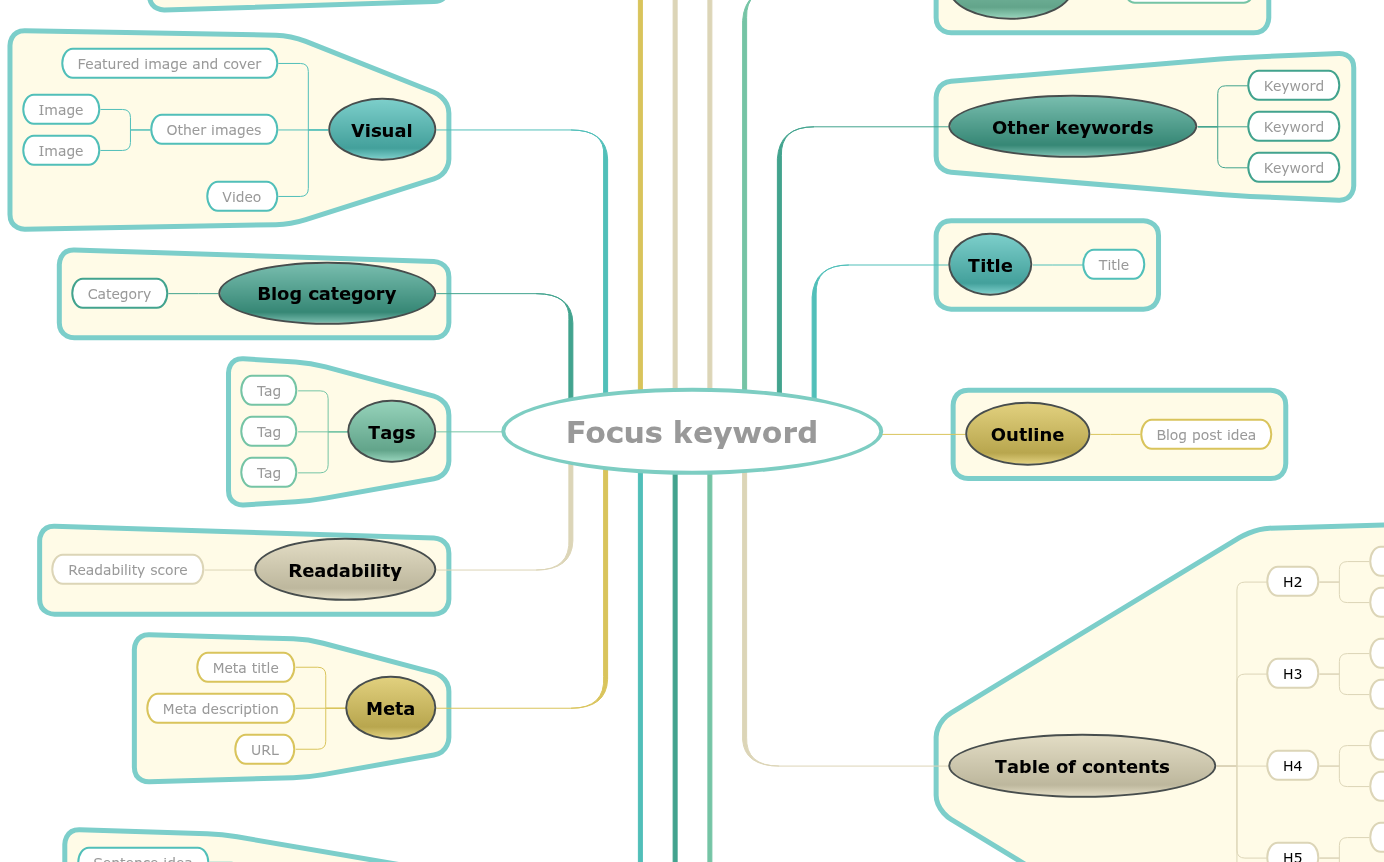
Writing a blog post is easier if you organize all the information in a mind map and plan everything from the beginning.
Learn how to write SEO-friendly blog posts that will increase your website traffic.
Free with a Mindomo account. Opens your own copy in the editor.
This guide helps you craft blog posts optimized for search engines. Learn how to structure your content, use keywords effectively, and engage readers while boosting your search engine ranking. Follow these steps to ensure your blog posts are both informative and discoverable.
What’s inside this template
Central topic
Focus keyword
Do some research and find a keyword with many searches. You should add the focus keyword in the first 50 words of the first paragraph, in bold text and also use it in some headings.
Choose a topic that your audience will enjoy.
Before you start writing your blog post, you can create an outline so you know exactly what you are going to say, and have a clear goal to achieve.
Besides the focus keyword, you can also add other keywords. Do some keyword research first. You can use a tool that suggests what keywords to use based on people's searches on the internet. Distribute them in such a manner that they look natural and avoid keyword stuffing.
Choose the title of the article. You can write some title ideas and decide what is the most suitable after you have finished the article.
Create a table of contents so you have a better view of the whole article before you start writing it. This is also useful for the readers. You can even update it later if you will have new ideas.
In the beginning, when you are doing research and checking blog posts with the topic you are going to discuss, look at their length and try to use the same number of words or even more. Tip: Longer blog posts work better for SEO.
Think about the call-to-action buttons you will use.
Both internal and external links are important for your SEO.
Make your article more interesting by adding images and videos.
Add 2-3 categories.
Add 2-3 categories.
Add 3-4 tags.
Add 3-4 tags.
Check the readability of your article. Use an online tool or a plugin like Yoast SEO that automatically informs you about the improvements that you should do to your article in order to make it more SEO-friendly.
Type in the readability score of your article.
The meta title, meta description and URL should contain the focus keyword.
There are also some rules when it comes to sentences: Do not use sentences longer than 20 words. Do not use complicated words. Don’t begin or end 3 consecutive sentences with the same word. Try to avoid passive voice. Use as many transition words as possible.
There are also some rules when it comes to sentences: Do not use sentences longer than 20 words. Do not use complicated words. Don’t begin or end 3 consecutive sentences with the same word. Try to avoid passive voice. Use as many transition words as possible.
Try to follow these rules when it comes to paragraphs and subheadings.
The sections of the article are delimited by headings or subheadings. For cornerstone content, a section shouldn’t be longer than 250 words. For normal content, a section shouldn’t be longer than 300 words.
None of the paragraphs should be longer than 150 words.
Click “Use this template” and sign in with a free account.
Replace the topics and fill in the notes.
Share, present or export it, or switch it to an outline or Gantt view.
How to write seo friendly blog posts
Free with a Mindomo account. Opens your own copy in the editor.