This visually striking template helps you organize tasks across various stages, including New Task, Assigned, In Progress, On Hold, For Review, Testing, and Done. Start by placing your tasks in the appropriate columns and move them through each stage as they progress. This clear and structured approach allows you to track task status, manage workflows, and ensure nothing falls through the cracks. Ideal for personal projects, team collaborations, and workflow management, this Kanban board provides an effective way to keep your tasks organized and on track. Add your task here. Hărțile mentale vă ajută să faceți brainstorming, să stabiliți relații între concepte și să organizați și generați idei. Cu toate acestea, șabloanele de hărți mentale oferă o modalitate mai simplă de a începe, deoarece sunt modele care includ informații despre un subiect și instrucțiuni de ghidare. În esență, ele asigură structura care combină toate elementele unui subiect și servesc drept punct de plecare pentru harta mentală personală. Sunt o resursă practică pentru a crea hărți mentale pe diverse subiecte, fie în domeniul afacerilor, fie în educație. Mindomo vă oferă șabloane inteligente de hărți mentale, care vă ajută să acționați și să gândiți fără efort. Puteți alege dintr-o varietate de șabloane de hărți mentale disponibile în conturile pentru afaceri sau educaționale ale Mindomo sau puteți crea propriile șabloane de la zero. Orice hartă mentală poate fi transformată într-un șablon prin adăugarea de instrucțiuni de ghidare suplimentare la unul dintre subiectele sale.Kanban Flow (dark)
The Kanban Board helps you manage your workload easily. Add new tasks, then drag and drop them to the suitable category depending on their progress.
Keywords: kanban diagram, organize, organizer, plan, planner, tasks, task, task list, tasklist, task-list, tasks list, taskslist, tasks-list, to do list, to-do-list, to-do list, todo list, todolist, work, business, organization, time management, productivity, workflow, work, job, business, teamwork, career, efficient, efficiency.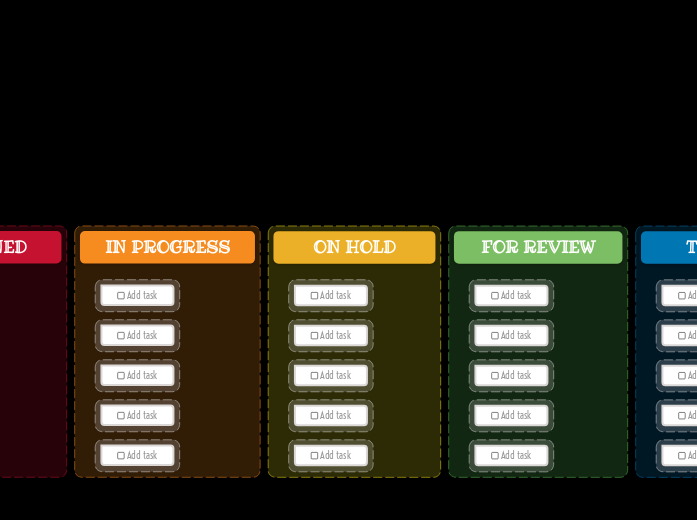
Kanban Dashboard (Dark) Template
Idea board
DONE
Drag and drop your tasks from the previous column here when you are done.
You can create more columns with additional steps and customize them for your needs.TESTING
Drag and drop your tasks from the previous column here when they are ready to be tested.FOR REVIEW
Drag and drop your tasks from the previous column here when they are ready for a review.ON HOLD
Drag and drop your tasks from the previous column here if the assigned person stopped working on these tasks.IN PROGRESS
Drag and drop your tasks from the previous column here when someone started to work on them.ASSIGNED
NEW TASKS
Your tasks have a predefined path in this kanban board, that starts with the initial stage of creating them.
Each column represents the present stage of their progress.Add task
De ce să folosiți un șablon Mindomo de tip hartă mentală?
Un șablon are diverse funcționalități:
-
Produse
-
Utilizări
- Utilizări generale
- Hărți mentale pentru Educație
- Hărți mentale pentru Afaceri
- Hărți mentale pentru Dezvoltarea Personală
- Tehnologie Asistivă
- Colaborare în echipă
- Briefuri de campanie pentru specialiști în marketing
- Workshopuri de descoperire a clientului pentru consultanți
- Parcursuri de onboarding pentru HR și L&D
- Managementul cunoștințelor
- Matricea de competențe a echipei
- Biblioteca de proiecte
- Roluri
- Specialiști în marketing
- HR și L&D
- Managementul proiectelor
- Planificarea campaniilor de marketing
- Coordonarea instruirii angajaților
- Domeniul lucrărilor
- Organizarea ideilor
- Arbori de probleme
- Analiza nevoilor de instruire
- Beneficiile Cartografierii Mentale
-
Soluții
- Ghiduri
- Creare prezentări cu hărți mentale
- Cum să înveți cu hărți mentale
- Planificare și organizare cu hărți mentale
- Cum să prioritizezi sarcinile cu hărți mentale
- Cum să creezi notițe cu hărți mentale
- Povești reale ale clienților
- Scalarea conținutului educațional pentru 11.000 de medici
- Flux de lucru în echipă: de la test la indispensabil în două luni
- 10 ani fără slide-uri: regândirea cursurilor de arhitectură
- Citește toate poveștile
-
Resurse
- Noțiuni de bază
- Ce este o hartă mentală?
- Cum se creează o hartă mentală?
- Ce este o hartă conceptuală?
- Beneficiile utilizării hărților mentale
- Ghiduri și suport
- Tutoriale video
- Centru de ajutor
- Forum
- Exemple și șabloane
- Top 29 exemple de hărți mentale
- Șabloane pentru hărți conceptuale
- Crearea de diagrame Gantt
- Pagini de funcționalități
- Educație
- Teme pentru profesori
- Profesional și Personal
- Desktop
- Blogul Mindomo
- Prețuri
- Autentificați-vă
- Înregistrați-vă
- Tablou de bord
Managementul cunoștințelor
Beneficiile Cartografierii Mentale
De ce gândirea vizuală ușurează memorarea și planificarea.
Noțiuni de bază
Ghiduri și suport
Exemple și șabloane
Pagini de funcționalități
 Blog
Blogul Mindomo
Ghiduri, exemple și cercetări despre gândirea vizuală.
Vezi toate articolele
Blog
Blogul Mindomo
Ghiduri, exemple și cercetări despre gândirea vizuală.
Vezi toate articolele