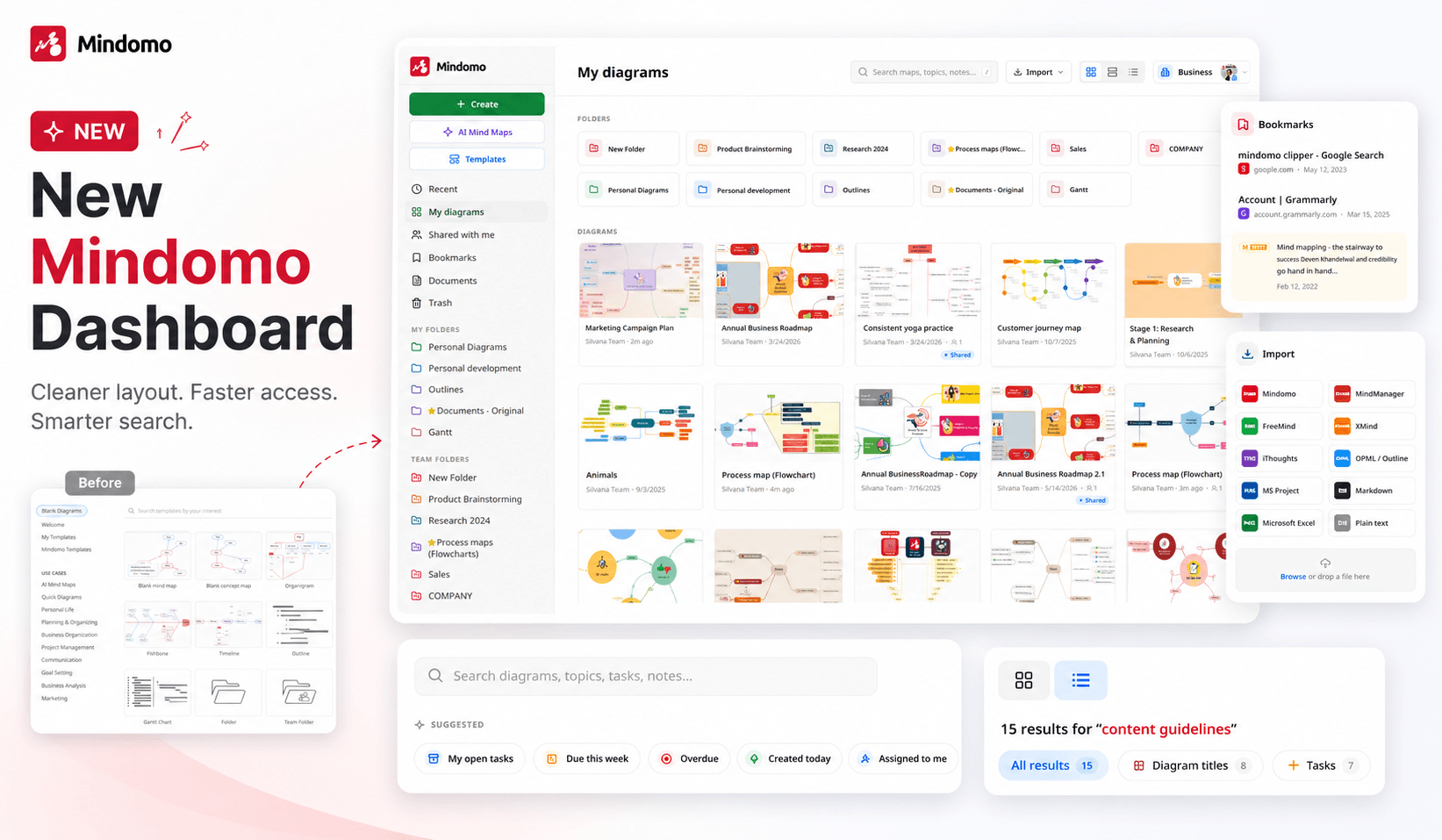
We’ve redesigned the Mindomo dashboard to make it cleaner, more intuitive, and easier to use. The new layout helps you create diagrams faster, organize your work more clearly, and find what you need across your account with less effort.
✨ Easier ways to create diagrams
On the left side of the dashboard, the main creation options are now grouped at the top for quick access:
- Create: start a new diagram from scratch
- AI Mind Maps: generate diagrams with AI
- Templates: start from a ready-made template
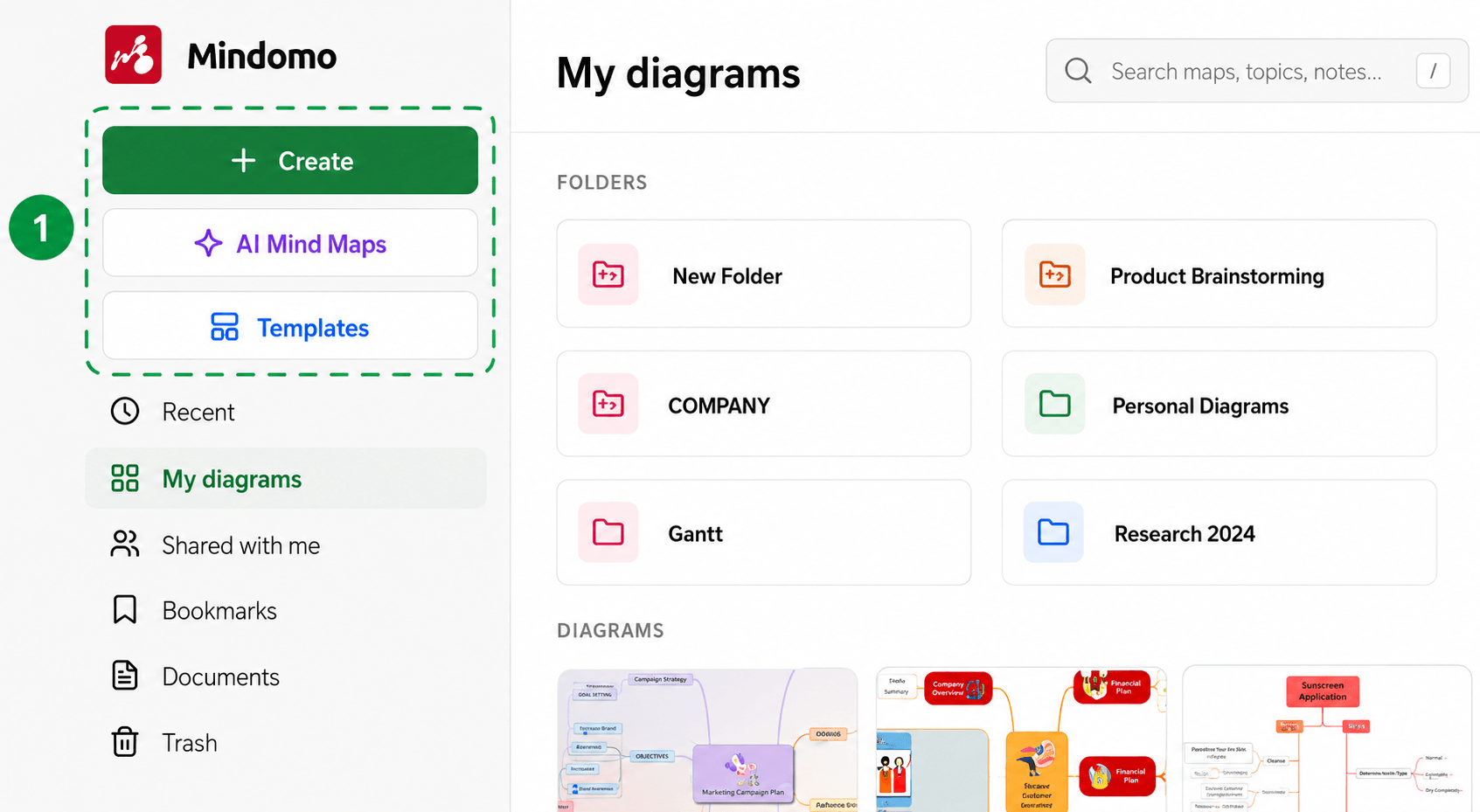
This makes it easier to choose how you want to begin, right from the start.
📁 Better organized navigation
The left-side menu now gives you quick access to all the important areas of your account:
- Recent: shows your recently edited diagrams, including both your own diagrams and diagrams shared with you
- My diagrams: displays the folders and diagrams created by you
- Shared with me: contains diagrams that other users have shared with you
- Bookmarks: now better organized for easier access to the text, images, links, and pages saved from other resources using the Mindomo browser extension
- Documents: includes all images, files, and resources uploaded to diagrams in your account
- Trash: your recycle bin for deleted items
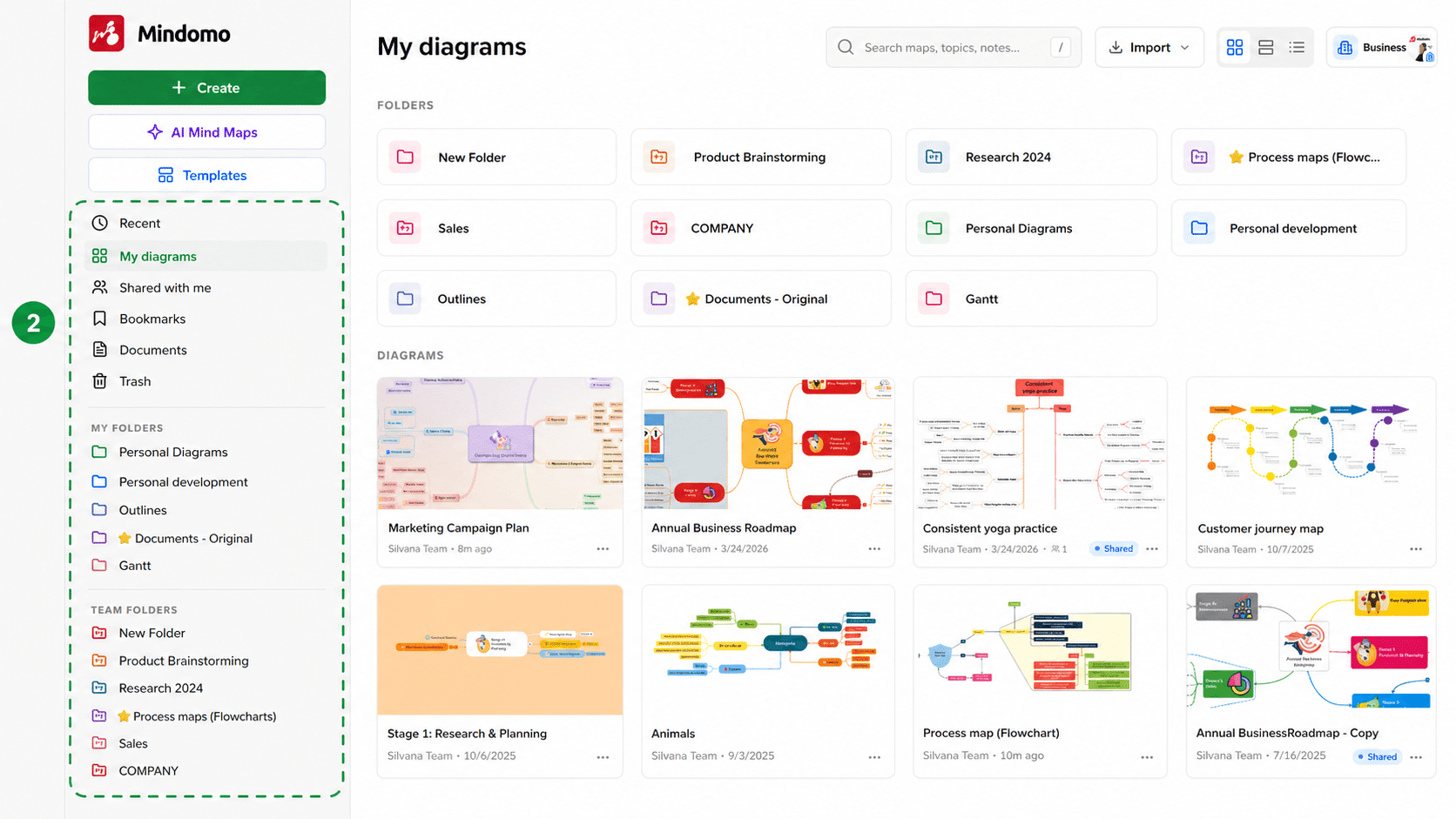
Below these sections, you’ll also find all your folders, including team folders available for Team and Business accounts. These shared folders make it easier for teams to collaborate and keep work organized.
📥 Redesigned import options
The Import menu has also been refreshed. You can quickly import maps from tools and formats such as Mindomo, MindManager, FreeMind, XMind, iThoughts, OPML / Outline, MS Project, Markdown, Microsoft Excel, and plain text.
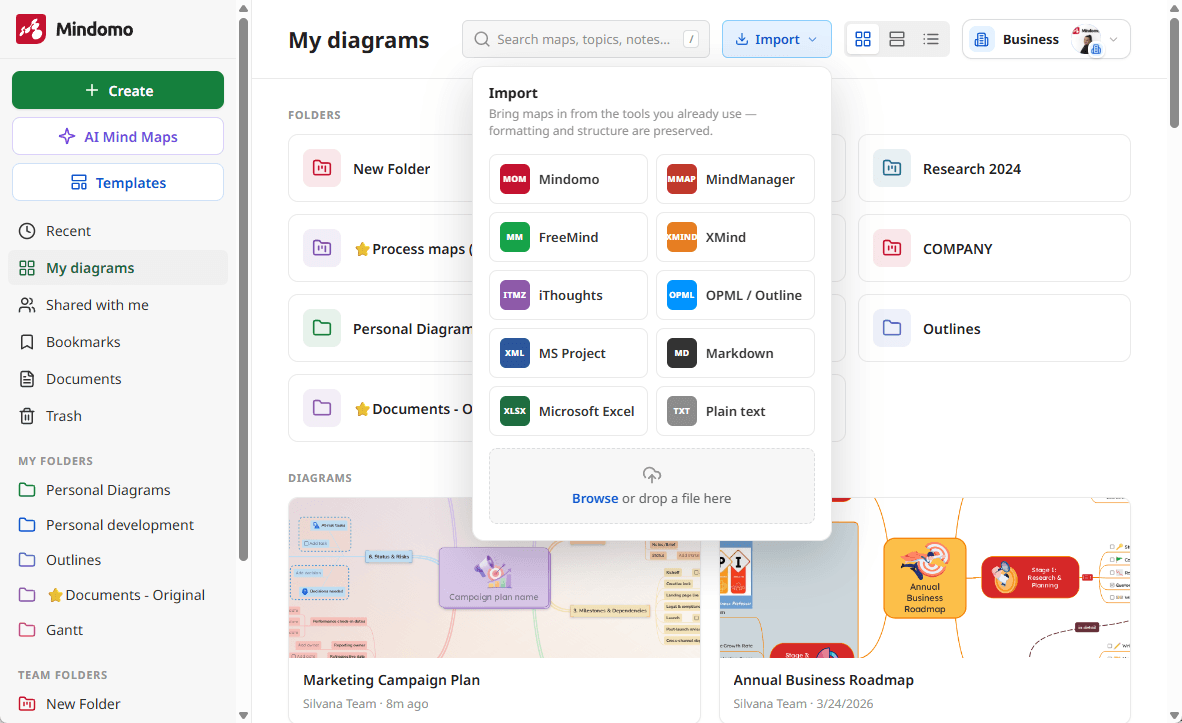
You can also browse for a file or drag and drop it directly into the import area.
🔍 Improved search experience
The search bar has been redesigned to help you find information faster across all your diagrams.
You’ll now see helpful filtering suggestions, such as open tasks, tasks due this week, overdue tasks, diagrams created today, and items assigned to you. There is also a list of search operators, making it easier to search more precisely throughout your diagrams.
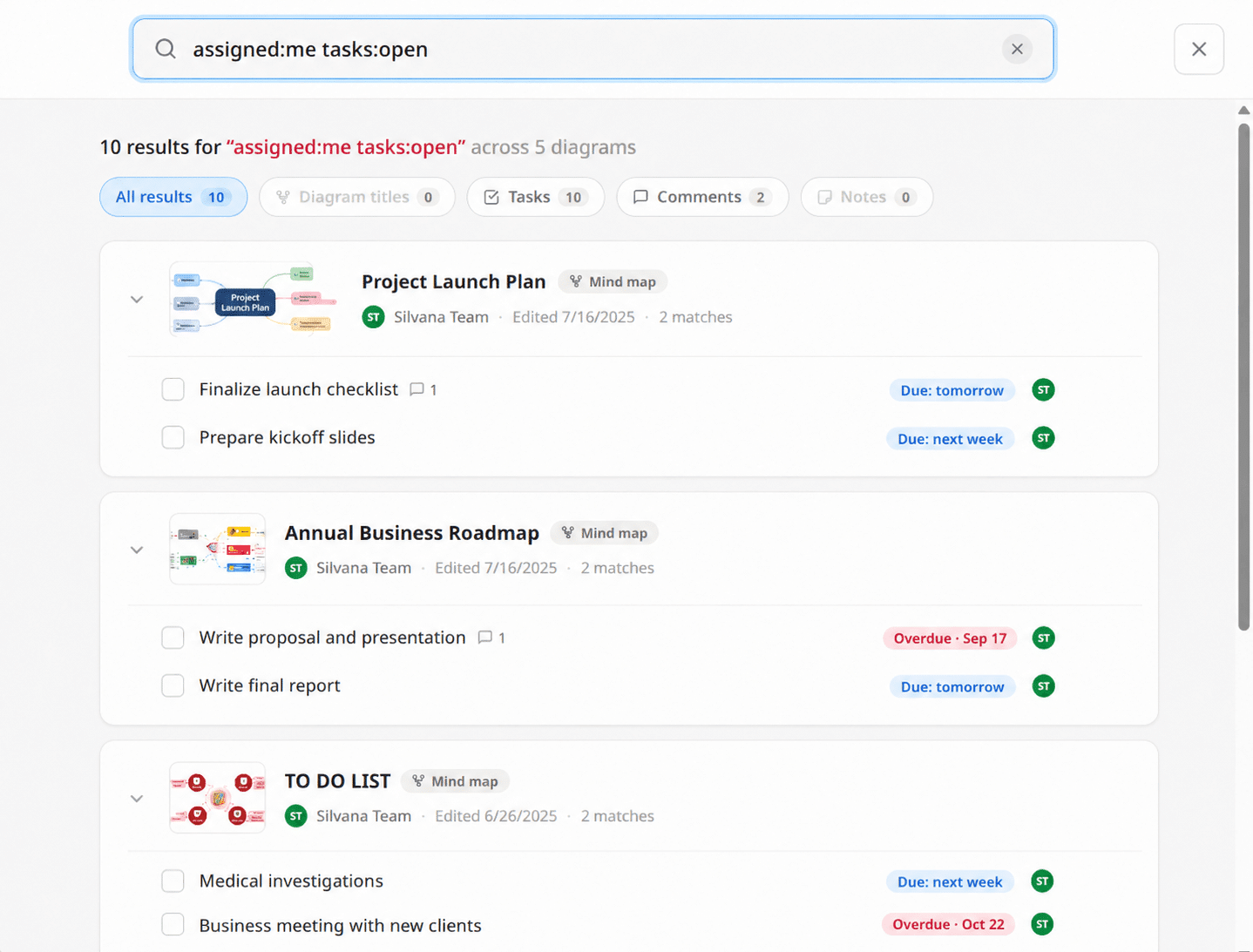
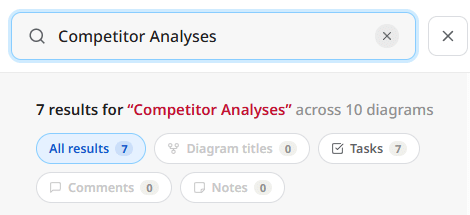
When searching for a specific word, Mindomo shows exactly where it appears in each diagram. You can also filter results by:
- diagram titles
- tasks
- comments
- notes
This makes it much easier to locate the right topic, task, note, or comment without opening each diagram manually.
👀 Choose how your diagrams are displayed
From the top-right corner, you can switch between different dashboard views:
- Grid view
- Tiles view
- List view
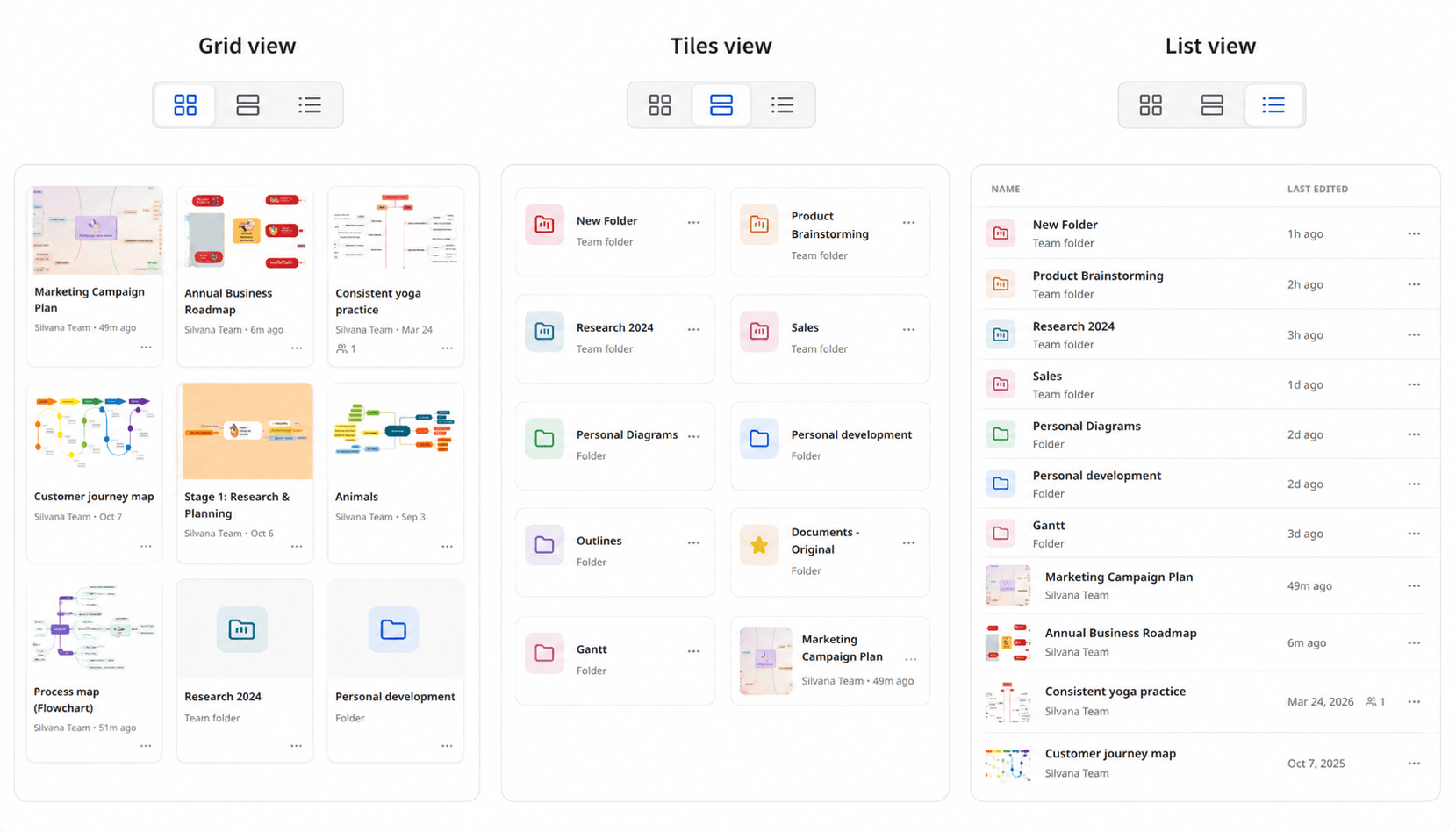
This gives you more flexibility in how you browse and manage your diagrams.
We hope the redesigned dashboard makes your Mindomo experience smoother, faster, and more organized.
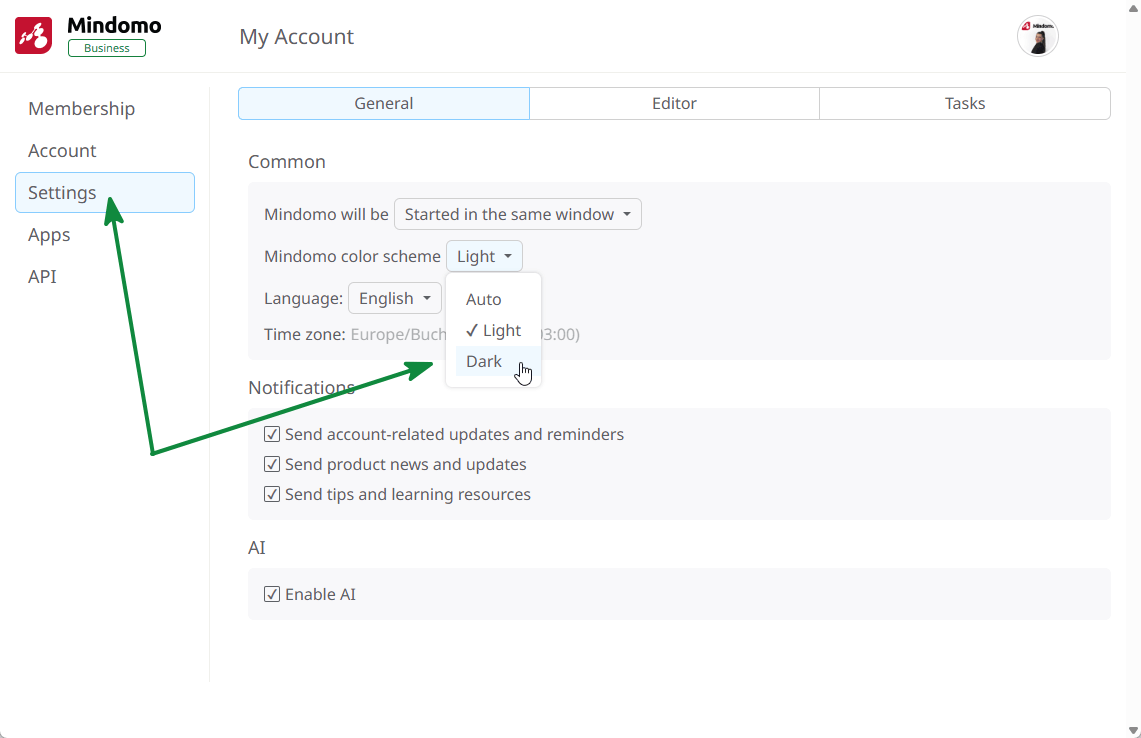
🌙 Dark mode is available
The redesigned dashboard also supports Dark mode, giving you a more comfortable viewing experience in low-light environments or whenever you prefer a darker interface.
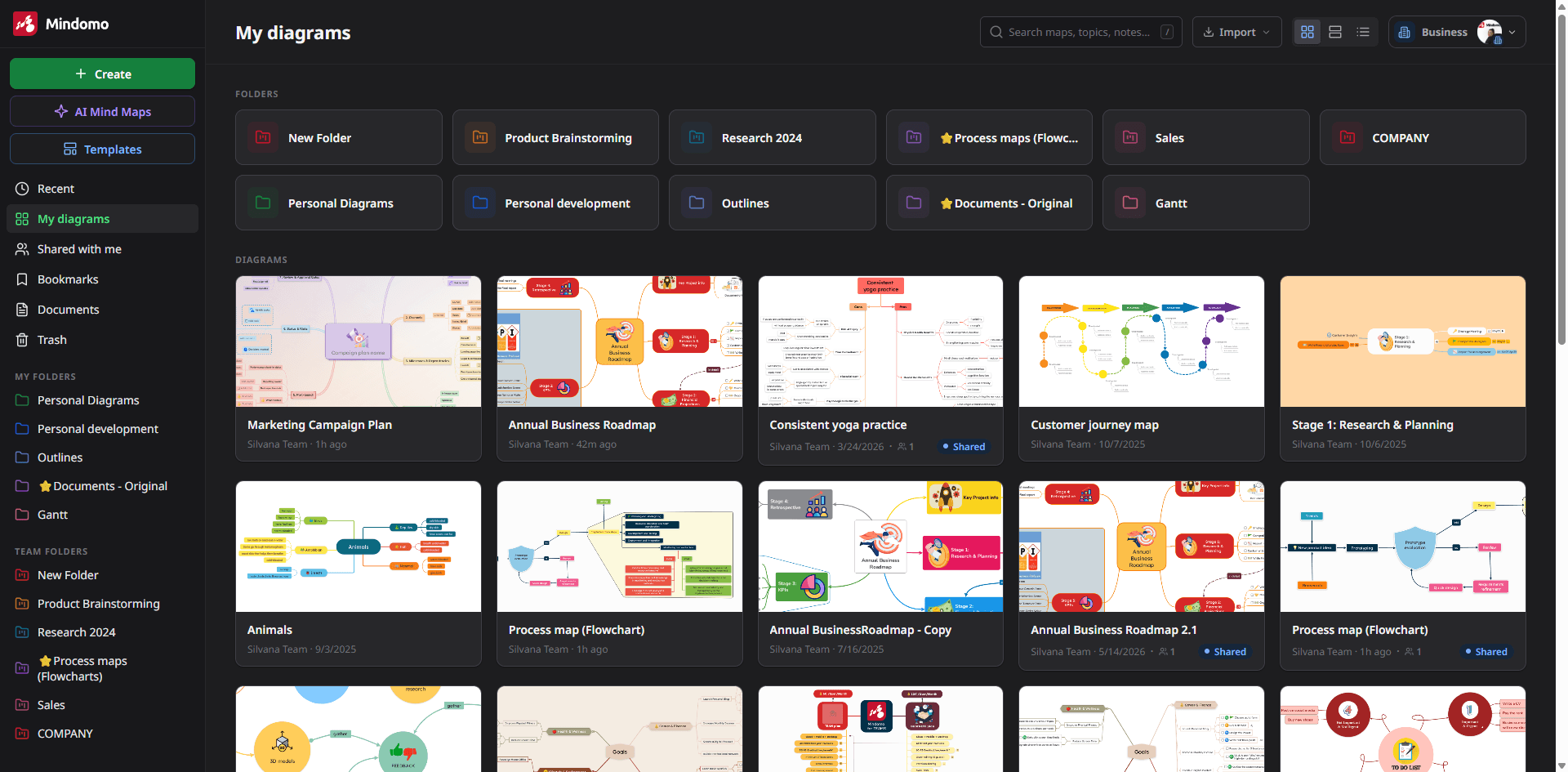
To activate it, open your profile menu from the top-right corner, go to Account.
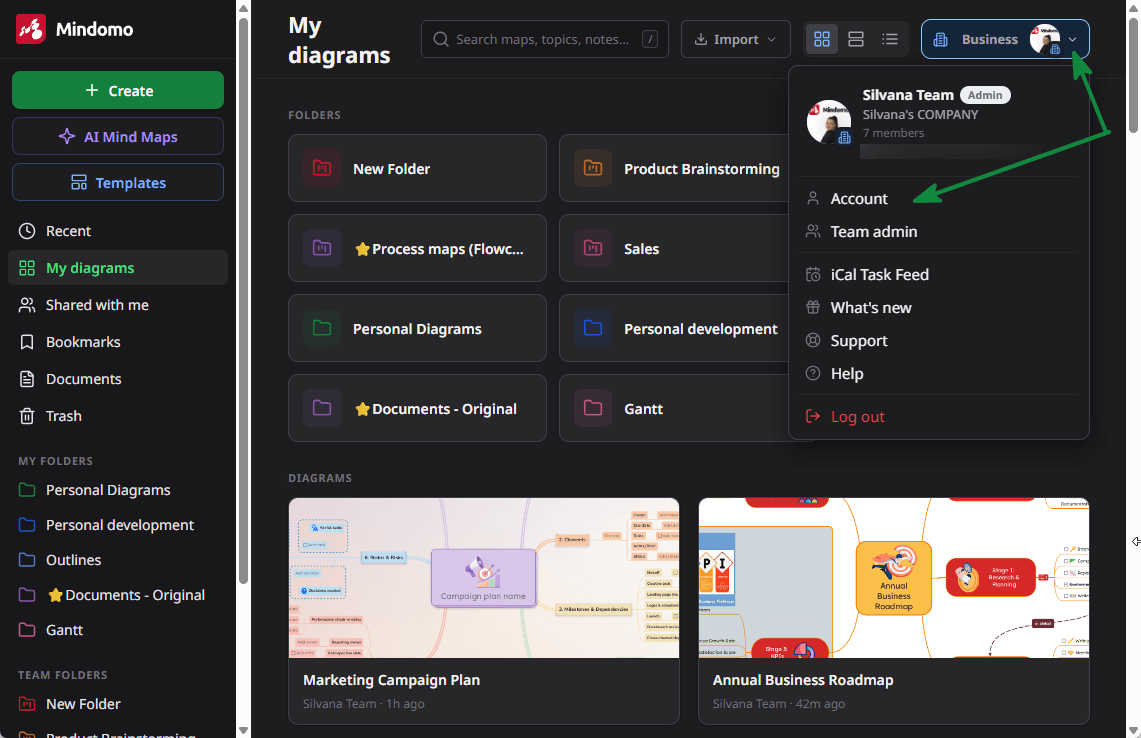
Then Settings, and choose Dark from the Mindomo color scheme options.
🗨️Your feedback is always welcome.
To see the full list of updates we’re constantly making in Mindomo, you can also check our changelog, where we keep track of all the latest improvements:
Have questions, ideas, or suggestions about the new dashboard? Let us know in the comments below. We’d love to hear your thoughts and are here to support you every step of the way.
Keep it smart, simple, and creative!
Silvana
The Mindomo Team