Announcements Features Improvements
Introducing Automatic Theme Styling for Diagrams
We are thrilled to announce an enhancement to your diagramming experience: the introduction of Automatic Styling for Diagrams! This feature is designed to elevate the visual appeal of your diagrams in seconds.
What’s new?
Previously, we had only the Theme Editor (accessible via the File List Menu). You could apply predefined themes, create your own themes, and import/export them.
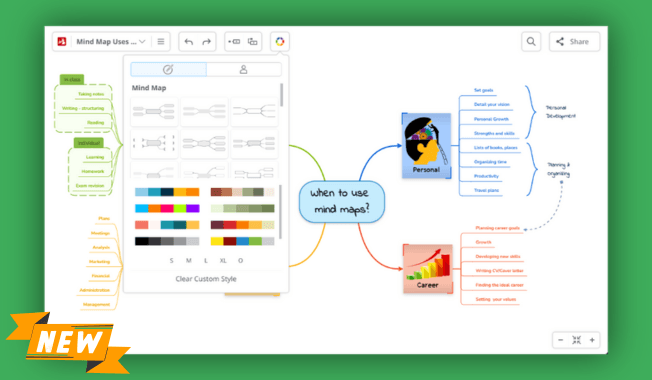
Now, we added a dedicated button 🎨, always visible during diagram editing, offering more customization options: you have a library of STYLES.
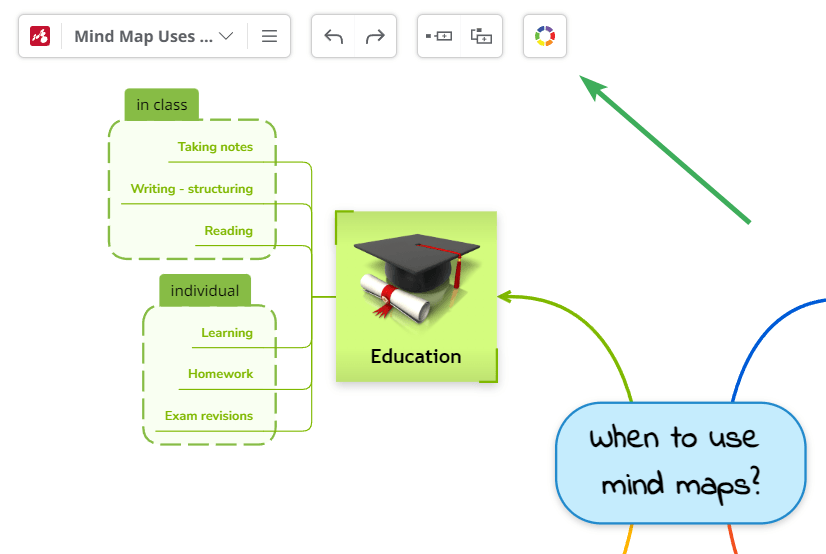
With one click, you can apply a different diagram style that changes the layout, colors, shapes, connections, fonts, etc.
Here’s what you can expect from our new Automatic Theme Styling:
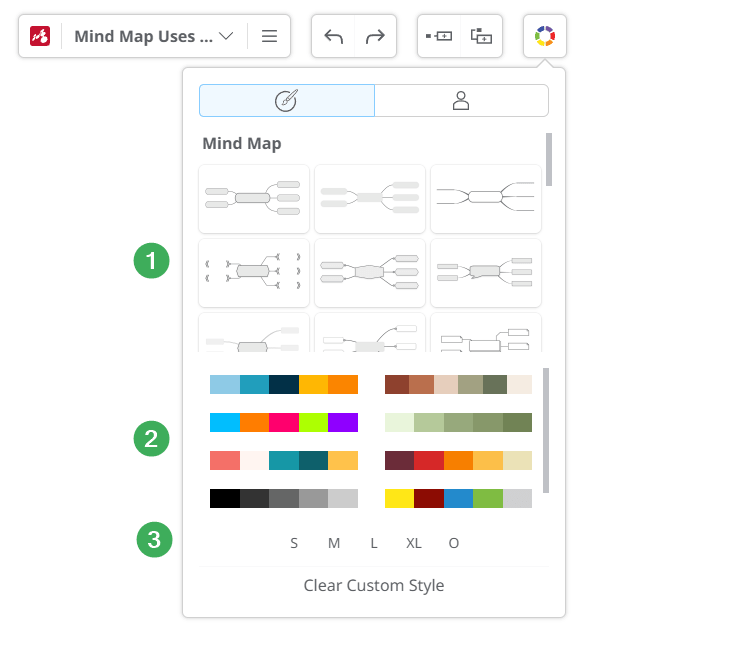
- Diverse Styles & Layout: a library with different theme styles applicable to different layouts: mind maps, tree charts, organigrams, fishbones, and timelines. Each style contains unique shapes, connections, fonts, and lines.
- Color Palettes: once you’ve selected the Style & Layout, you can apply a color palette. Clicking multiple times on the same color scheme allows you to switch between different color application methods.
- Size Options: tailor the size of your map to suit your needs with options ranging from S (Small) to XL (Extra Large), or revert to the original size (O).
Clear Custom Style
To ensure a seamless transition, we’ve also included a handy “Clear Custom Style” button at the bottom of the menu. It lets you reset any preexisting custom styles applied to specific topics, ensuring a fresh start with our new styling options.
For detailed instructions on leveraging these exciting new features, please visit our Help Page.
We hope you’re as thrilled as we are about this enhancement to Mindomo.
Please write us your thoughts about this new improvement in the comments, as we aim to give you the best tools for visual thinking and collaboration!
Keep it smart, simple, and creative!
Silvana
The Mindomo Team