📊 The new Mindomo Gantt chart: plans change, your schedule follows
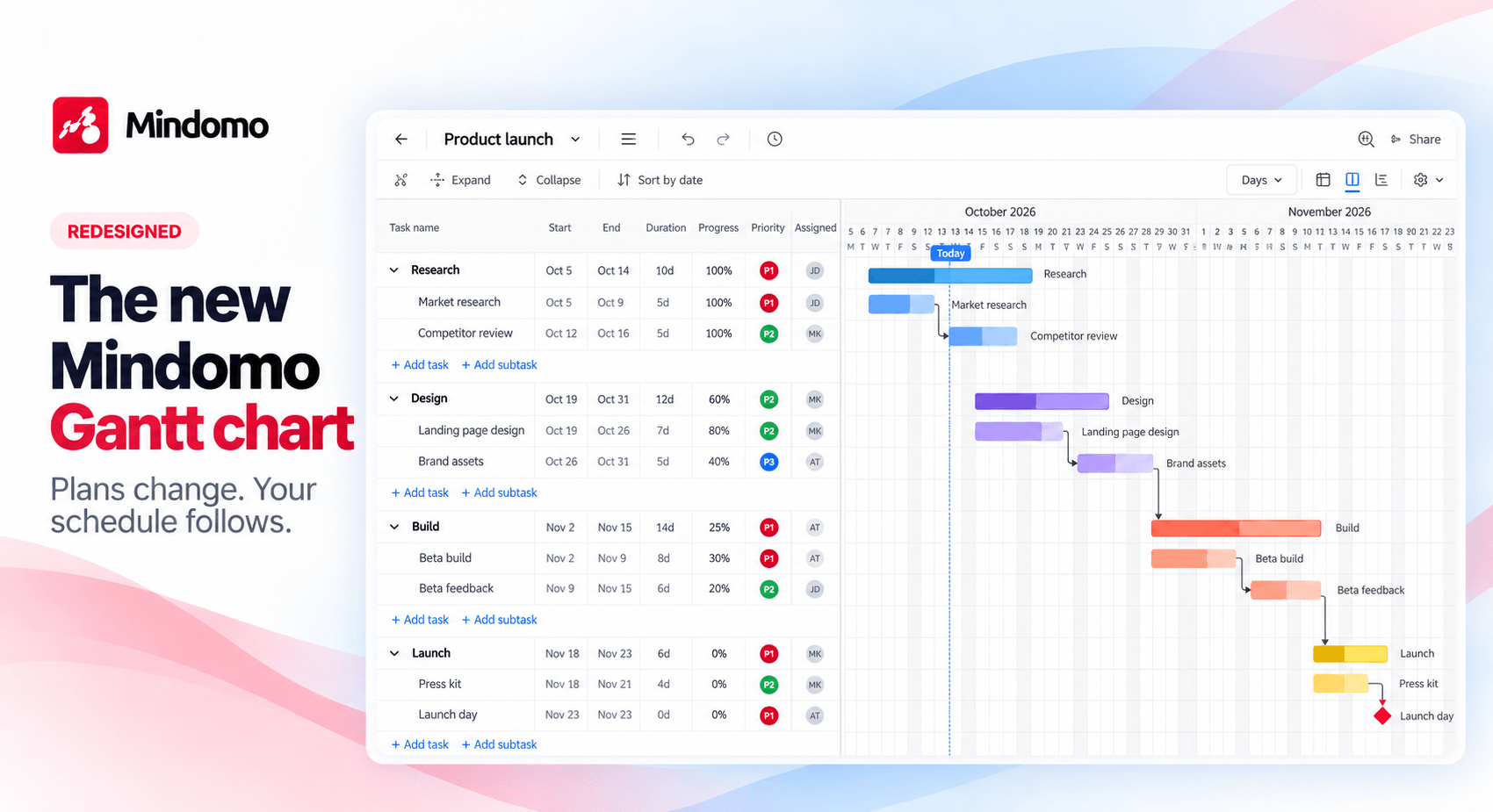
We’ve redesigned the Mindomo Gantt chart from the ground up. It’s faster, cleaner and smarter, so you spend less time adjusting dates and more time moving your project forward.
🧠 From mind map to Gantt in one click
Your mind map, outline and Gantt chart are three views of the same diagram. Brainstorm the work, then choose View as Gantt to schedule it. Dates, owners and progress stay on your topics when you switch. New to Gantt charts? Follow our step-by-step guide to making a Gantt chart.
🔗 Change one date, the rest follows
Link tasks with four dependency types. When a task moves, every task after it moves too. Turn on the critical path to see which tasks decide your end date. To see how this compares with other tools, read our comparison of the best Gantt chart software.
👥 Plan together, in real time
Your whole team can edit the chart at once, comment on tasks and check who changed what in History.
✨ There’s a lot more to discover
Milestones, six time scales, a keyboard-first task grid, Microsoft Project import and more. See every new feature on our Gantt chart page.
🗨️ Your feedback is always welcome
Have questions or ideas about the new Gantt chart? Get in touch. We’d love to hear how you’re using it. To see every update we ship, check our What’s new page.
Keep it smart, simple, and creative!
Silvana
The Mindomo Team