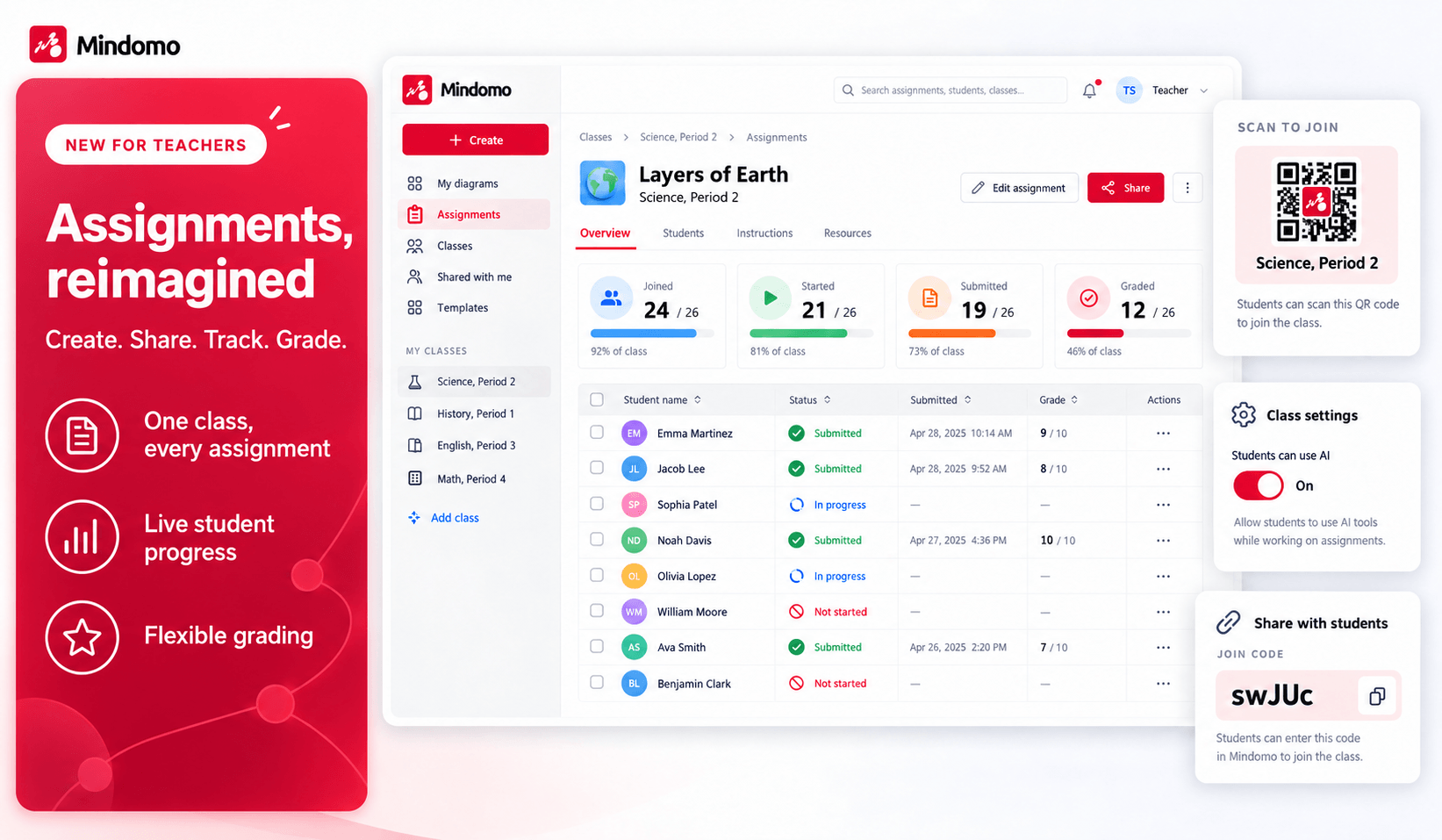
We’ve completely redesigned Classes & Assignments. Set up a class once, and every assignment you give that group from then on simply appears for your students.
🏫 Create a class, invite everyone in one step
Fill your roster by email, with PIN accounts for students without an email address, from Google Classroom or from your school’s list. Students join with a QR code, a link or an access code, and they only ever do it once.
✏️ Assign, follow and grade
Start from a blank diagram, one of yours or a template, and make it an individual or group assignment. Follow the work live, replay how each diagram was built, and grade it the way your school grades.
🤖 You decide on AI
Turn the AI tools on or off for each class. The setting applies to every assignment in that class straight away.
✨ There’s a lot more to discover
Grading options, a dedicated place in the dashboard sidebar and more. See everything that changed on our assignments page.
🗨️ Your feedback is always welcome
Have questions or ideas about the new Classes & Assignments? Get in touch. We’d love to hear how you’re using it in your classroom. To see every update we ship, check our What’s new page.
Keep it smart, simple, and creative!
Silvana
The Mindomo Team